
Ford
Expedition Headlight Bulbs Replacement Guide
How to replace the high beam, low beam,
and parking / turn signal light bulbs in a 2003-2006 Ford Expedition SUV.

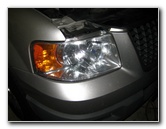 Ford Expedition Headlight |
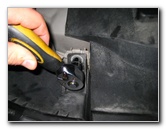 Removing 10mm Bolt |
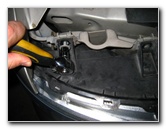 2nd 10mm Bolt |
| This automotive
how-to guide was specifically written to assist owners of the 2003, 2004,
2005 and 2006 Ford Expedition SUV in replacing a burnt out low
beam, high beam, or parking / turn signal light bulb in the
headlight assembly. Owners of other similar Ford vehicle models such as the Explorer, Lincoln Navigator, F-150, Lightning, Excursion, Escape, Bronco, and Sport Trac may also find these instructions to be useful. Replacement light bulbs from Sylvania and other manufacturers have the following part numbers: Low Beam # 9006, High Beam # 9005 and Front Turn Signal / Parking # 3357. The only tool needed to replace any bulb in the headlight assembly of a 2003-2006 Ford Expedition is a 10mm socket and ratcheting wrench. |
||
|
|
||
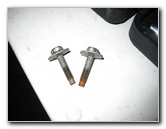 Two 10mm Bolts Removed |
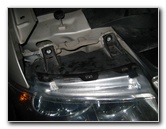 Headlight Bolts Removed |
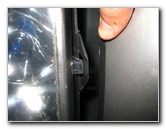 Hold Back Front Bumper |
| The easiest way to
access the light bulbs in the headlight assembly of a Ford Expedition is to
remove the two 10mm bolts that secure it to the front of the vehicle.
Once the two bolts are removed, you can gently hold back the center part of the front bumper that obstructs the headlight assembly. Then pull the entire assembly out and rest it on a towel or rag to prevent scratching the painted upper lip of the bumper. |
||
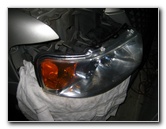 Pull Out Headlight |
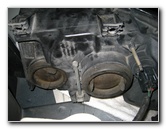 High & Low Dust Covers |
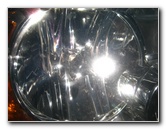 Low Beam Front |
| At the middle rear of the headlight assembly, you'll see a large circular dust cover that protects the low beam headlight bulb and socket. | ||
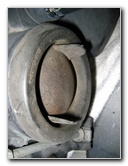 Low Beam Dust Cover |
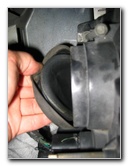 Pull Off Dust Boot |
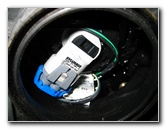 Turn Counter Clockwise |
| Pull or peel off
the low beam dust cover by grapping the outer lip or by using the two rubber
pull tabs.
Then grasp the base of the low beam headlight, turn it 1/4 turn counter clockwise, and pull it straight out from the assembly. |
||
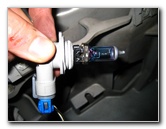 # 9006 Low Beam Bulb |
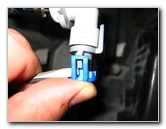 |
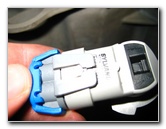 Pry Up Grey Plastic Clip |
| To detach the low beam headlight's base from the power connector, pry up the light grey plastic clip with a flathead screwdriver or your fingertips and wiggle the connector straight off the base of the bulb. | ||
|
|
||
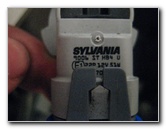 Sylvania 9006 ST HB4 |
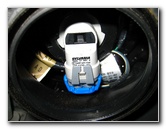 Insert Into Headlight |
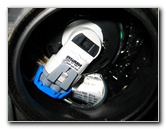 1/4 Turn Counter Clockwise |
| Replace the old # 9006 low beam bulb with a new one, attach the power connector, insert it into the headlight, and turn it 1/4 turn clockwise to secure it. | ||
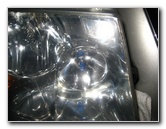 Front - High Beam Bulb |
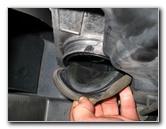 Pull Off Dust Cover |
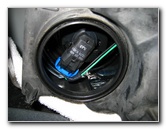 # 9005 High Beam Socket |
| The high beam
headlight bulb is located closest to the center line of the vehicle and is
protected by a smaller circular rubber dust cover.
Peel off the rubber dust boot to access the # 9005 high beam bulb. To remove it, turn the bulb's base 1/4 turn counter clockwise and pull it straight out from the headlight assembly. |
||
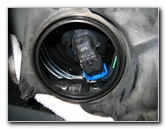 Twist 1/4 Turn Clockwise |
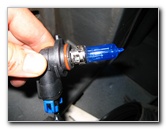 High Beam Removed |
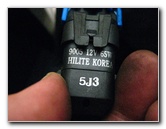 Pry Up Black Plastic Clip |
| To separate the
light bulb from the power connector, pry up the black plastic retaining clip
with a flathead screwdriver or your fingertips and pull it straight off from
the light bulb's base.
Replace the high beam bulb with a new # 9005, snap on the power connector, insert the bulb into the headlight, and turn it 1/4 turn clockwise to secure it. |
||
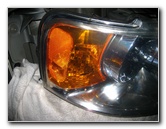 Front - Parking / Turn Signal |
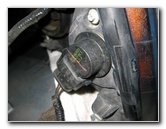 Turn Signal Bulb Socket |
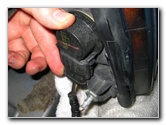 1/4 Turn Counter Clockwise |
| The front turn
signal (parking) light bulb is located at the outer edge of the headlight
assembly.
Turn the socket 1/4 turn counter clockwise and pull it straight out from the assembly. Pull the old # 3357 light bulb straight out from the socket. If it won't come out easily, try wiggling it while pulling. Replace it with a new clear 3357 bulb, insert the bulb into the headlight assembly, and turn it 1/4 turn clockwise to secure it. |
||
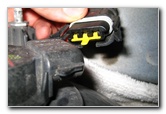 Remove Power Connector |
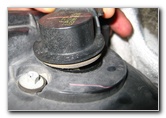 Pull Out Socket & Bulb |
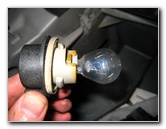 Wiggle Out # 3357 Bulb |
| Test the new light
bulbs by turning on the headlights, activating the hazard signals and
flashing the high beams. For more of my
related automotive guides or reviews, click on the following links:
Ford
Expedition 5.4L V8 Engine OIl Change Guide,
Ford Expedition Tail Light Bulbs Replacement Guide,
Ford Expedition Overhead Map Light Bulbs Replacement Guide,
Meguiar's Headlight Restoration Kit Review,
WeatherTech FloorLiner Mats Review,
Car Headlight / Tail Light Condensation Repair Guide,
Sunforce Solar Battery Maintainer,
Corroded Car Battery Terminal Replacement Guide,
Garmin Nuvi 260W GPS Review,
Car Interior Carpet Replacement Guide,
Buffing Old Faded Headlights Guide,
K&N Air Filter Cleaning Guide, and
Zaino Bros Show Car Polish Review. |
||
If you found this guide to be helpful,
please consider making a small donation by clicking on the PayPal.com
"Donate" button located to the right of this paragraph. Thank you!
 (Note: I am not a registered charity. Donations are not tax deductible.) |