2017, 2018, 2019, 2020, 2021, 2022, 2023, 2024 & 2025 Mazda CX-5 Windshield Window Wiper Blades Replacement DIY Guide

This automotive maintenance tutorial was specifically written to assist owners of the second generation (2017, 2018, 2019, 2020, 2021 and 2022) Mazda CX-5 SUV in changing the front windshield window wiper blades.

Owners of other Mazda vehicles such as the CX-3, CX-30, CX-7, CX-9, Mazda3, Mazda6, MX-30, MX-5 Miata, Mazda2, CX-4, CX-8 and BT-50 may also find these DIY instructions to be helpful.

The OEM (original equipment manufacturer) wiper blade sizes in inches are as follows: Driver Side 24″ and Passenger Side 18″.

A few compatible replacement wiper blades with their part numbers are as follow: Aero 24″ & 18″SilBlade 24″ & 18″ and Trico 2417B & Trico 1817B.

The only tool needed to remove and replace the wiper blades is a small plastic pry bar tool or a flat head screwdriver.

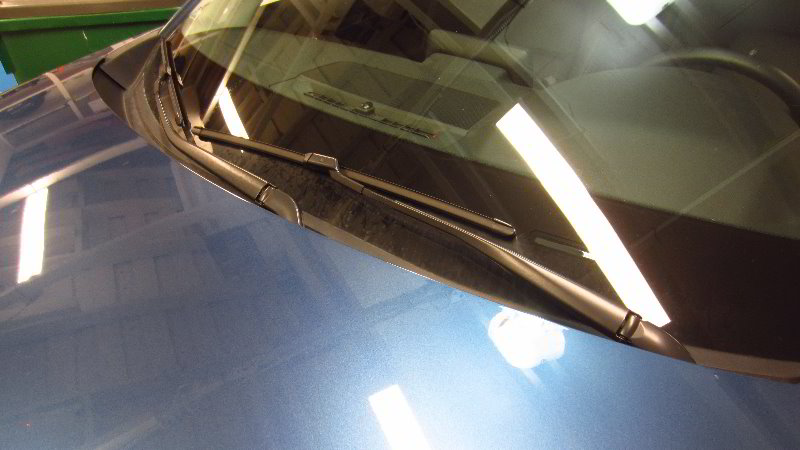
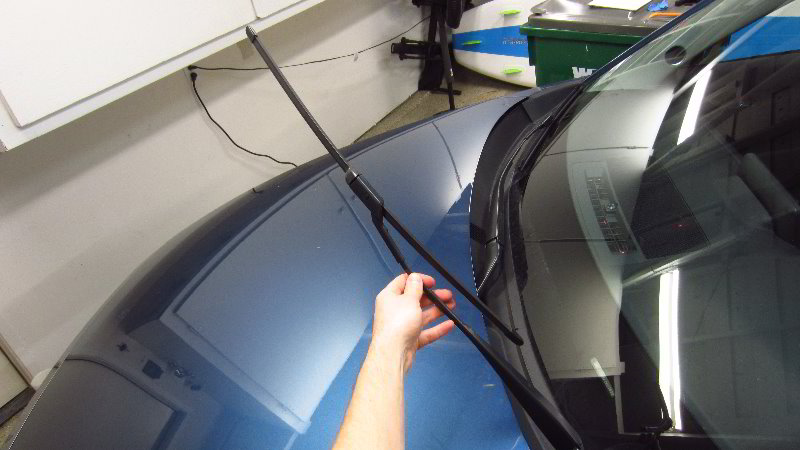
The first step is to carefully lift the wiper arm off the windshield until it remains in the raised position by itself.

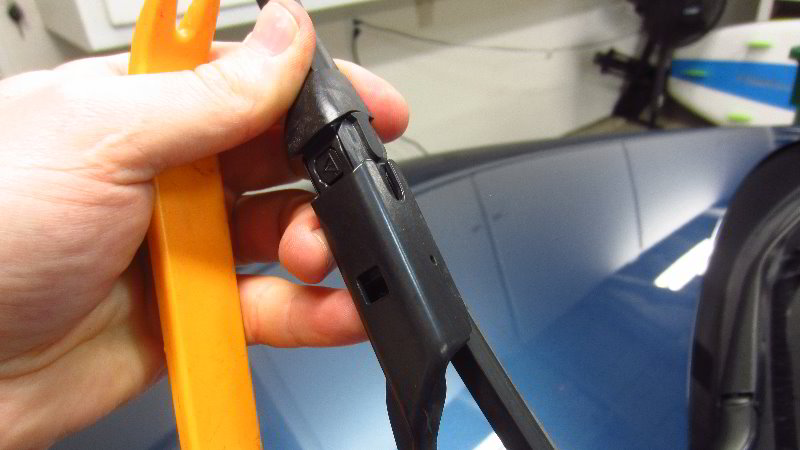
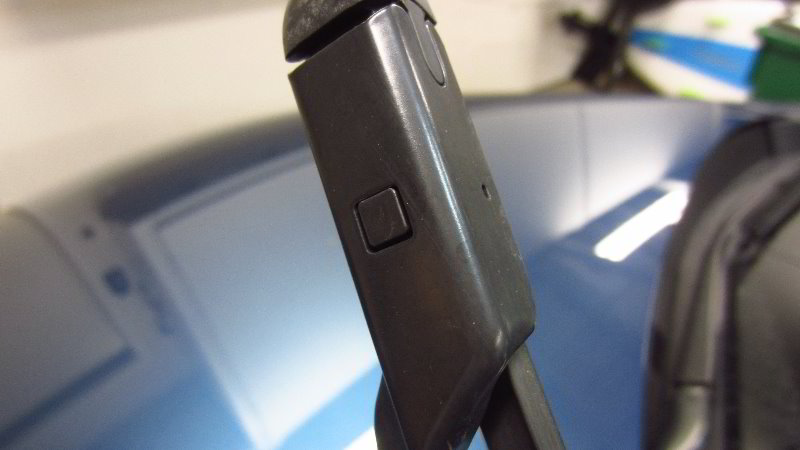
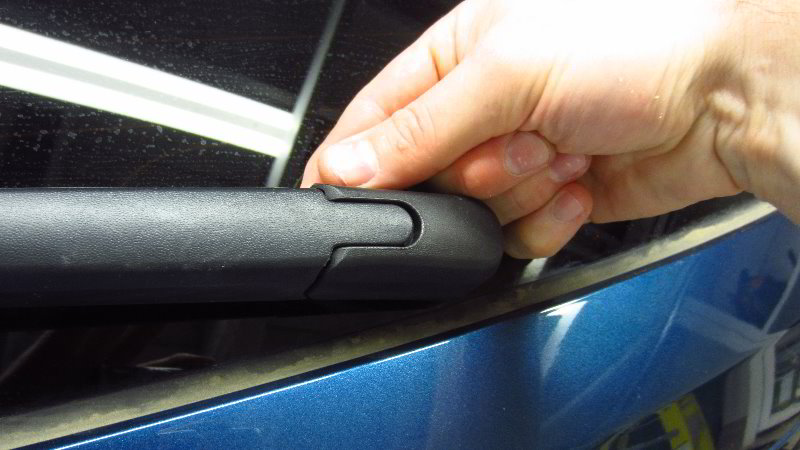
Locate the small square black plastic release button on the metal bracket at the end of the wiper arm.

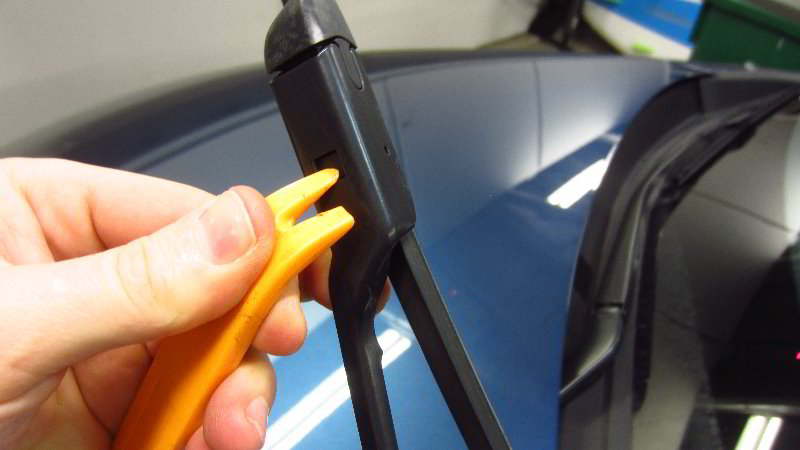
Push in the small square button with the plastic trim panel removal tool or a flat head screwdriver to release the old wiper blade.

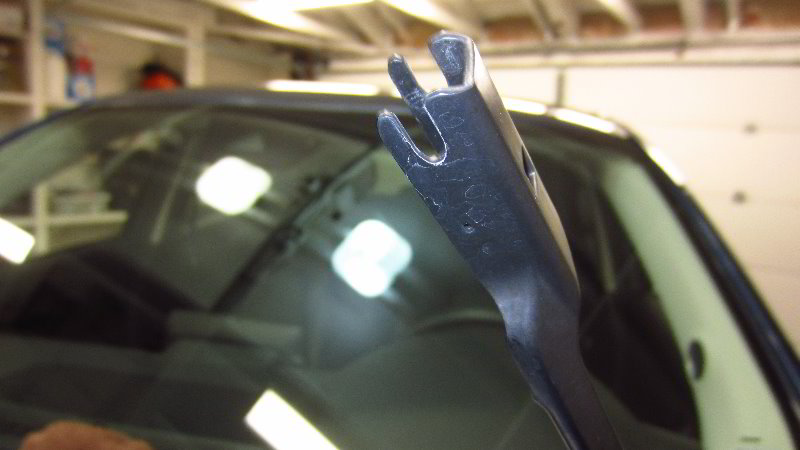
Once the old wiper blade is unlocked, carefully slide the plastic mount straight out of the metal bracket at the end of the wiper arm.

Place a towel on the windshield to help protect the window from being chipped, scratched, shattered or cracked just in case the wiper arm smacks down on to the glass while you are changing the wiper blade.

If you’d like to buy the OEM (original equipment manufacturer) wiper blades, the part numbers are as follows: Left / Driver Side # Mazda KB7W67330B (also known as KB7W-67-330B) and Right / Passenger Side # Mazda KD2W67330 (also known as KD2W-67-3300.

Line up the new wiper blade with the arm. The rubber blade should be pointing out away from the windshield.

Slide the plastic mount on the middle of the new blade straight into the slot at the end of the arm.

You should feel or hear the new wiper blade “click” securely into place.

Double check that the new blade has been properly installed.

Gently lower the wiper arm back down to the window.

For the best wiper performance, I highly recommend cleaning off the windshield and applying a window treatment product such as Rain-X that will repel water from the glass.

Be sure to write down the blade change in your SUV’s service records.

Please check out all of my 2017-2022 Mazda CX-5 DIY Repair & Maintenance Guides.

2017, 2018, 2019, 2020, 2021, 2022, 2023, 2024 & 2025 Mazda CX-5 Rear Turn Signal Light Bulb Replacement DIY Guide

This automotive maintenance tutorial was specifically written to assist owners of the second generation (2017, 2018, 2019, 2020, 2021 and 2022) Mazda CX-5 SUV in changing a burnt out rear turn signal light bulb located in the tail light housings.

Owners of other Mazda vehicles such as the CX-3, CX-30, CX-7, CX-9, Mazda3, Mazda6, MX-30, MX-5 Miata, Mazda2, CX-4, CX-8 and BT-50 may also find these DIY instructions to be helpful.

The compatible replacement light bulb part number is WY21W (also known as the 7440NA bulb).

If you’d like to have brighter rear turn signal lights that will also last much longer before burning out like the traditional incandescent bulbs, install some WY21W LED bulbs.

The tools needed to access and replace the bulbs include a small flat head screwdriver or a plastic pry bar tool and a standard Phillips head screwdriver.

Note – On this 2019 CX-5 the brake (stop), parking light, reverse (back-up) and side marker lights are LED bulbs that should last the life time of the vehicle.

The first two steps are to open the tailgate door for the cargo area and move to the side of the vehicle with the burnt out light bulb.

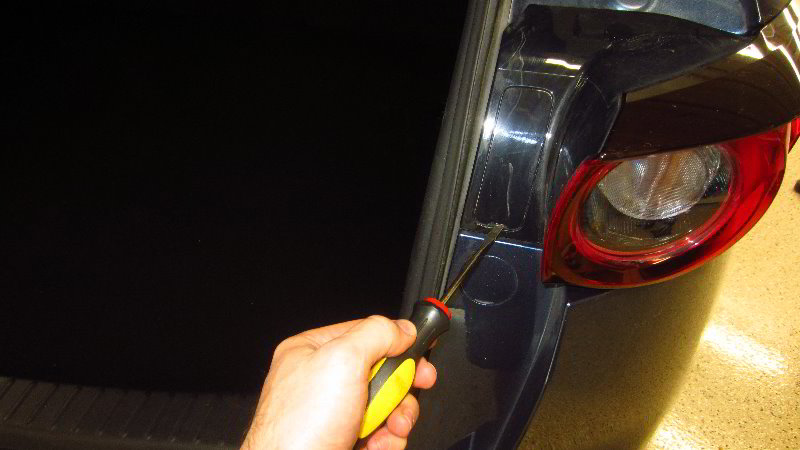
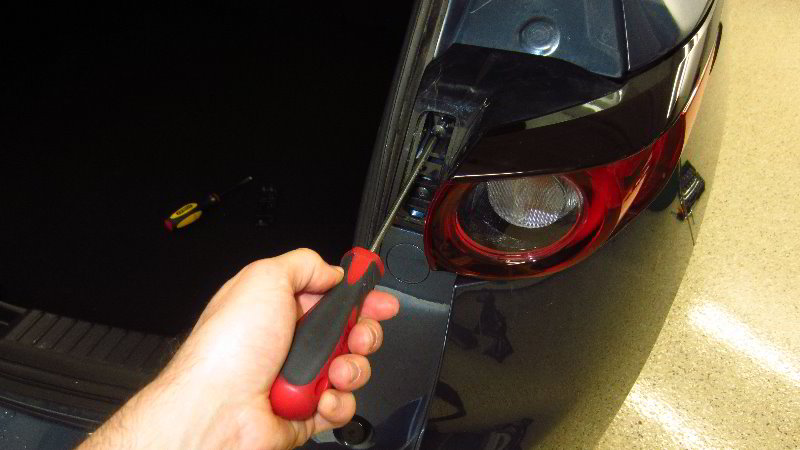
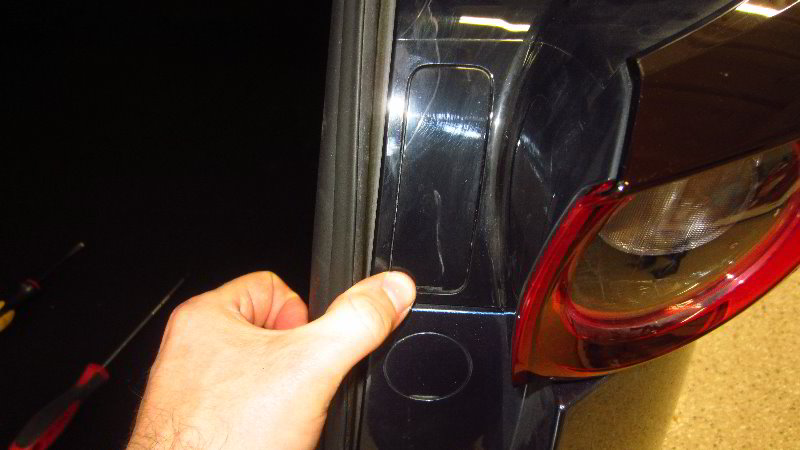
Locate the rectangular shaped access cover on the inner edge of the tail light housing.

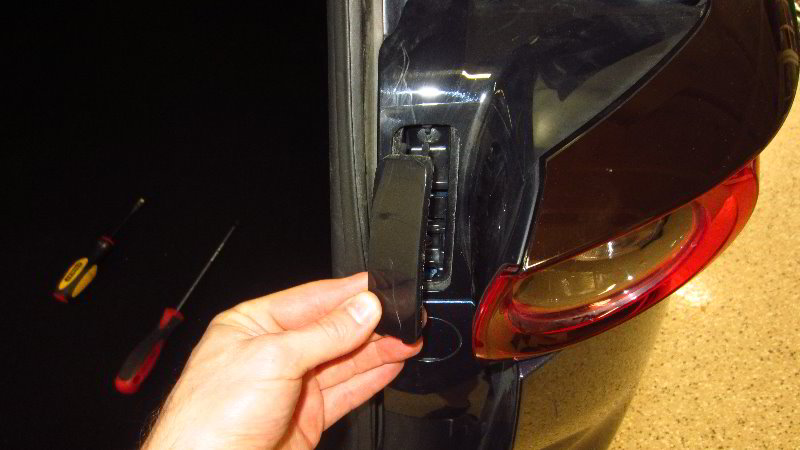
Insert the blade of the flat head screwdriver or the small plastic trim panel removal tool into the notch at the bottom of the access cover and gently pry it out.

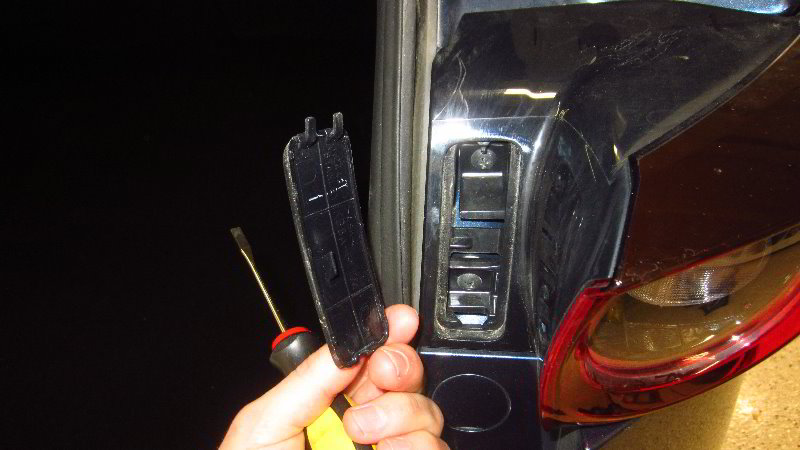
Pull the two plastic tabs at the top of the trim cover out of their slots.

Set the access cover aside in a safe place.

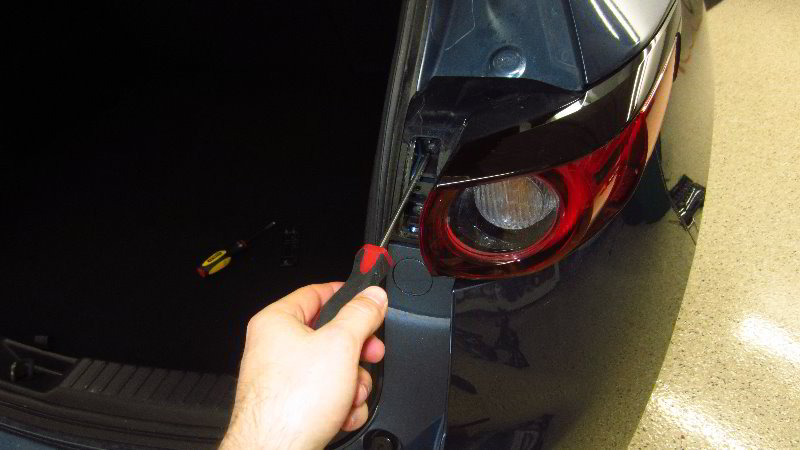
Loosen the two screws by turning them in the counterclockwise direction with the Phillips head screwdriver.

Set the two screws aside in a safe place.

The tail light housing is still held in place by two friction fasteners on the front outer part of the assembly.

There is a plastic peg (or “spike”) inserted into a grommet and a slot that slides over a button head.

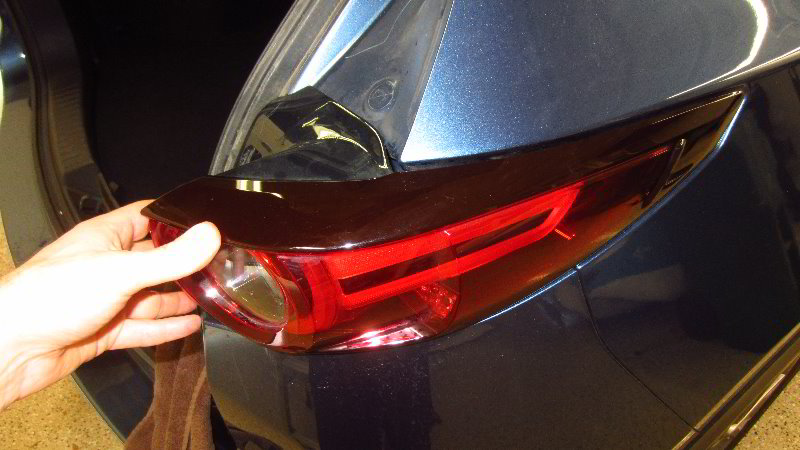
Carefully pull the tail light housing straight off the rear corner of the SUV.

If you have trouble removing the housing, try gently wiggling it back and forth while carefully pulling it straight off.

Turn over the housing to access the bulb socket.

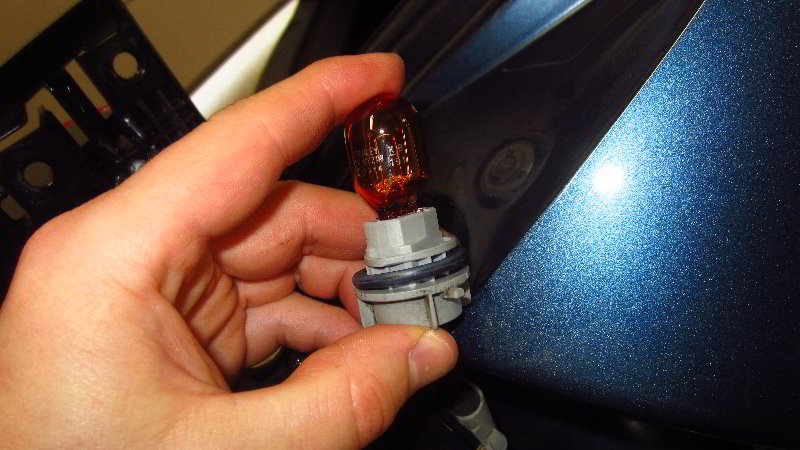
The gray socket contains the rear turn signal light bulb.

Rotate the base of the bulb socket 1/4 turn in the counterclockwise direction before pulling it straight out of the housing.

If the old light bulb was recently turned on, be careful when you remove it. The old bulb might still be hot enough to burn your fingers.

Pull the old light bulb straight out of the socket.

If you have trouble removing the old light bulb due to corrosion (rust), sand or other debris, put on some thick gloves and try very gently wiggling the bulb back and forth while pulling it straight out.

The OEM (original equipment manufacturer) light bulb in this 2019 CX-5 was a Philip WY21W.

Push a new WY21W (or a 7440NA) natural amber colored light bulb straight into the socket.

If you are installing a traditional incandescent bulb, wipe it clean with a paper towel and some rubbing alcohol.

Any grease, oil or dirt left on the new bulb may cause a hot spot and could lead to the bulb burning out prematurely.

If you’d like to have brighter rear turn signal lights, install some compatible replacement WY21W LED units.

Reinsert the bulb socket into the housing and rotate it 1/4 turn in the clockwise direction.

Double check that the bulb socket is securely installed in the housing.

If the wire harness became detached from the back of the tail light housing, push the retaining clip back into place.

Line up the peg (or “spike”) and the slot on the back side of the housing with the grommet and button head on the rear corner of the vehicle.

Slide the tail light housing back into place.

Replace the two screws by turning them in the clockwise direction with the Phillips head screwdriver until they are snug.

Try to avoid over tightening the two screws to prevent from cracking the plastic inner edge of the assembly.

Line up the plastic trim cover with the opening.

First, reinsert the two tabs on the top edge of the cover into the opening.

Gently snap in the retaining clips on the bottom edge of the access cover.

Make sure the access cover is securely in place.

To test the new rear turn signal light bulb, activate the hazard signals.

Tip – If you installed an LED bulb and it doesn’t work, try removing it from the socket, rotate it 180 degrees and then push it back into the socket. Some LED bulbs are “polarized” and will only work when the “+” positive and “-” negative electrical contacts are in the correct orientation.

Please check out all of my 2017-2022 Mazda CX-5 DIY Repair & Maintenance Guides.

2017, 2018, 2019, 2020, 2021, 2022, 2023, 2024 & 2025 Mazda CX-5 Rear Wiper Blade Replacement DIY Guide

This automotive maintenance tutorial was specifically written to assist owners of the second generation (2017, 2018, 2019, 2020, 2021 and 2022) Mazda CX-5 SUV in changing the rear wiper blade on the back windshield window.

Owners of other Mazda vehicles such as the CX-3, CX-30, CX-7, CX-9, Mazda3, Mazda6, MX-30, MX-5 Miata, Mazda2, CX-4, CX-8 and BT-50 may also find these DIY instructions to be helpful.

The OEM (original equipment manufacturer) rear wiper blade part number is Mazda KD47-67-330 (also known as KD4767330) and it is 14″ (fourteen inches) in length.

A few compatible replacement aftermarket 14″ rear wiper blades with their part numbers are as follows: Bosch H352 (3397011430), Michelin 9514Silblade RB114-A and Motium R05-14.

No tools are needed to remove and replace the rear wiper blade.

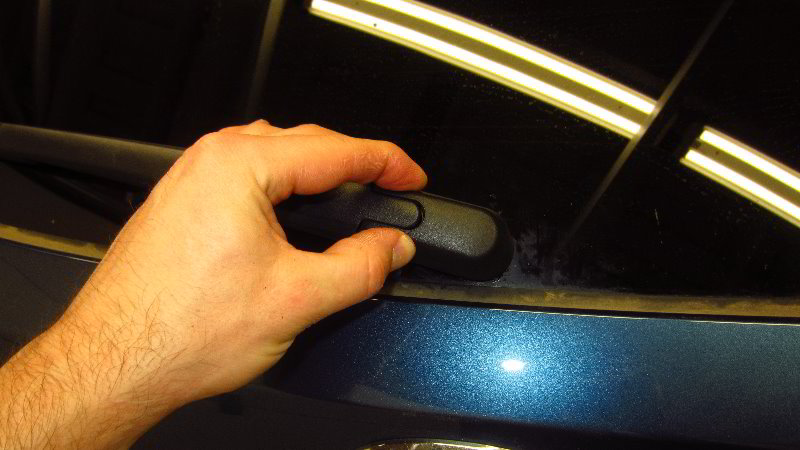
The first step is to gently pull the “C” shaped plastic cover off the base of the wiper arm.

Removing the cover will allow the wiper arm to more easily articulate away from the back window.

Set the plastic cap aside in a safe place.

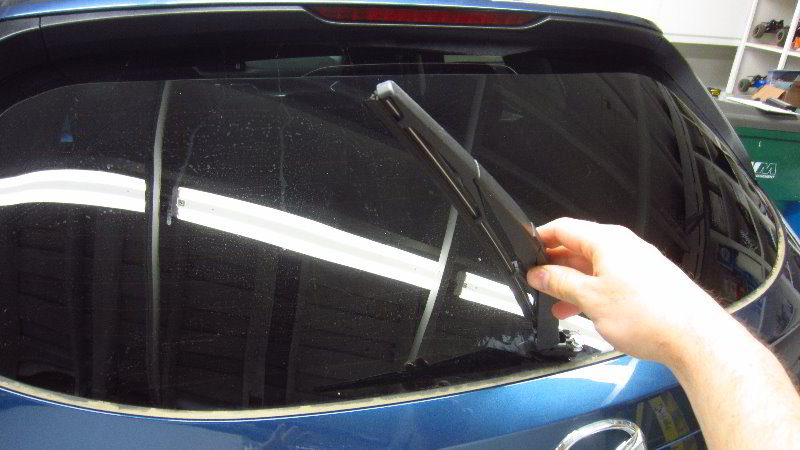
Carefully raise the rear wiper arm off the back windshield.

Rotate the old wiper blade away from the wiper arm at a slight angle.

Continue gently rotating the old wiper blade away from the wiper arm until it is just about perpendicular (at a 90 degree angle) with the wiper arm.

You should feel and/or hear the mounting bar in the center of the old wiper blade pop out of the “C” shaped socket at the end of the wiper arm.

Lift the old blade off the end of the wiper arm.

Take a moment to examine the condition of the “C” shaped socket at the end of the wiper arm for any wear or damage.

If you need to replace a damaged rear wiper arm, the OEM part number is Mazda L206-67-421 (also known as L20667421).

I recommend buying the Bosch H352 rear wiper blade since it has excellent reviews from many other CX-5 owners.

If you prefer to have the original OEM blade, the part number is Mazda KD47-67-330.

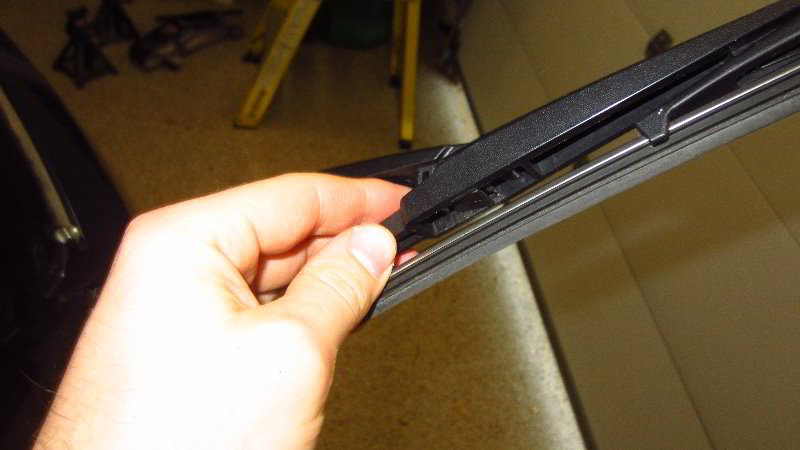
Line up the new wiper blade at an angle with the wiper arm as shown in the picture above.

The rubber blade should be pointing out away from the back window.

Lower the mounting bar in the center of the blade into the “C” shaped socket at the end of the wiper arm.

Gently and carefully pop the mounting bar into the socket.

Rotate the blade until it is parallel with the wiper arm.

Lower the new blade back down to the window.

Double check that the new blade feels like it securely attached to the wiper arm.

For the best wiper performance, I highly recommend cleaning off the window and then applying a glass treatment product that will repel water such as Rain-X.

Be sure to write down the blade change in your SUV’s service records.

Please check out all of my 2017-2022 Mazda CX-5 DIY Repair & Maintenance Guides.

2017, 2018, 2019, 2020, 2021, 2022, 2023, 2024 & 2025 Mazda CX-5 Shift Lock Release (Park To Neutral) DIY Guide

This automotive maintenance tutorial was specifically written to assist owners of the second generation (2017, 2018, 2019, 2020, 2021 and 2022) Mazda CX-5 SUV in activating the shift lock release mechanism in order to manually change the gear selector from “P” (Park) to “N” (Neutral) due to a weak or dead 12V car battery, a missing key fob, a dead key fob battery or some other mechanical or electrical issue. This may be necessary to move the car by hand or have it towed by a tow truck.

Owners of other Mazda vehicles such as the CX-3, CX-30, CX-7, CX-9, Mazda3, Mazda6, MX-30, MX-5 Miata, Mazda2, CX-4, CX-8 and BT-50 may also find these DIY instructions to be helpful.

The only tool needed to access and use the shift lock release button is a small flat head screwdriver such as from a jeweler’s precision screwdriver set or a small plastic trim panel removal tool.

The first steps are to engage the emergency / parking brake and place wheel chocks on both sides of the front and / or rear tires to help prevent the vehicle from moving unexpectedly.

 Please proceed with caution and at your own risk! 

Sit in the driver’s seat and place your foot firmly on the brake pedal to make sure the SUV does not move unexpectedly.

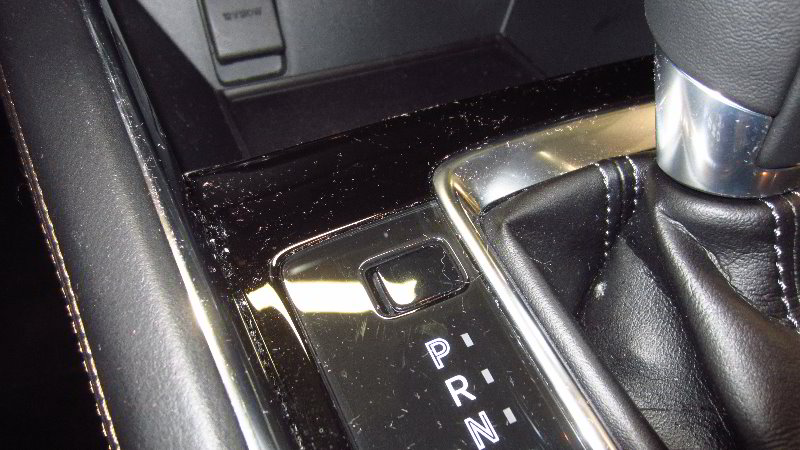
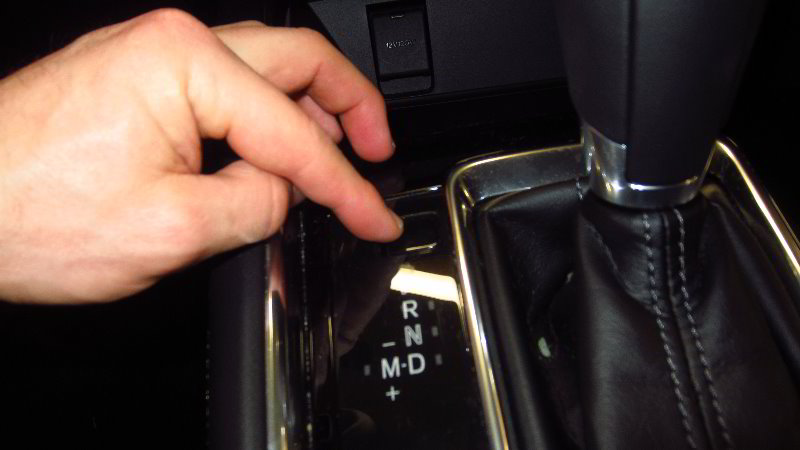
Locate the small square / rectangular shaped access cap situated just above the “P” symbol on the gear selector trim cover.

Use the flat head screwdriver or the plastic pry bar tool to very gently pry out the shift lock release button’s access cover.

There is a small notch on the left side of the access cap.

Do not try to pry out the right side of the cap.

Set the access cover aside in a safe place.

If you look down into the opening in the gear selector’s trim cover, you’ll see the white plastic shift lock release button.

Make sure your foot is firmly pushing down the brake pedal and the wheels are chocked to keep the vehicle from moving unexpectedly.

Push down the white plastic button with the small screwdriver.

Keep the button pressed down while you change the gear selector from “P” (Park) back to “N” (Neutral).

Have your assistants carefully move the vehicle or load the SUV on to the tow truck.

Once you are done moving the car, shift the gear selector forward from Neutral back to Park.

Pop the small plastic access cover into the opening.

You should feel or hear the cap “click” securely back into place.

Double check that the vehicle is in “Park” and the parking brake is engaged before releasing the brake pedal.

Please check out all of my 2017-2022 Mazda CX-5 DIY Repair & Maintenance Guides.

2017, 2018, 2019, 2020, 2021, 2022, 2023, 2024 & 2025 Mazda CX-5 Interior Door Panel Removal & OEM Speaker Replacement DIY Guide

This automotive maintenance tutorial was specifically written to assist owners of the second generation (2017, 2018, 2019, 2020, 2021 and 2022) Mazda CX-5 SUV in taking off the plastic interior door panels and upgrading the OEM front door speakers.

Owners of other Mazda vehicles such as the CX-3, CX-30, CX-7, CX-9, Mazda3, Mazda6, MX-30, MX-5 Miata, Mazda2, CX-4, CX-8 and BT-50 may also find these DIY instructions to be helpful.

The tools needed to complete this procedure include a flat head screwdriver, a plastic pry bar tool, a Phillips head screwdriver, a 10mm socket and a 1/4″ drive ratchet from a standard socket set.

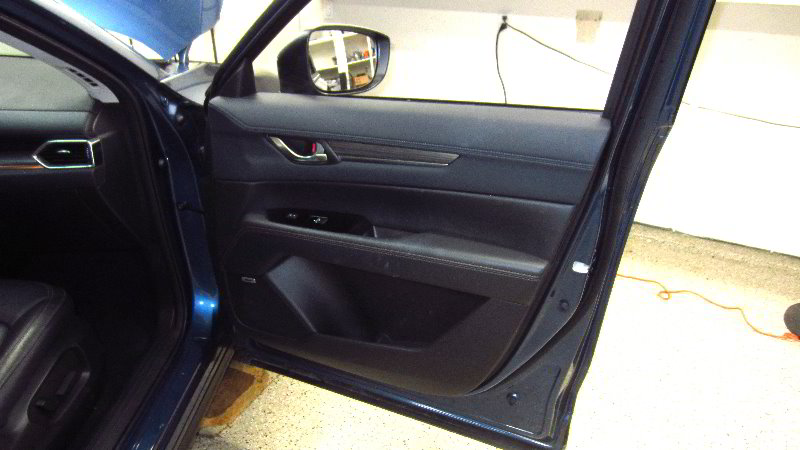
The first two steps are to lower the power window all the way down and fully open the door.

Locate the well (storage compartment) in the middle of the armrest behind the switch panel by the door pull handle.

Use the plastic pry bar tool or a flat head screwdriver to pry out the rubber cover at the bottom of the well.
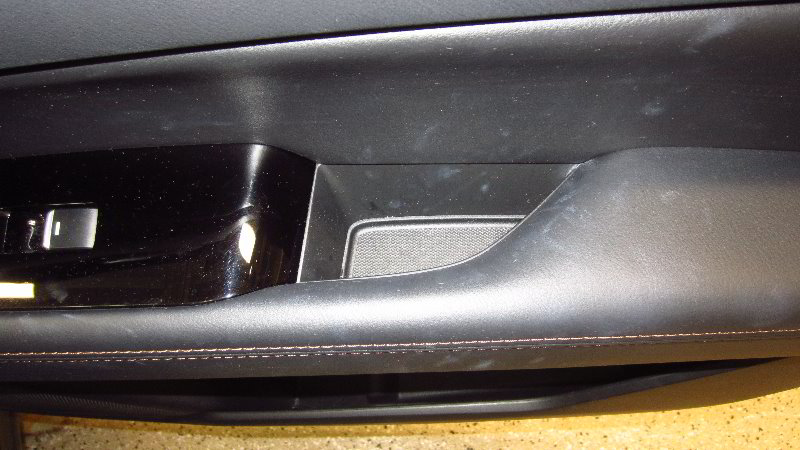
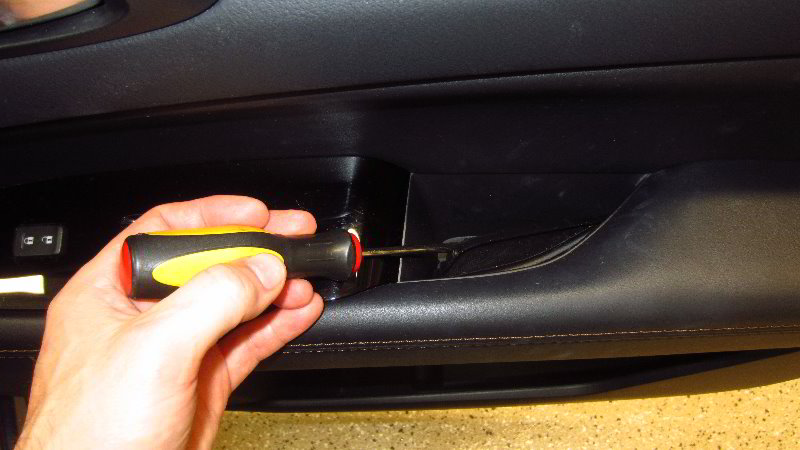
Set the rubber cover aside in a safe place.

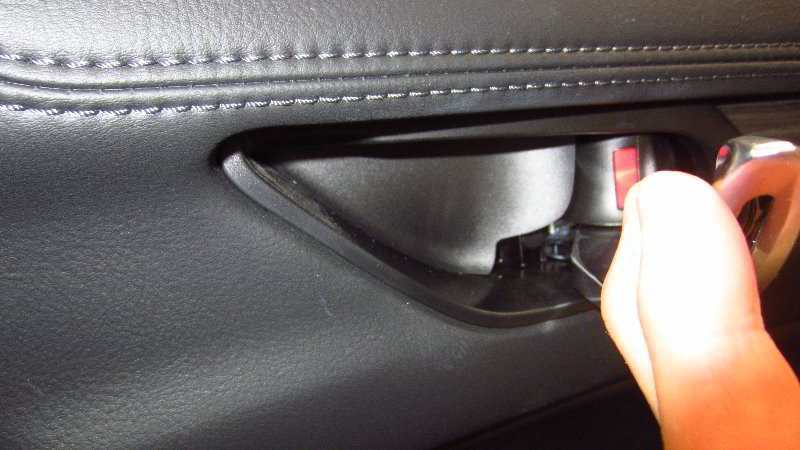
Move up to the door opener handle and door lock rocker switch.

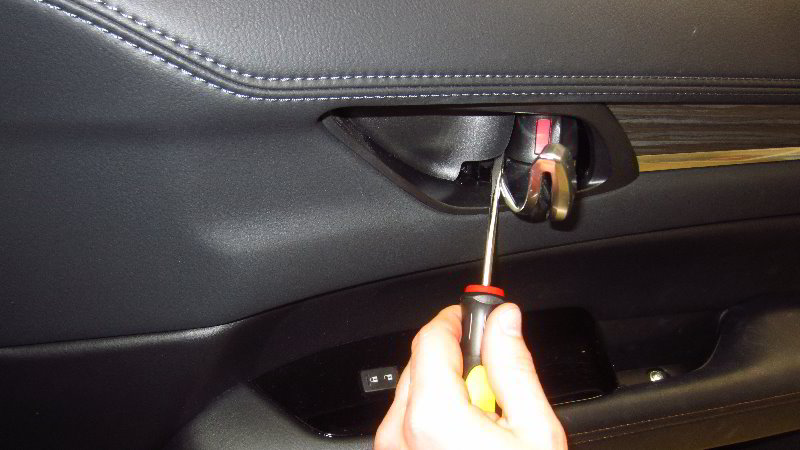
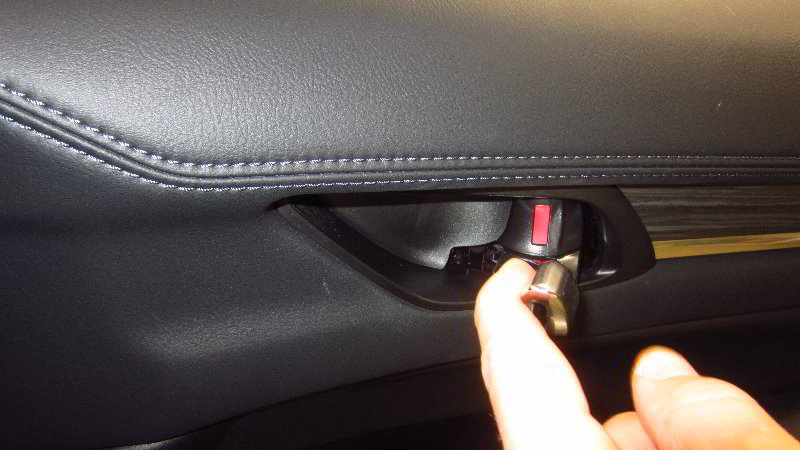
Swing out the door opener handle and locate the plastic trim piece behind it.

Use the flat head screwdriver to gently pry out the trim piece.
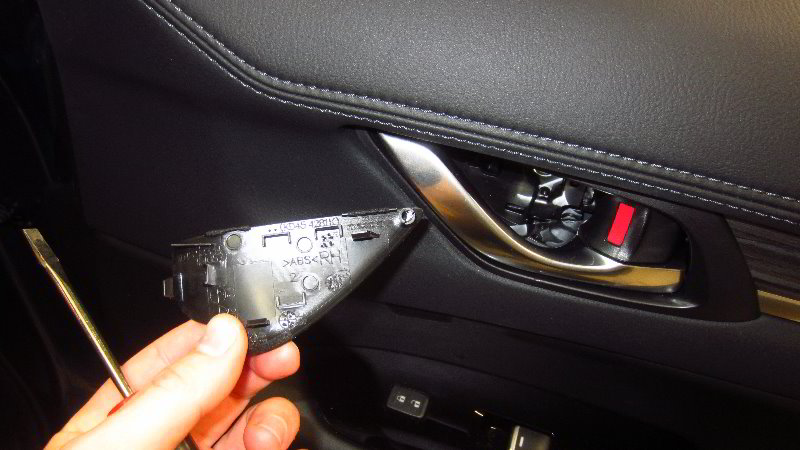
Set the trim piece aside in a safe place such as on the floor mat.

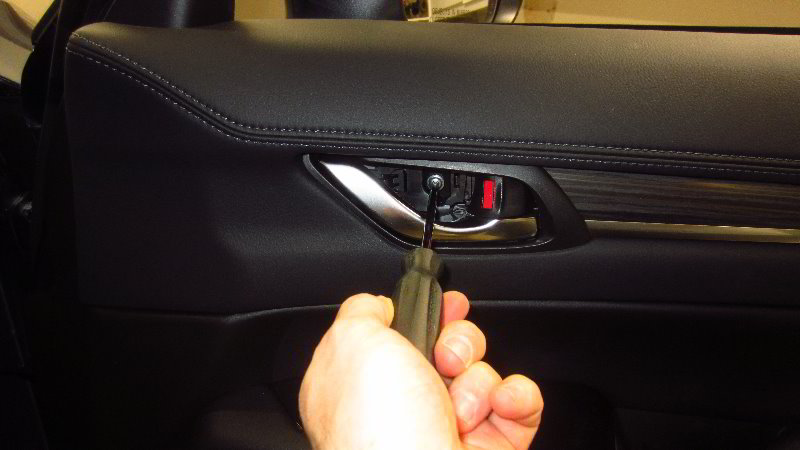
Loosen the screw behind the door opener handle by turning it in the counterclockwise direction with the Phillips head screwdriver.

Set the screw aside on its corresponding trim piece.

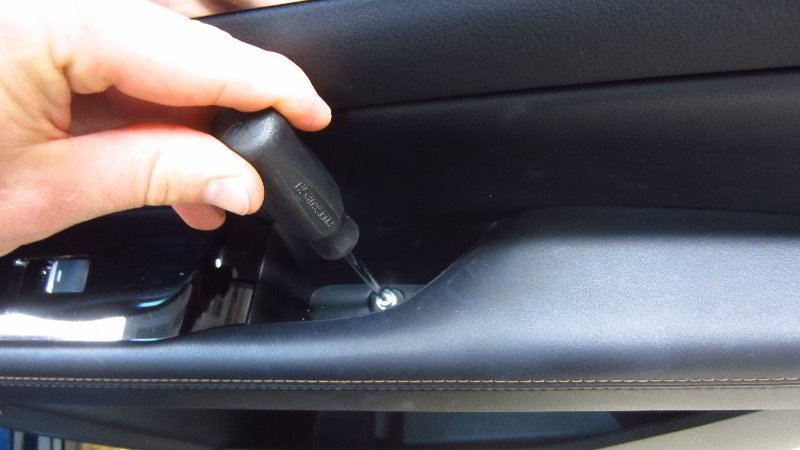
Remove the screw at the bottom of the well in the door pull handle by turning it in the counterclockwise direction with the Phillips head screwdriver.
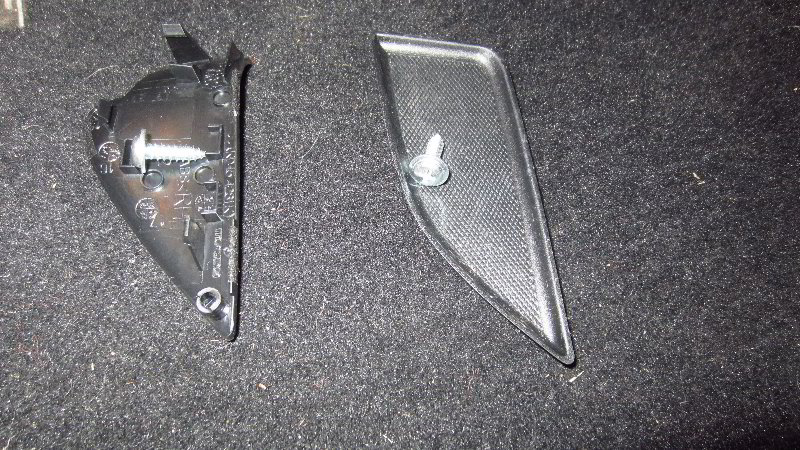
Set the armrest screw on top of the rubber cover.

Move to the bottom edge of the door panel.

Insert the large plastic pry bar tool (also known as a trim panel removal tool) in between the bottom edge of the door panel and the metal door frame.

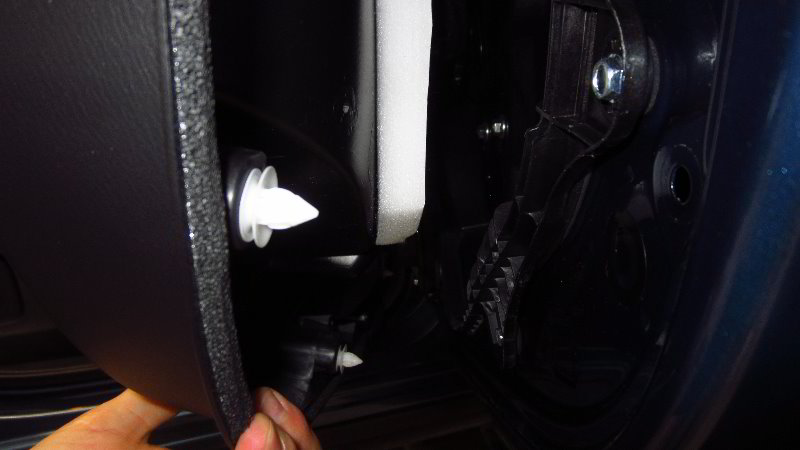
Firmly pull out the pop rivet friction fasteners all along the bottom edge and both sides of the door panel.

Move to the top inner edge and release that pop rivet (close to the side view mirror).

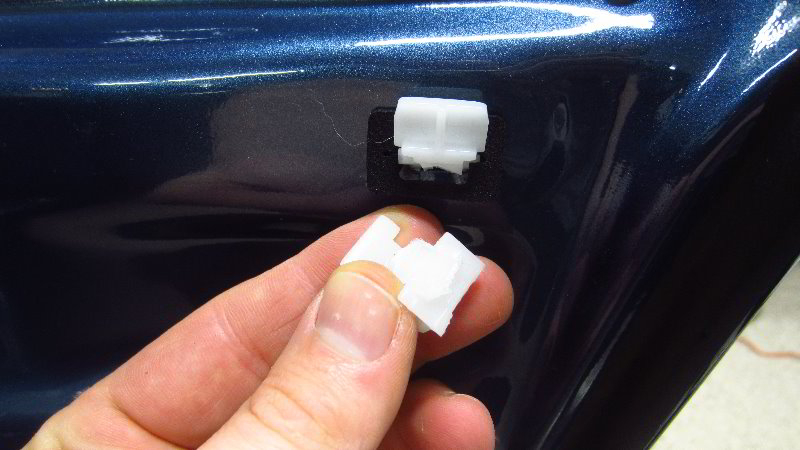
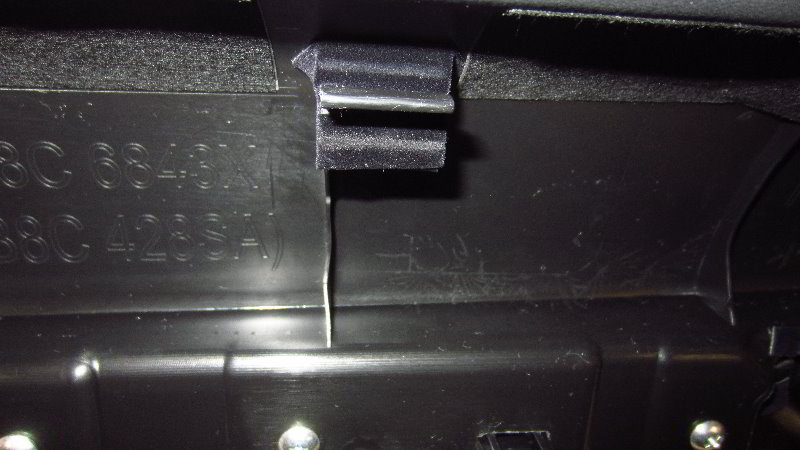
There is one more fastener at the top outer edge of the door panel. Unfortunately, I broke this retaining clip when removing the door panel. It still went back on securely so don’t worry if you break that clip.
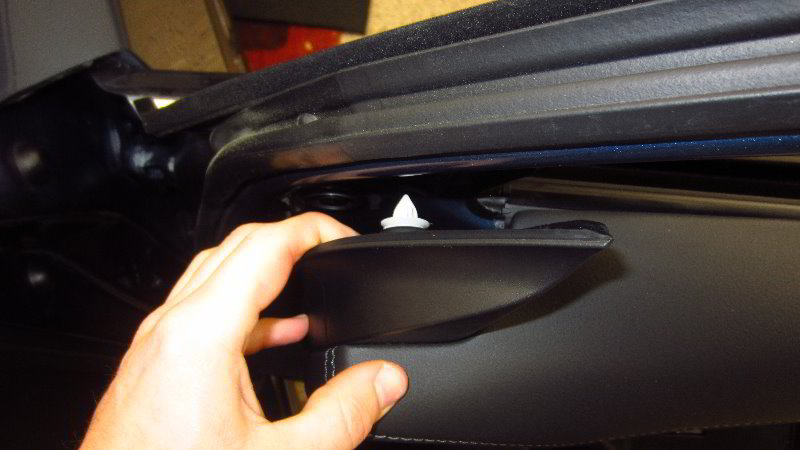
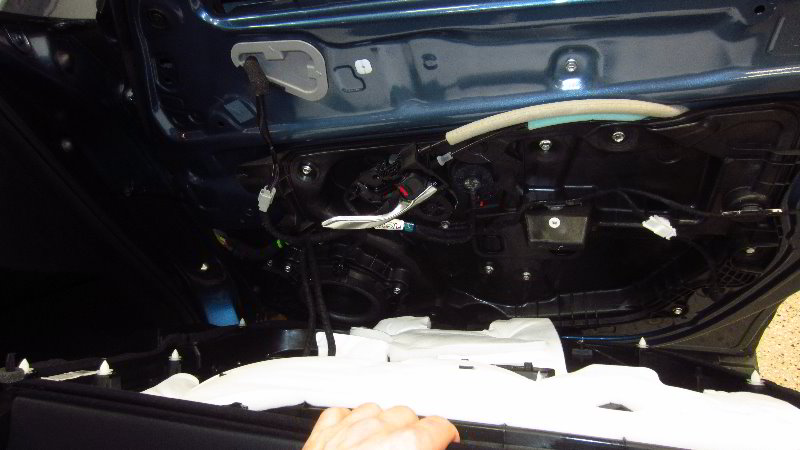
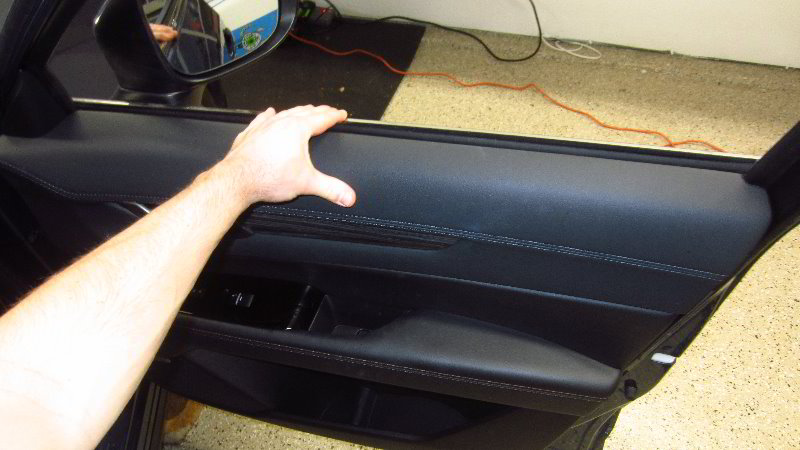
Carefully lift the door panel off the upper lip of the metal door frame.

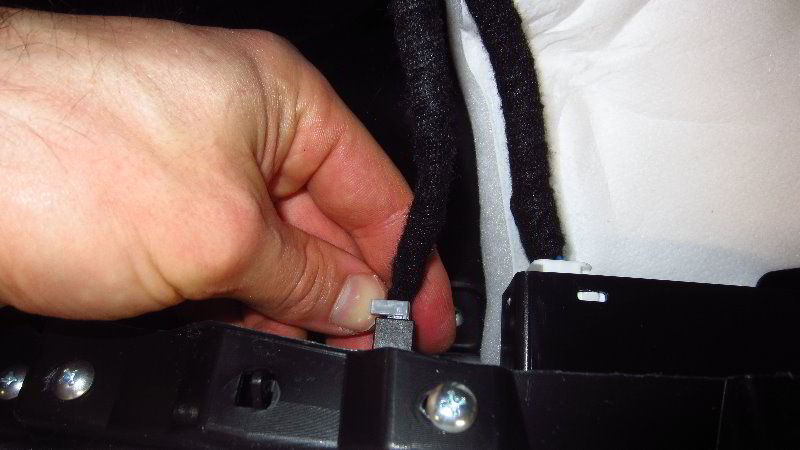
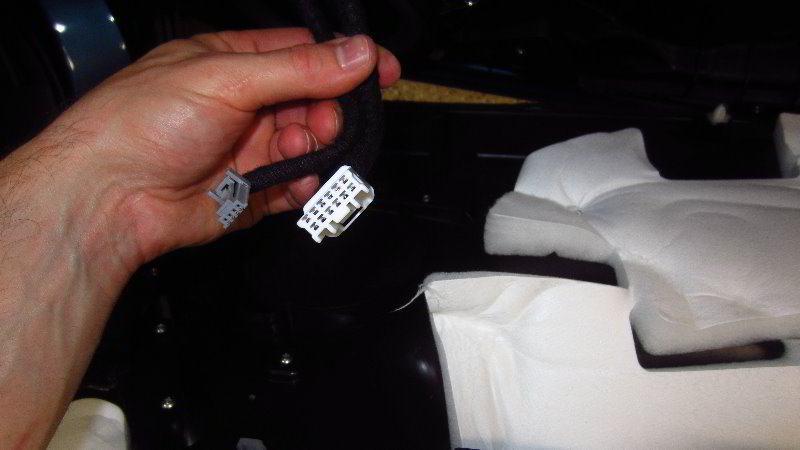
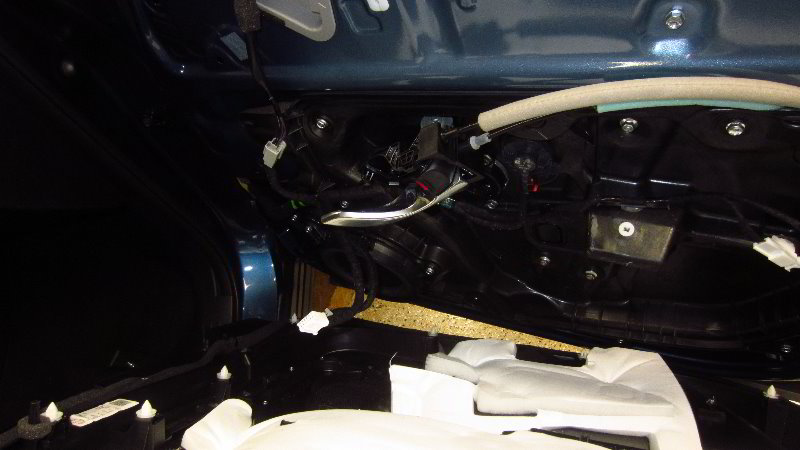
Locate the electrical connectors on the back side of the door panel.

Push in the release tabs and slide the power plugs straight out of their sockets.

In the third picture above, you’ll see the plastic retaining clip that I broke while removing the door panel.

Breaking that clip didn’t seem to matter much since the door panel still feels very secure after re-installing it.
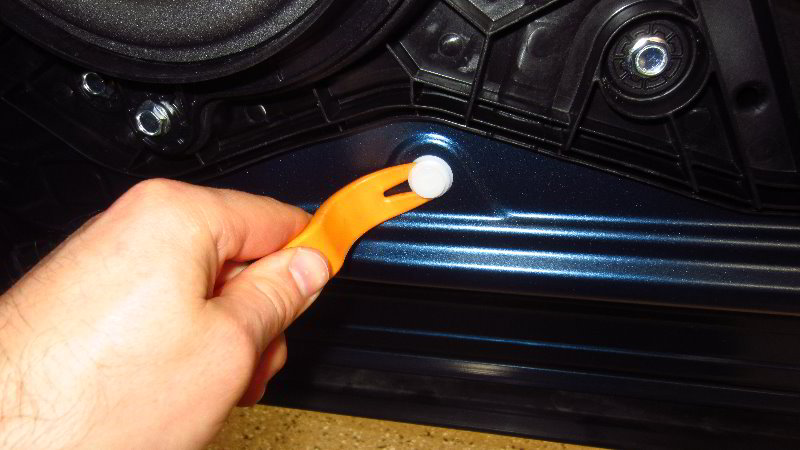
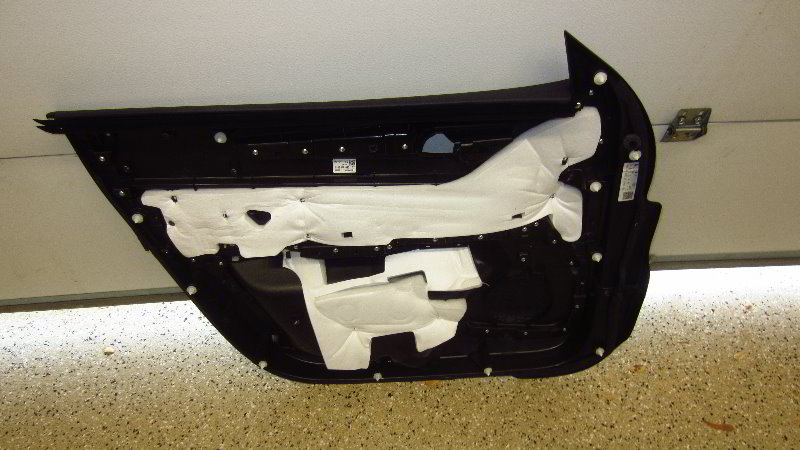
Check for any pop rivets that remained stuck to the door panel.

Reattach any stuck pop rivets back to their correct location on the door panel.
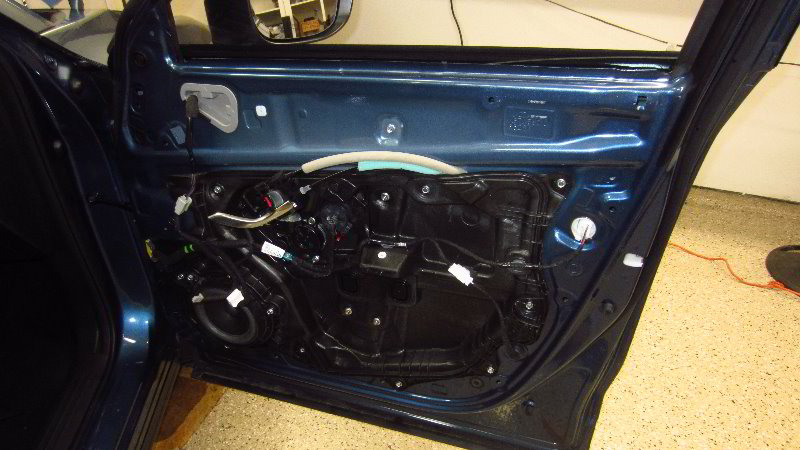
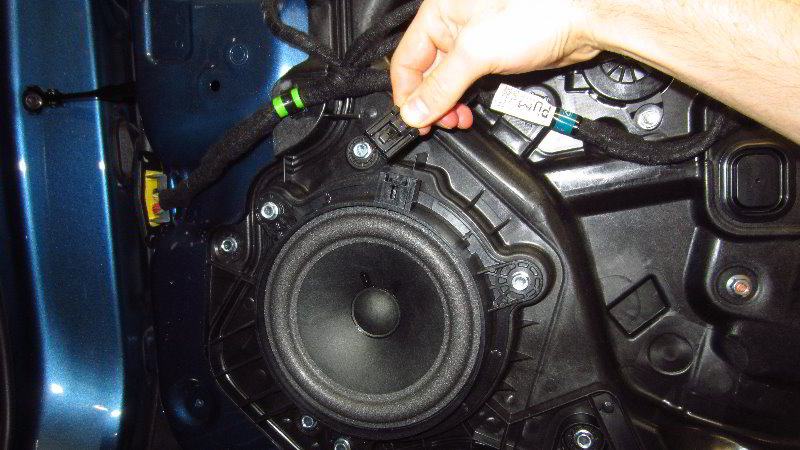
The OEM (original equipment manufacturer) front door speaker is located at the bottom front corner of the door frame.

Push in the release button on the electrical connector before sliding it straight out of its socket.

To remove the old speaker, loosen the three screws in the counterclockwise direction with the 10mm socket and a 1/4″ drive ratchet.
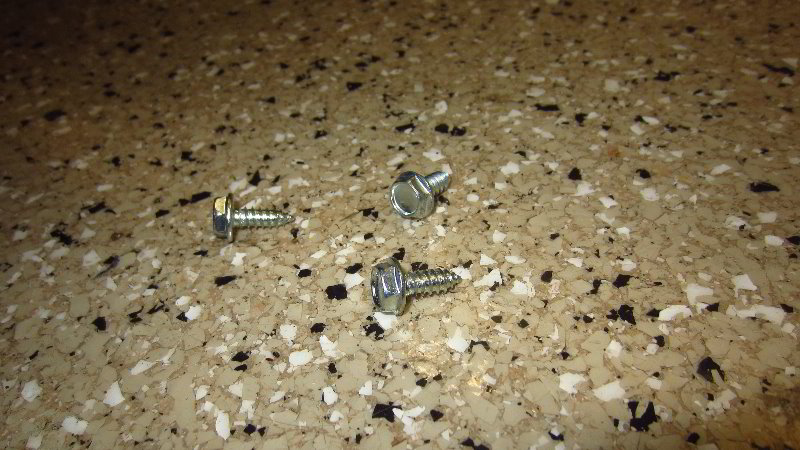
Set the three screws aside in a safe place.

Pull the old speaker straight out of the door frame.

The OEM front door speakers can be replaced with aftermarket speakers in the following sizes: 6 3/4″ and 6 1/2″.

For the best results, I highly recommend adding some Dynamat sound deadener to the metal door frame and the back side of the plastic door panel to help stop any vibrations or rattles when you crank up the volume.

(The power window motor is located near the center of the door frame. The window motor is also held in place by 10mm bolts.)
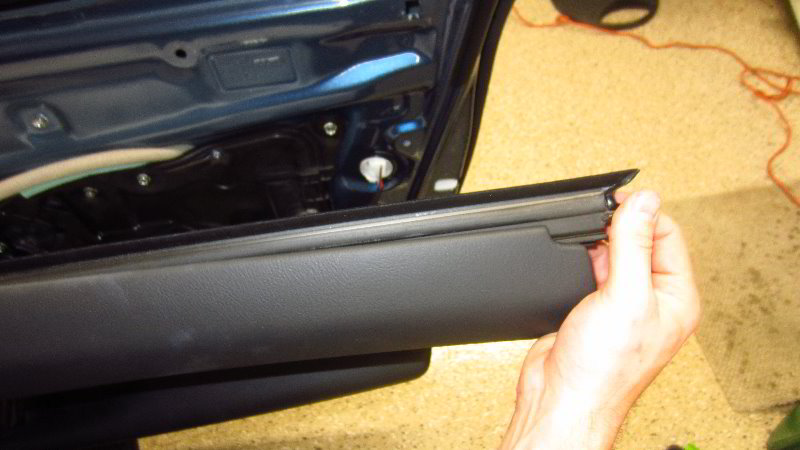
You might be able to reinstall the door panel with out the extra step of taking off the black rubber weatherstripping.

I had to slide the weather strip out of the door panel and reattach it to the top of the metal door frame to make it easier to reinstall the door panel.
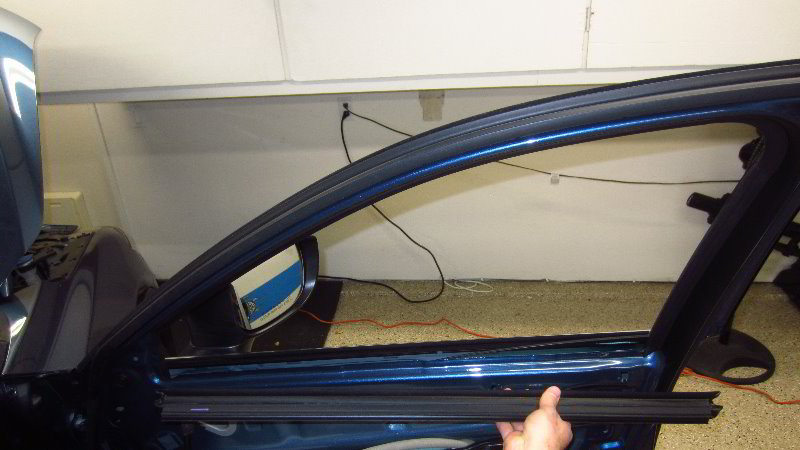
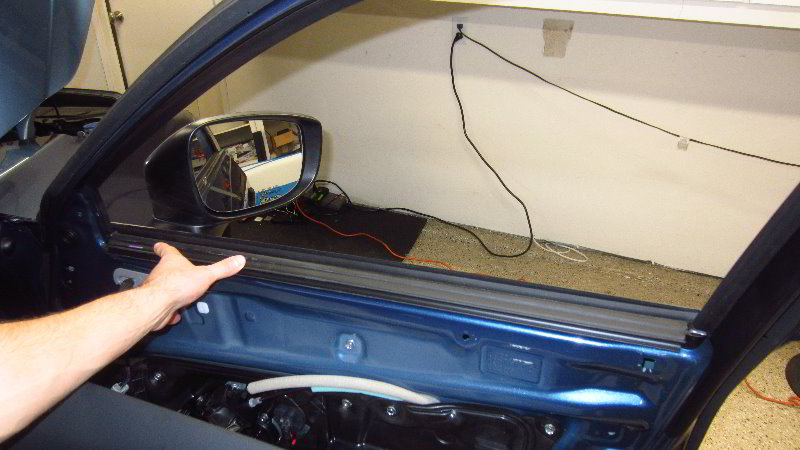
Make sure the weather stripping is properly installed on to the top lip of the metal door frame by the window pane.

There are some clips on the back side of the door panel that will pop on to the weatherstripping.
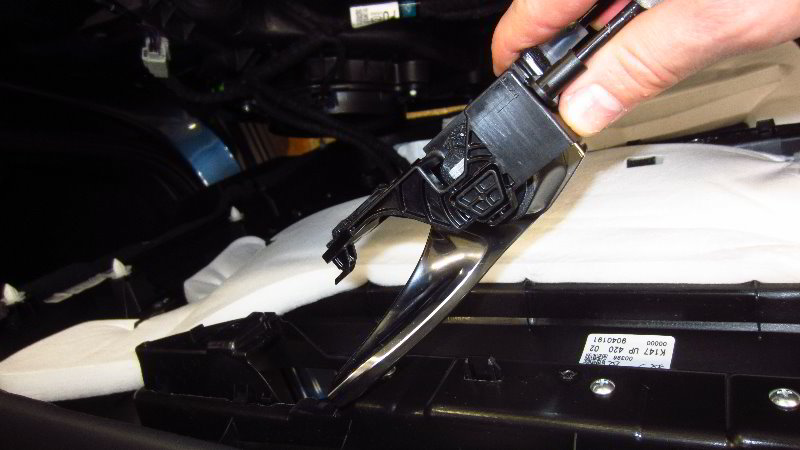
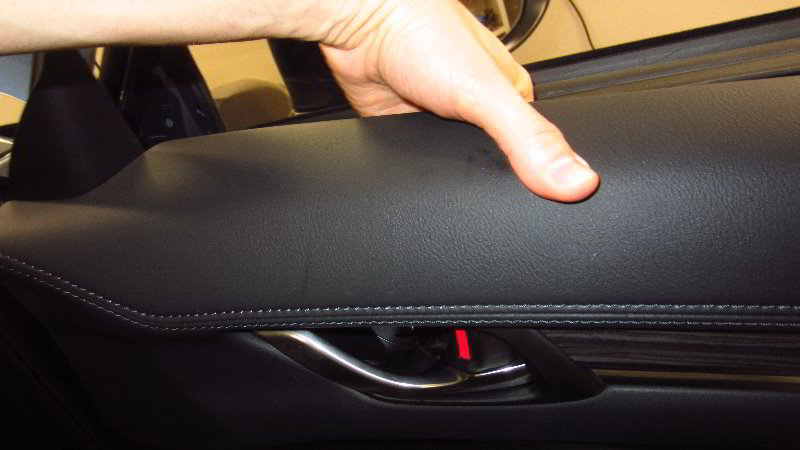
Re-insert the door opener handle and door lock rocker switch through the opening in the back side of the door panel.

Carefully hang the top of the door panel over the door frame and on the weatherstripping.
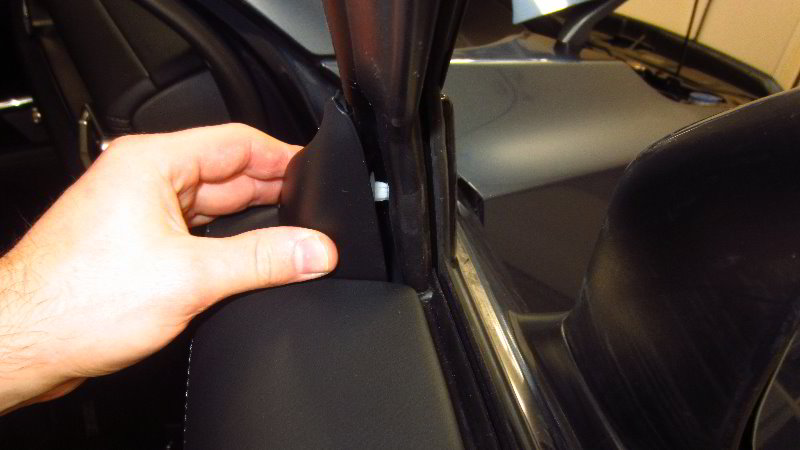
Push in the pop rivet at the top inner corner of the door panel (close to the side view mirror).

Line up the pop rivets on the back side of the door panel with their corresponding holes in the door frame.

Firmly tap in all of the pop rivets all along the bottom edge and both sides of the door panel.

Replace the screw into the bottom of the armrest well and tighten it in the clockwise direction with the Phillips head screwdriver until it is snug.

Replace the screw behind the door opener handle by turning it in the clockwise direction with the Phillips head screwdriver until it is snug.

Try to avoid over tightening the screws to prevent from cracking the plastic door panel.

Lower the rubber cover down into the bottom of the well.
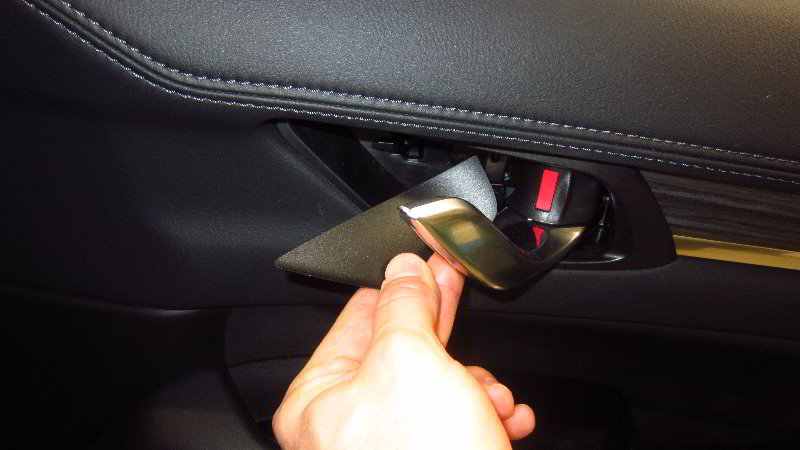
Push the plastic trim piece behind the door opener handle. You should feel or hear the trim cover “click” securely into place.

Sit in the vehicle, close the door and verify that the door opener handle, door lock rocker switch, new speaker, power window switch and the power door lock switch are all still working properly.

Be sure to write down the speaker upgrade in your vehicle’s service records.

Please check out all of my 2017-2022 Mazda CX-5 DIY Repair & Maintenance Guides.
2017, 2018, 2019, 2020, 2021, 2022, 2023, 2024 & 2025 Mazda CX-5 Dome Light Bulbs Replacement DIY Guide

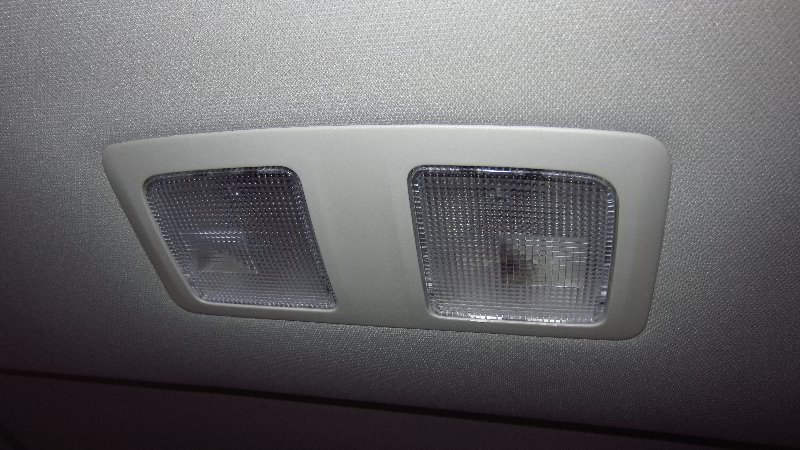
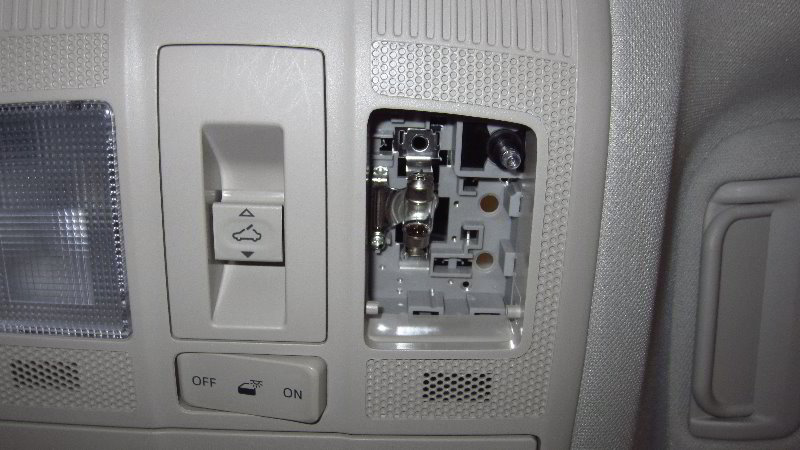
This automotive maintenance tutorial was specifically written to assist owners of the second generation (2017, 2018, 2019, 2020, 2021 and 2022) Mazda CX-5 SUV in changing a burnt out dome light bulb (also known as the rear passenger courtesy reading light) in the housing attached to the headliner above the second row of seats.

Owners of other Mazda vehicles such as the CX-3, CX-30, CX-7, CX-9, Mazda3, Mazda6, MX-30, MX-5 Miata, Mazda2, CX-4, CX-8 and BT-50 may also find these DIY instructions to be helpful.

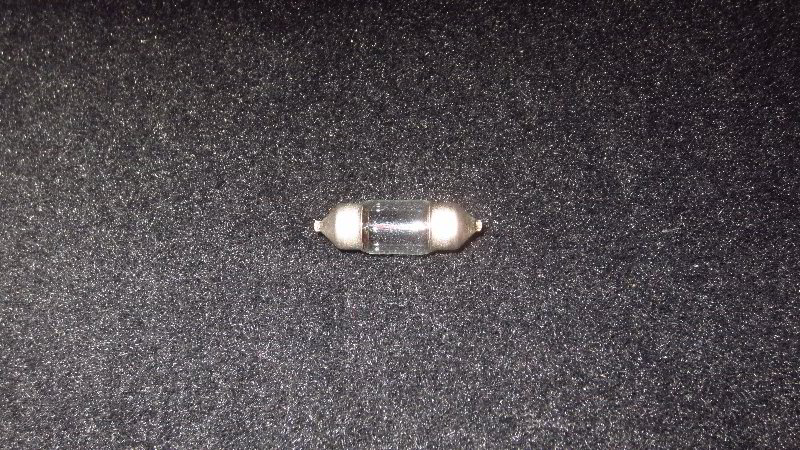
The compatible replacement “festoon” style light bulb is part number DE3175 which is available from various manufacturers such as Sylvania, GE, Eiko and Philips.

If you’d like to have brighter dome lights, install some DE3175 LED units.

The only tool needed to remove the lens cover and access the old light bulbs is either a small flat head screwdriver or a small plastic pry bar tool.

Sit in the middle of the back passenger seats.

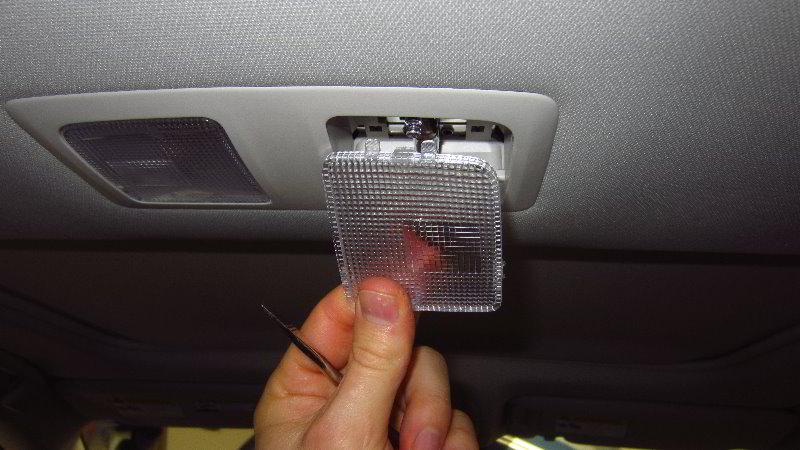
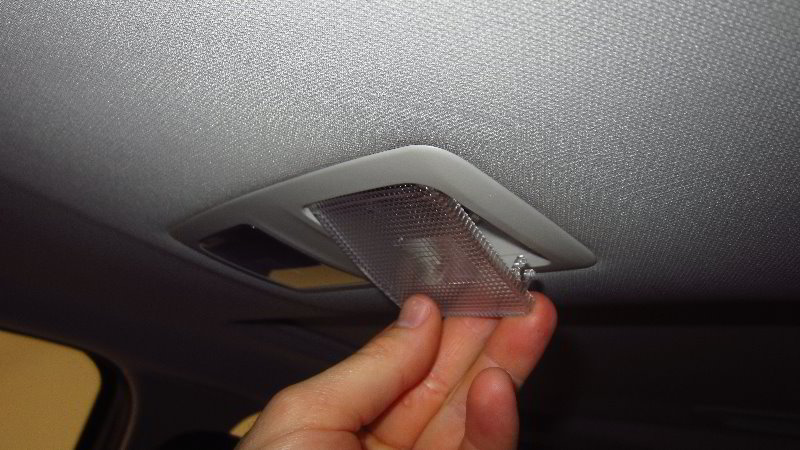
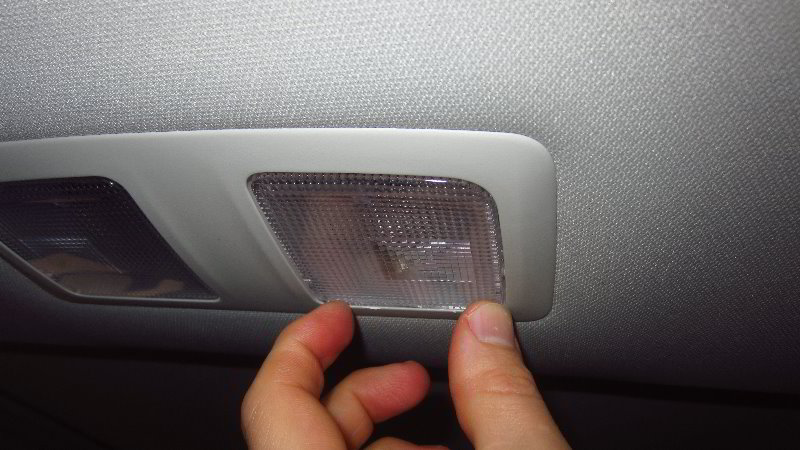
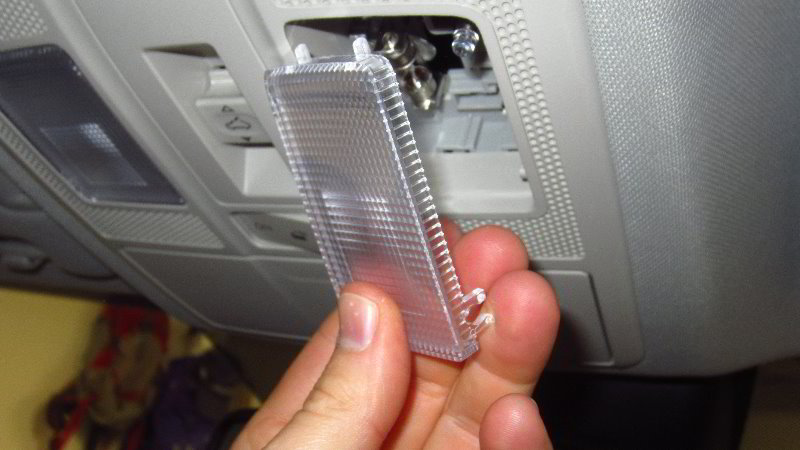
Insert the blade of the flat head screwdriver or the plastic trim panel removal tool in between the front edge of the lens cover (closer to the front windshield) and the light housing.

Do NOT pry out the rear edge of the lens cover (located closer to the cargo area). There are two plastic tabs on that edge that can be easily broken.

Very gently pry out the front edge of the lens cover.

You might need to remove and re-insert the screwdriver into the other front corner of the lens cover to fully release the two retaining clips.

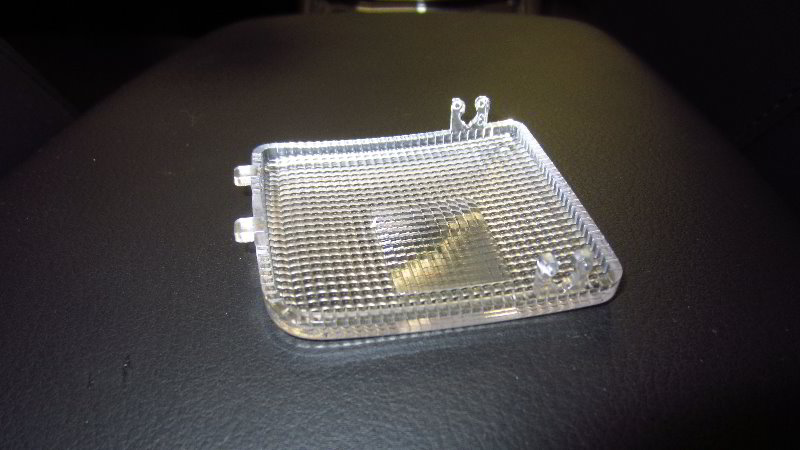
Once the two “C” shaped sockets are detached from their plastic mounting pegs, pull the two tabs on the rear edge out of the housing.

Set the lens cover aside in a safe place.

If the old light bulb was recently turned on, it might still be hot enough to burn your fingers. Allow it to cool off or use gloves.

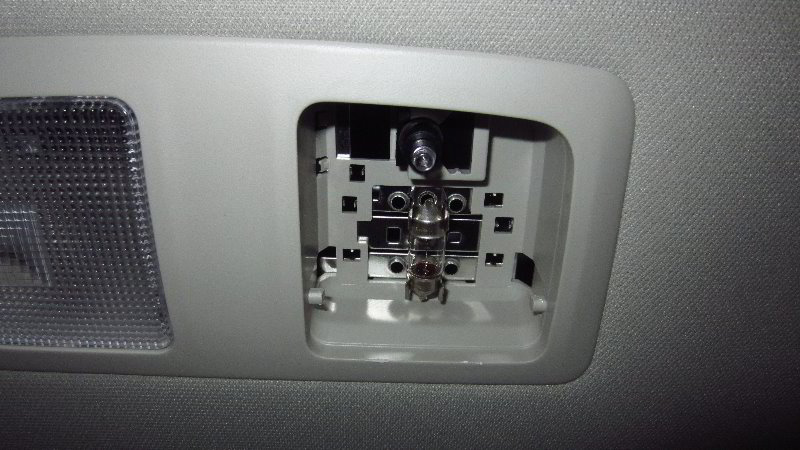
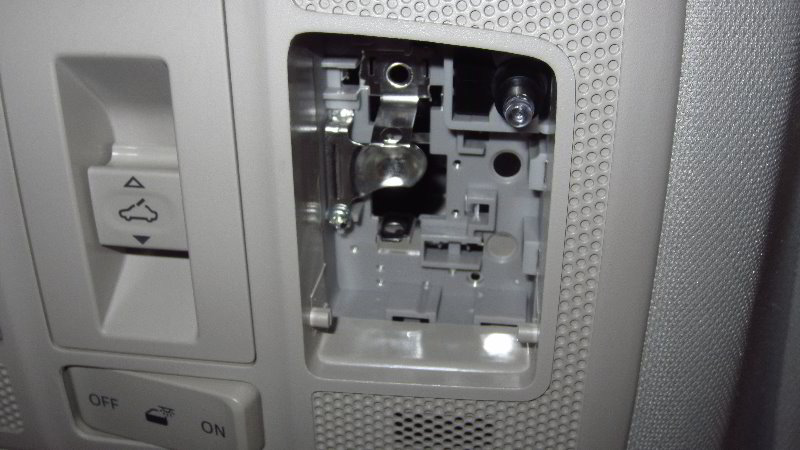
Pull the old light bulb straight out of the socket.

The OEM (original equipment manufacturer) light bulb in this 2019 CX-5 was marked as part number KHA12V8W 49A29E.

Push a new number DE3175 festoon style light bulb straight into the socket.

If you’d like to have brighter dome lights that will also last much longer before burning out like the traditional incandescent bulbs, install some compatible replacement DE3175 LED units.

Make sure the new bulb is evenly spaced in the two electrical contacts.

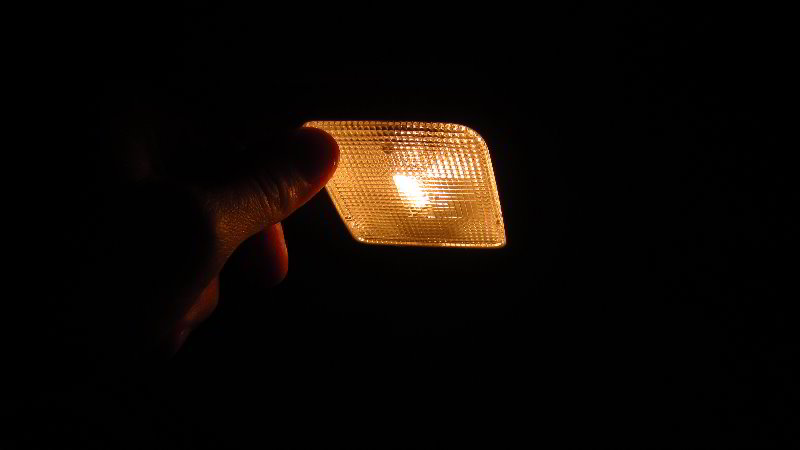
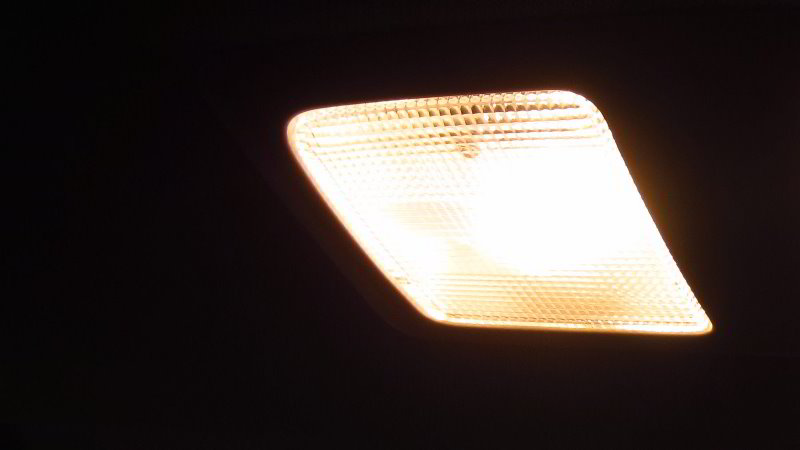
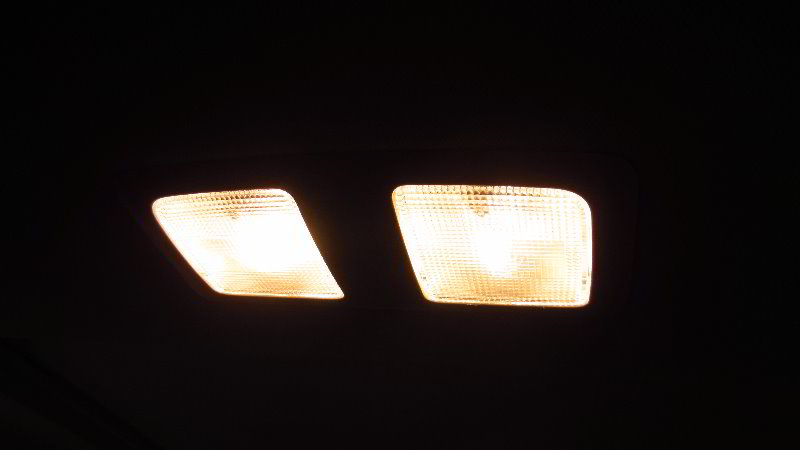
To test the new light bulb, press the clear plastic “On / Off” button.

Tip – If you installed an LED bulb and it doesn’t work, try removing it from the socket, rotate it 180 degrees and then push it back into the socket. Some LED bulbs are “polarized” and will only work when the “+” positive and “-” negative electrical contacts are in the correct orientation.

Line up the lens cover with the opening in the light housing.

First, re-insert the two small plastic tabs on the rear edge of the lens cover back into the light housing.

Then gently pop the two “C” shaped sockets on the front edge over their mounting bars.

You should feel or hear the retaining clips “click” securely into place.

Double check that the lens cover has been properly installed.

To test the new light bulb, press on the rear edge of the lens cover to activate the “On / Off” switch.

Be sure to write down the bulb change in your vehicle’s service records.

Please check out all of my 2017-2022 Mazda CX-5 DIY Repair & Maintenance Guides.
2017, 2018, 2019, 2020, 2021, 2022, 2023, 2024 & 2025 Mazda CX-5 A/C Cabin Air Filter Replacement DIY Guide

This automotive maintenance tutorial was specifically written to assist owners of the second generation (2017, 2018, 2019, 2020, 2021 and 2022) Mazda CX-5 SUV in checking, cleaning or changing the A/C system’s cabin air filter element located in the HVAC blower motor housing.

Owners of other Mazda vehicles such as the CX-3, CX-30, CX-7, CX-9, Mazda3, Mazda6, MX-30, MX-5 Miata, Mazda2, CX-4, CX-8 and BT-50 may also find these DIY instructions to be helpful.

The compatible replacement aftermarket cabin air filter part numbers are as follows: EPAuto CPJ6XSpearhead BE-811Bosch 6080CFram CF11811EcoGard XC10189 and TYC 800185P.

No tools are required to access and replace the filter.

A wet/dry shop vacuum may be useful for cleaning the old filter in order to re-install it.

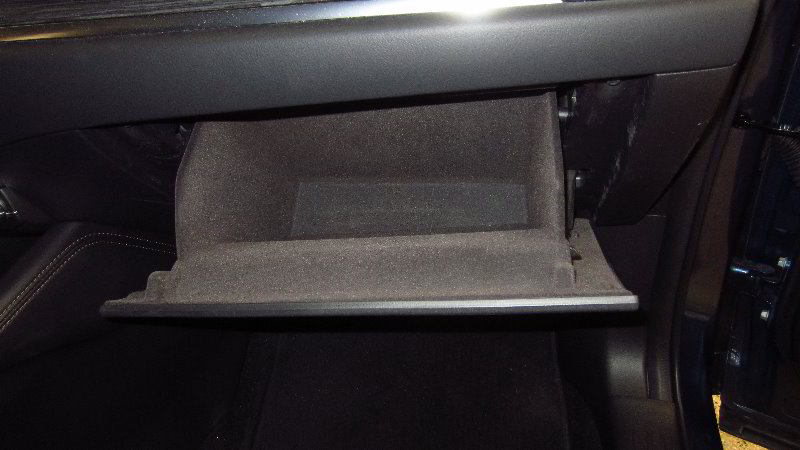
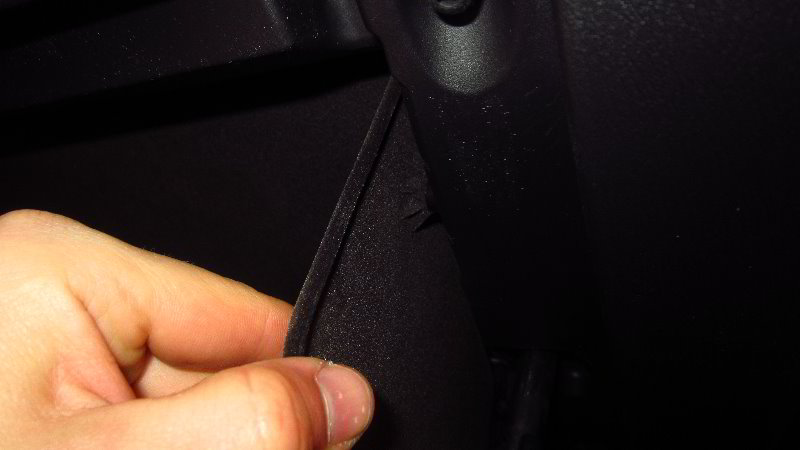
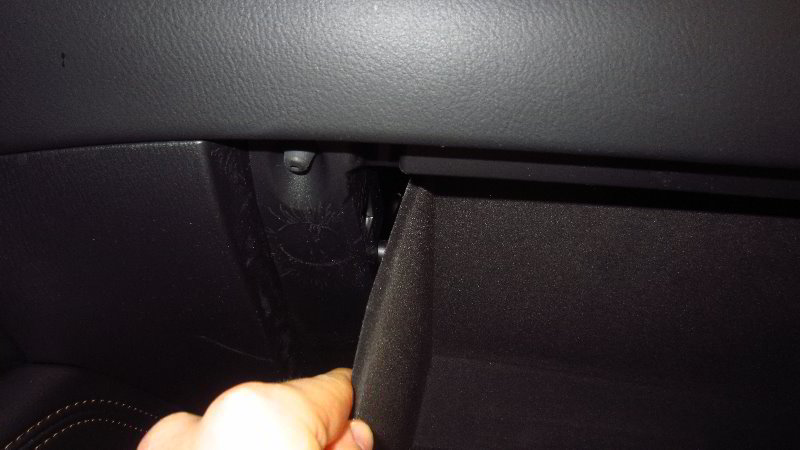
The first few steps are to sit in the front passenger seat, open the glove box and empty out the contents.

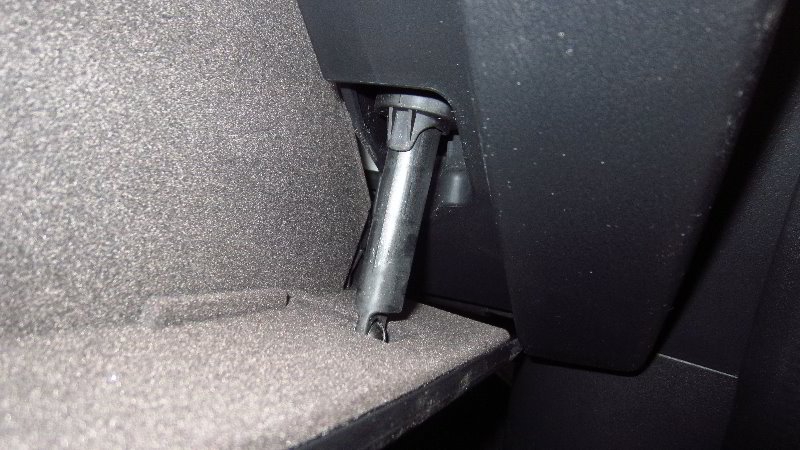
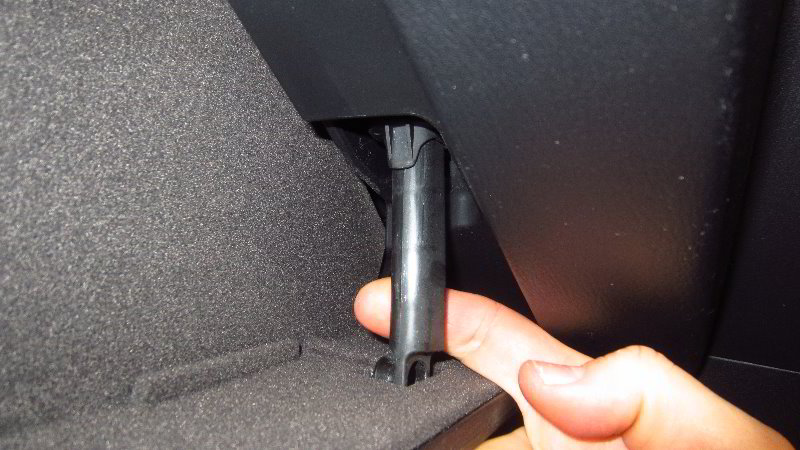
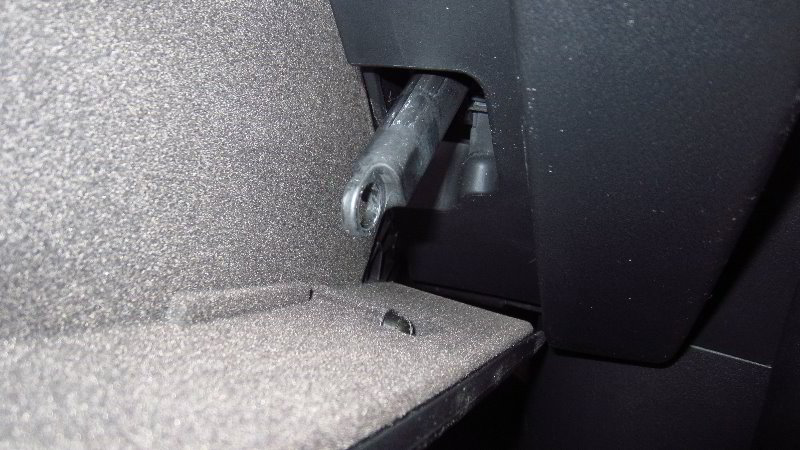
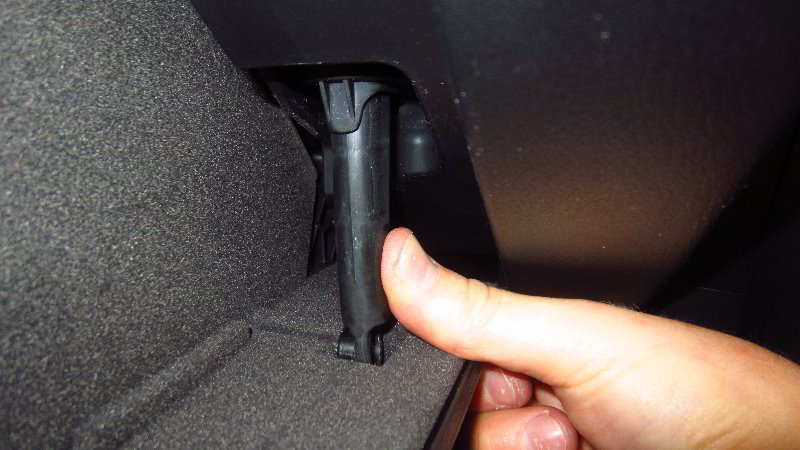
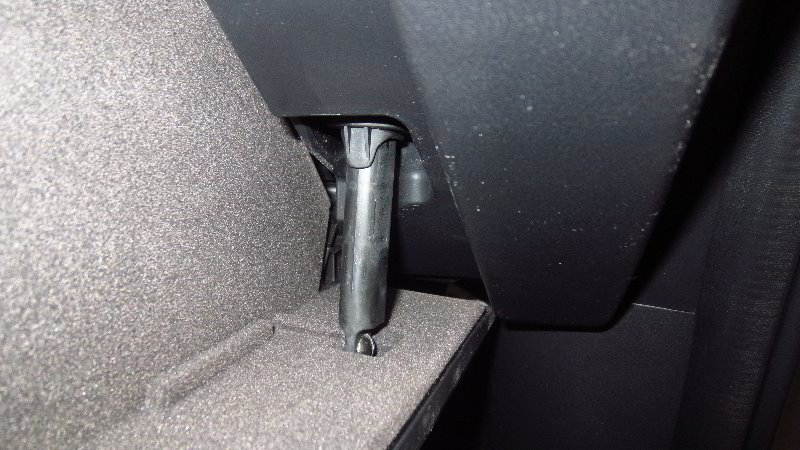
Move to the outer right side wall of the glove box and locate the black plastic damper arm.

Gently pull the bottom of the damper arm off the mounting peg.

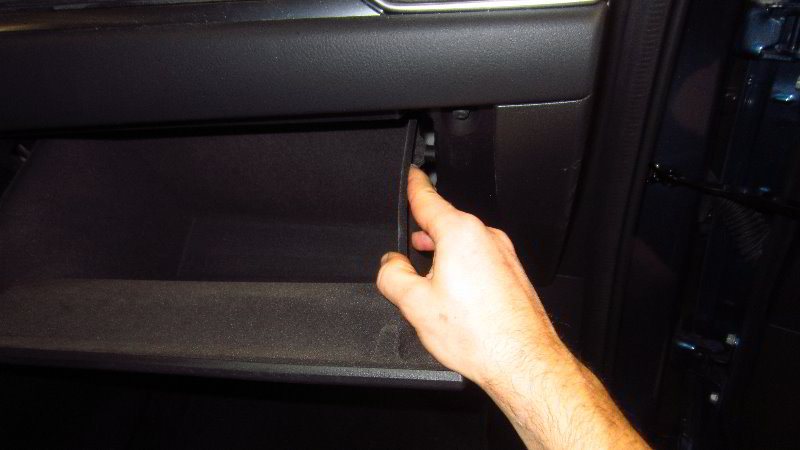
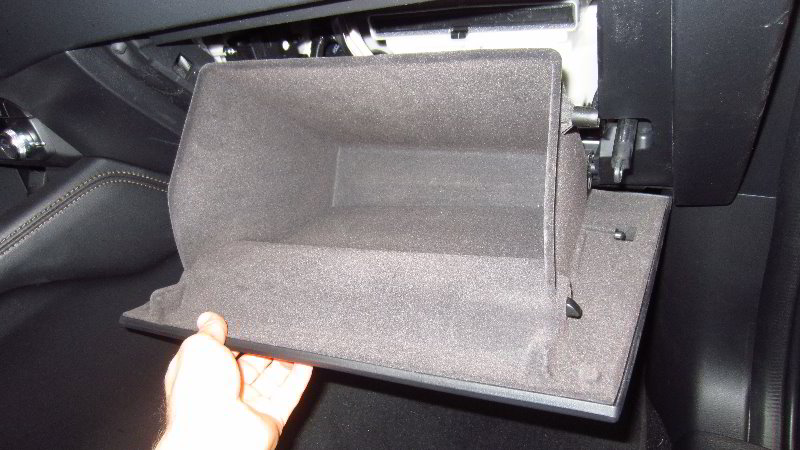
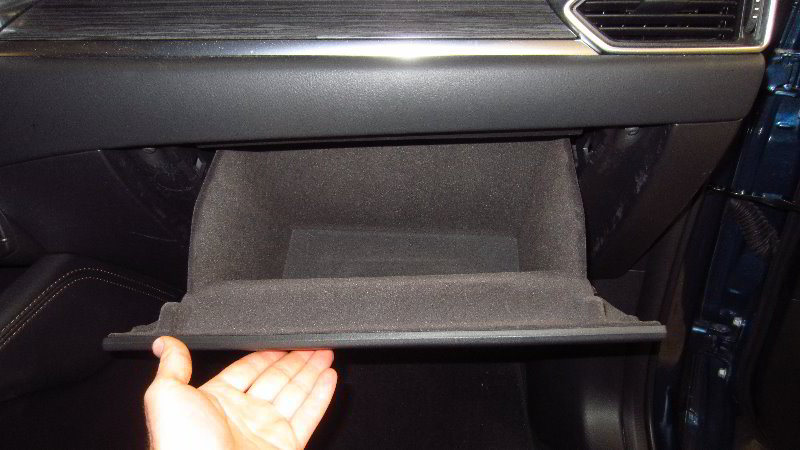
Firmly push in the two side walls of the glove box until the plastic side stops can be released from behind the dashboard.

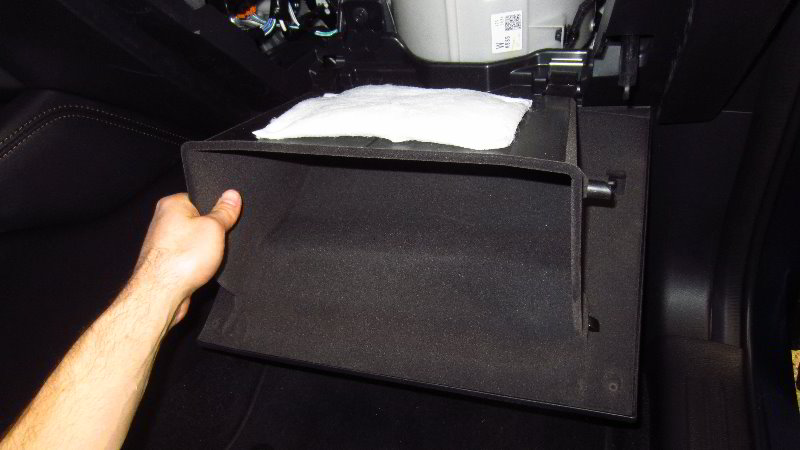
Carefully lower the glove box down to the floor mat.

The plastic hinges will most likely separate. Don’t worry. The glove box hinges can be re-assembled later on.

Set the glove box aside in a safe place.

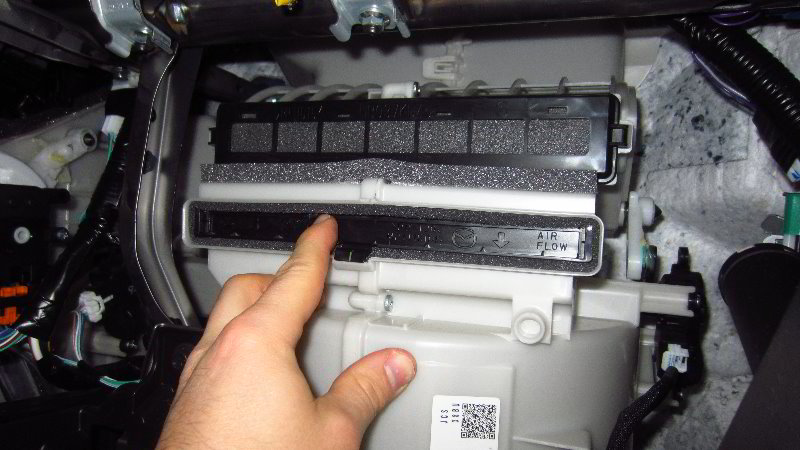
Once the glove box is out of the way, you’ll be able to see the white plastic HVAC blower motor housing and the black plastic rectangular shaped filter tray.

Gently lift up the release tab on the bottom edge of the filter tray near the middle.

Slide the filter tray straight out of the slot in the HVAC blower motor housing.

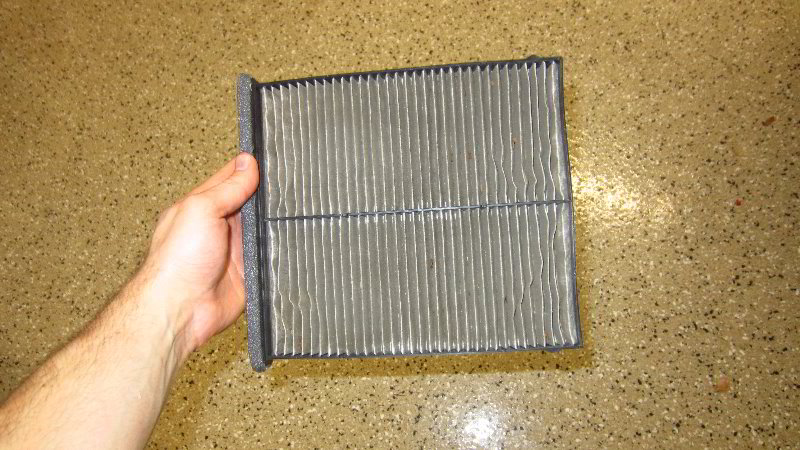
Inspect both sides of the old filter.

If the old filter is dark grey, black or clogged with dirt, dust, hair, insects, leaves, twigs, soot, pollen and other debris, it should be replaced with a new element.

I recommend buying the EPAuto CPJ6X (KD45-61-J6X) since it has excellent reviews from other CX-5 owners on Amazon.

The OEM (original equipment manufacturer) part number is Mazda KD45-61-J6X-9U.

Check the filter slot in the HVAC blower motor housing for any large debris such as leaves, twigs, insects or a sign of a rodent infestation (mice or rats).

If your wet/dry shop vacuum has a crevice attachment, carefully clean out any debris from the slot.

Try to avoid damaging the blower motor or the “squirrel cage”.

If the old filter is relatively clean, just tap out the large debris and remove any fine dust with a vacuum cleaner.

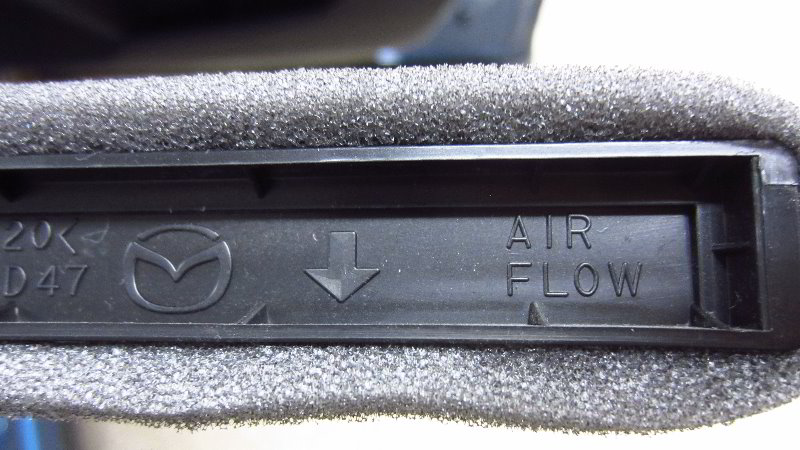
Orientate the new filter with the “Air Flow” arrow pointing down towards the floor mat.

Slide the new filter and tray straight into the slot in the HVAC blower motor housing.

Push on the filter tray to secure the retaining clip.

You should feel or hear the clip “click” securely into place.

Hold the glove box near the dashboard and line up the plastic “C” sockets with their corresponding mounting bars.

Push the hinges at the bottom of the glove box back together.

Firmly push in the two side walls towards the center of the glove box.

Reinsert the two plastic side stops back into place behind the dashboard.

Move to the outer right side wall of the glove box.

Pop the hole at the bottom of the damper arm back over its mounting peg.

The damper arm should “snap” securely into place.

Double check that the glove box has been properly re-installed.

Replace the contents of the glove box and close it to complete the job.

Don’t forget to write down the filter change in your vehicle’s service records.

Enjoy the fresh clean air from your A/C system!

Please check out all of my 2017-2022 Mazda CX-5 DIY Repair & Maintenance Guides.

2017, 2018, 2019, 2020, 2021, 2022, 2023, 2024 & 2025 Mazda CX-5 Sun Visor Vanity Mirror Light Bulbs Replacement DIY Guide

This automotive maintenance tutorial was specifically written to assist owners of the second generation (2017, 2018, 2019, 2020, 2021 and 2022) Mazda CX-5 SUV in changing a burnt out vanity mirror light bulb located in the sun visor or upgrading both of the bulbs to brighter LED units.

Owners of other Mazda vehicles such as the CX-3, CX-30, CX-7, CX-9, Mazda3, Mazda6, MX-30, MX-5 Miata, Mazda2, CX-4, CX-8 and BT-50 may also find these DIY instructions to be helpful.

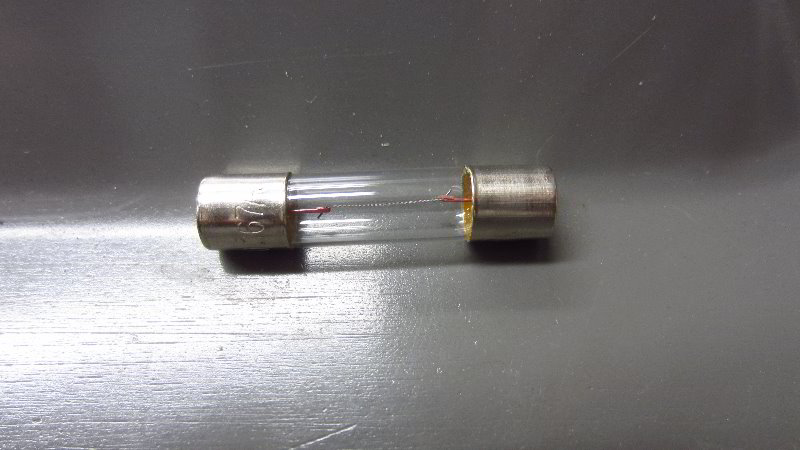
The compatible replacement “fuse” style light bulb part numbers are as follows: 6614FTS-14V1CP and ACDelco 13502343.

If you’d like to have brighter vanity mirror lights that will also last much longer before burning out like the traditional incandescent bulbs, install some 6614F LED units.

The only tool needed to access and replace the light bulbs is a small flat head screwdriver or a small plastic pry bar tool.

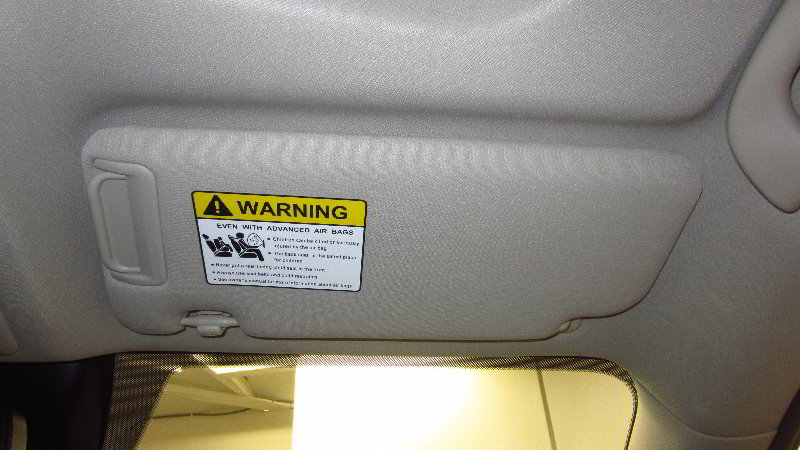
The first two steps are to flip down the sun visor and slide open the plastic vanity mirror cover to reveal the light housing.

To prevent from scratching the plastic surfaces, you can either cover the tip of your screwdriver with a thin micro fiber cloth or instead use a small plastic trim panel removal tool.

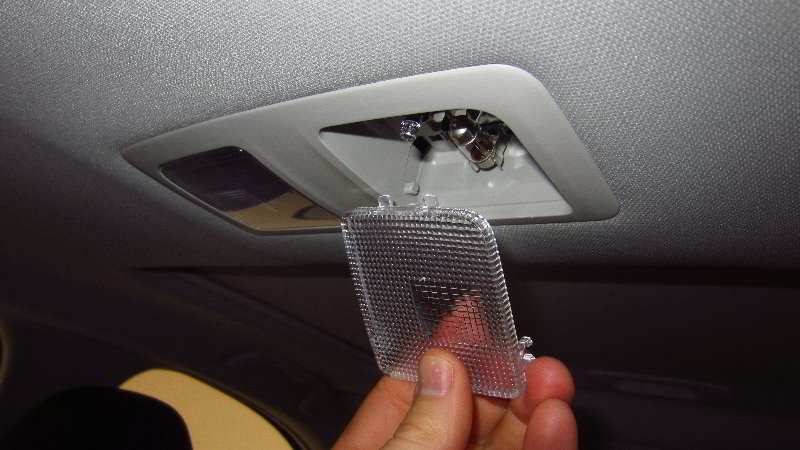
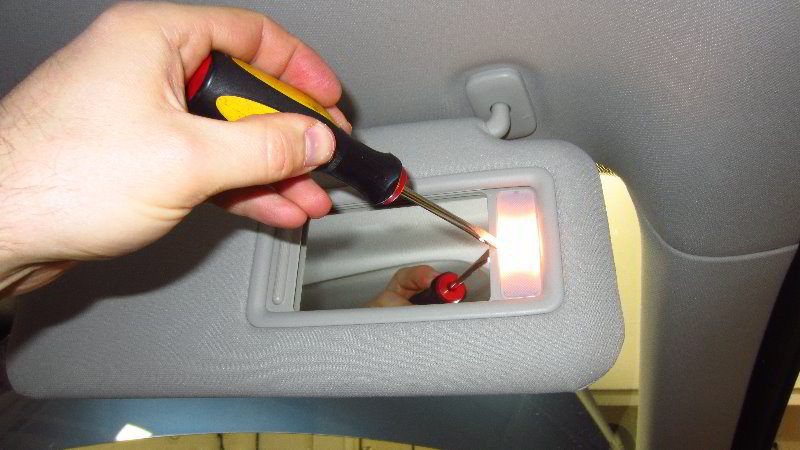
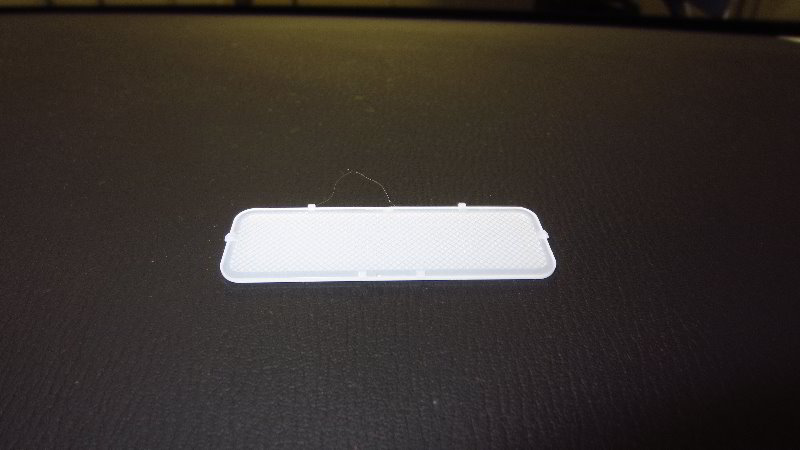
Very carefully insert the blade of the screwdriver in between the inner edge of the translucent plastic lens cover and the light housing.

Gently pry out the lens cover.

Try to avoid using excessive force. The lens cover should pop out relatively easily.

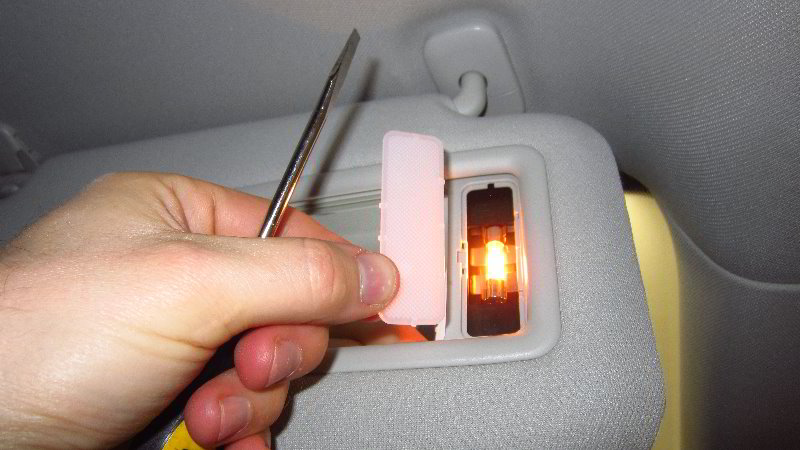
Set the lens cover aside in a safe place.

If the old light bulb is still working or was recently turned on, be careful when you remove it.

The old light bulb might still be hot enough to burn your fingers.

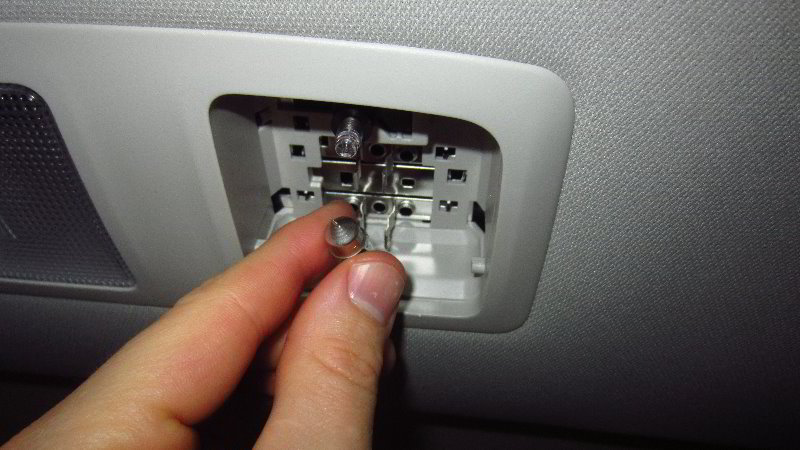
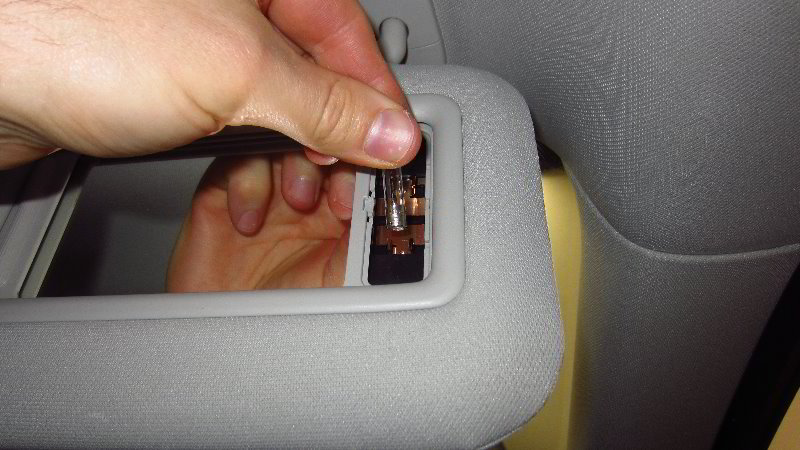
Gently pry out the old light bulb with the screwdriver or plastic pry bar tool at one of the metal end caps.

Do NOT apply pressure to the glass part of the old light bulb to prevent from having it shatter and send shards of glass flying into your face and eyes.

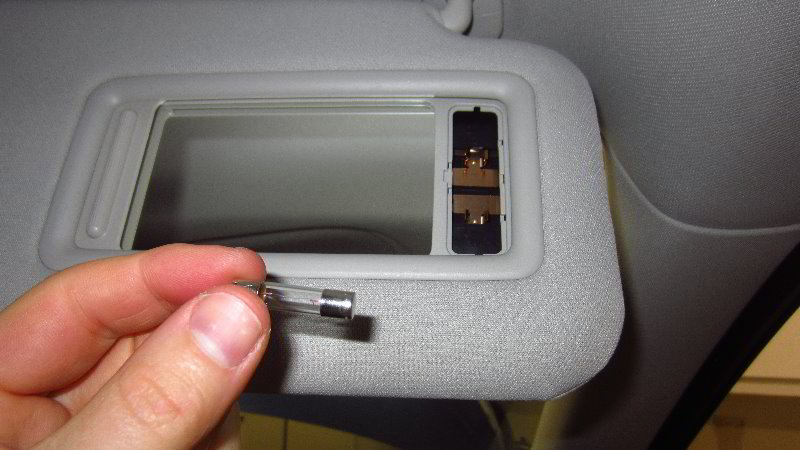
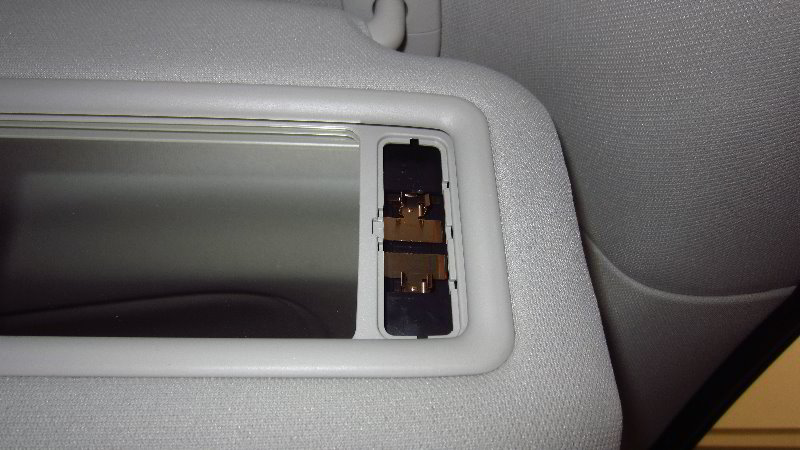
Pull the old light bulb out of the socket.

The OEM (original equipment manufacturer) light bulb in this 2019 Mazda CX-5 was marked as part number 12V0.167A.

It can be replaced with any miniature “fuse” style light bulb such as the 6614FTS-14V1CP or ACDelco 13502343.

If you’d like to have brighter vanity mirror lights, install some compatible replacement 6614F LED units.

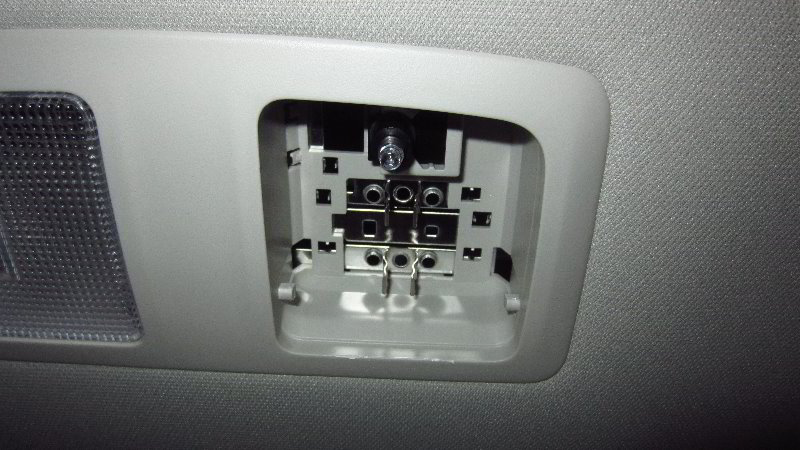
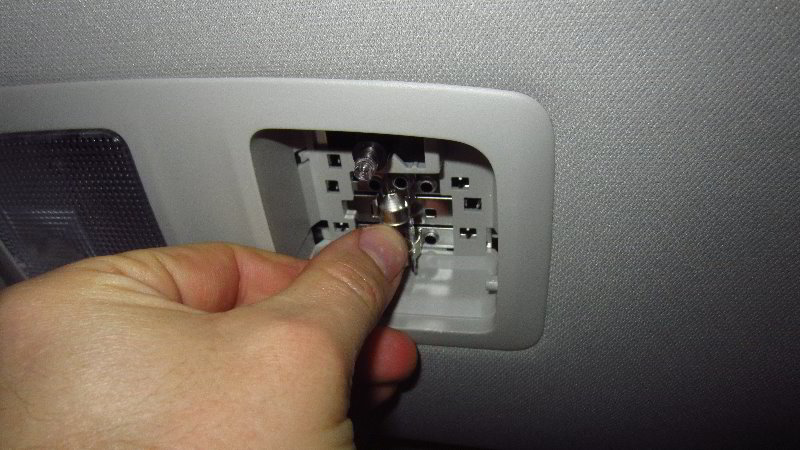
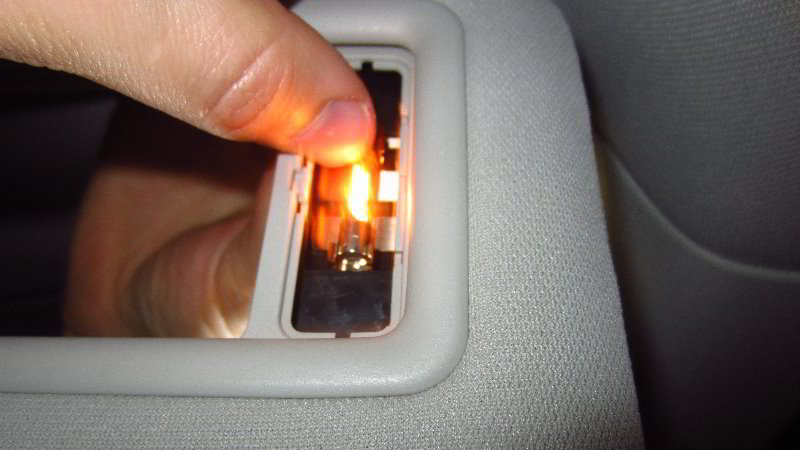
Push the new light bulb into the socket.

Make sure the new light bulb is fully seated in the holder and evenly spaced between the electrical contacts.

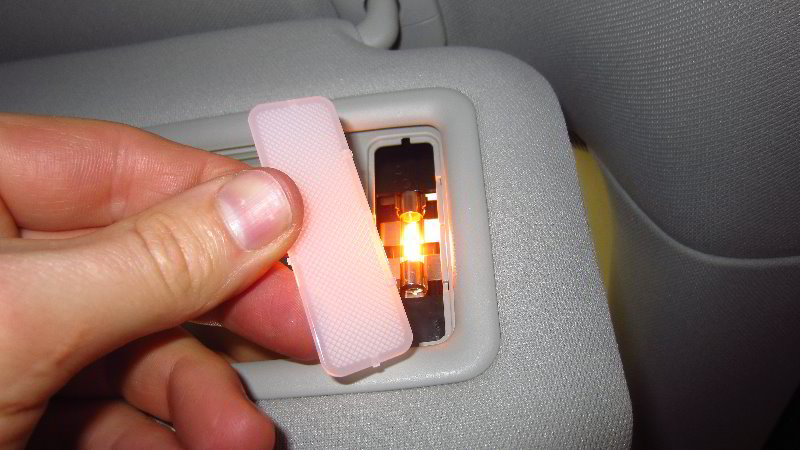
Line up the lens cover with the opening in the light housing.

Insert the small plastic tabs on one side first and then very gently pop in the other side to secure the retaining clips.

Try to avoid using excessive force. The lens cover should pop in relatively easily.

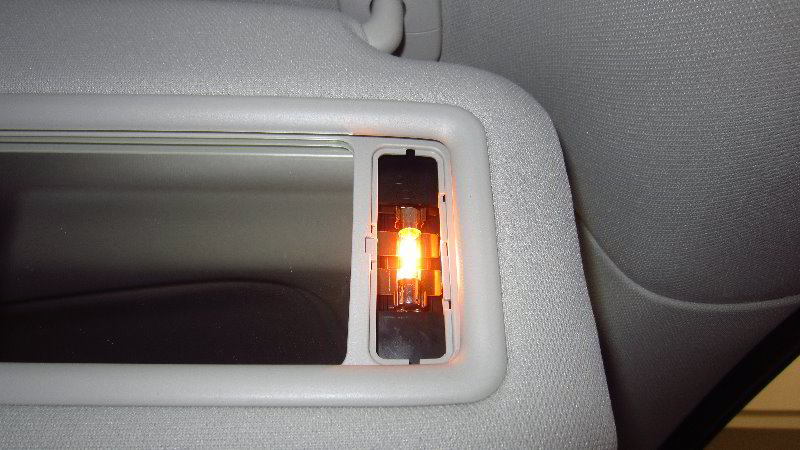
The new light bulb should have turned on immediately when you pushed it into the socket.

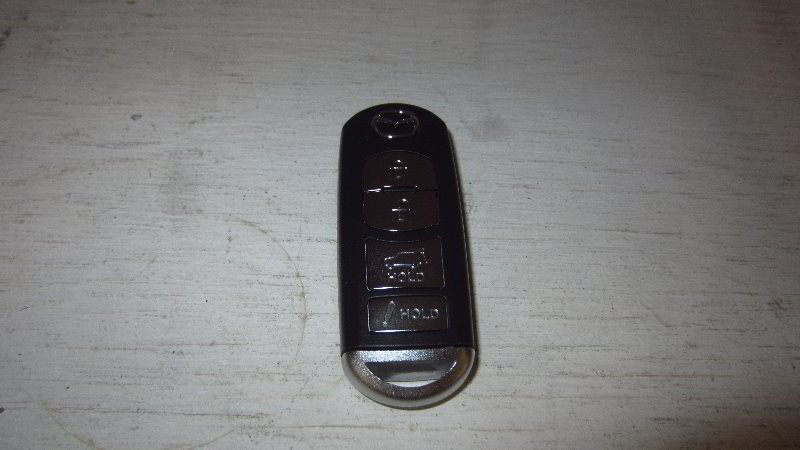
If it didn’t, open and close the mirror cover or press the “Unlock” button on the key fob to re-activate the interior lights.

Tip – If you installed an LED bulb and it doesn’t work, try removing it from the socket, rotate it 180 degrees and then push it back into the socket. Some LED bulbs are “polarized” and will only work when the “+” positive and “-” negative electrical contacts are in the correct orientation.

Slide the cover closed and flip the sun visor back up to the headliner to complete the job.

Be sure to write down the bulb change in your SUV’s service records.

Please check out all of my 2017-2022 Mazda CX-5 DIY Repair & Maintenance Guides.
2017, 2018, 2019, 2020, 2021, 2022, 2023, 2024 & 2025 Mazda CX-5 Map Light Bulbs Replacement DIY Guide

This automotive maintenance tutorial was specifically written to assist owners of the second generation (2017, 2018, 2019, 2020, 2021 and 2022) Mazda CX-5 SUV in changing a burnt out map light bulb located in the overhead console or upgrading both of the bulbs to brighter LED units.

Owners of other Mazda vehicles such as the CX-3, CX-30, CX-7, CX-9, Mazda3, Mazda6, MX-30, MX-5 Miata, Mazda2, CX-4, CX-8 and BT-50 may also find these DIY instructions to be helpful.

The compatible replacement festoon style light bulb is part number DE3175 which is available from various manufacturers such as Sylvania, Philips, GE and Eiko.

If you’d like to have brighter map lights that will also last much longer before burning out like the traditional incandescent bulbs, install some DE3175 LED units.

The only tool needed to access and replace the light bulbs is a small flat head screwdriver or a plastic pry bar tool.

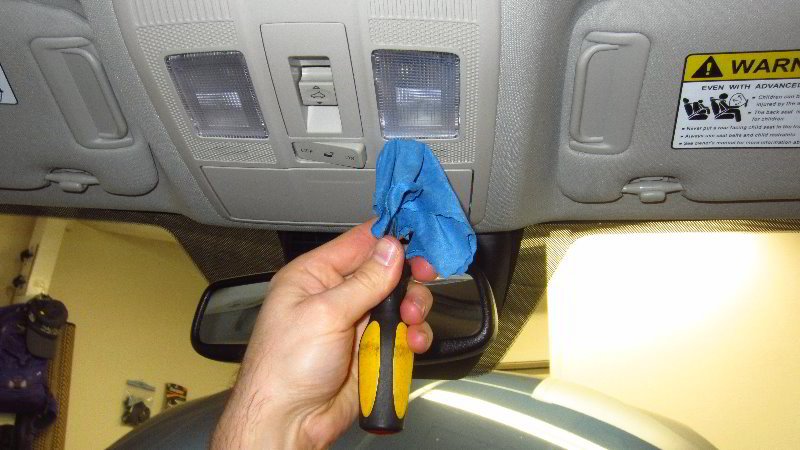
To help prevent from scratching the plastic surfaces, you can either cover the tip of your screwdriver with a thin micro fiber cloth or instead use a plastic trim panel removal tool.

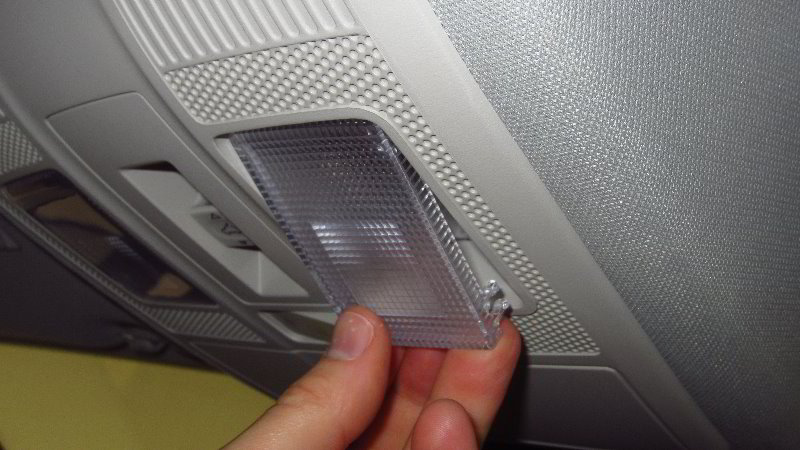
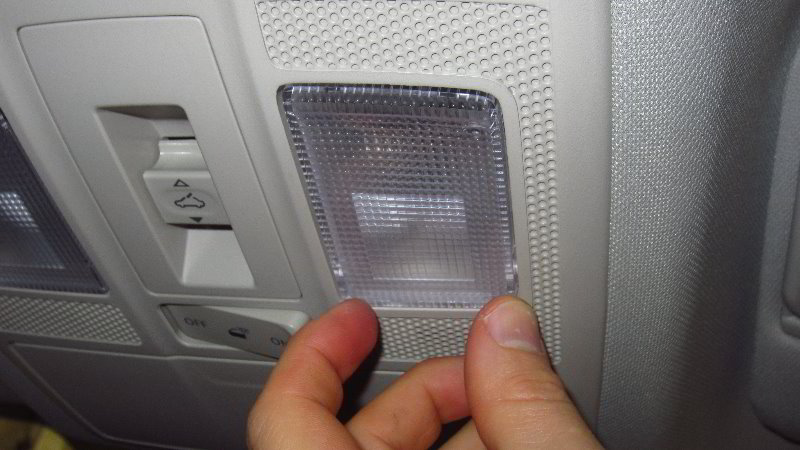
Insert the blade of the screwdriver or plastic tool in between the front edge of the lens cover (close to the windshield) and the overhead console.

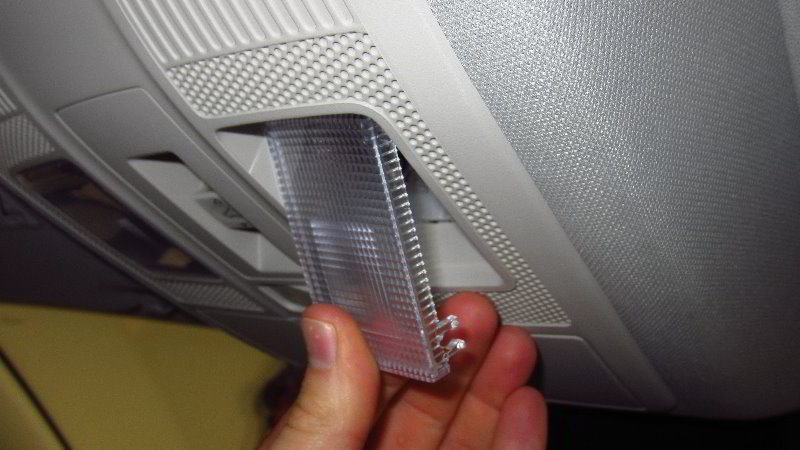
Gently pry out the front edge of the lens cover (close to the windshield) to release the two “C” shaped retaining clips from their mounting posts.

Do NOT pry at the rear edge of the lens cover (closer to the back of the car) since there are two plastic tabs that could be broken.

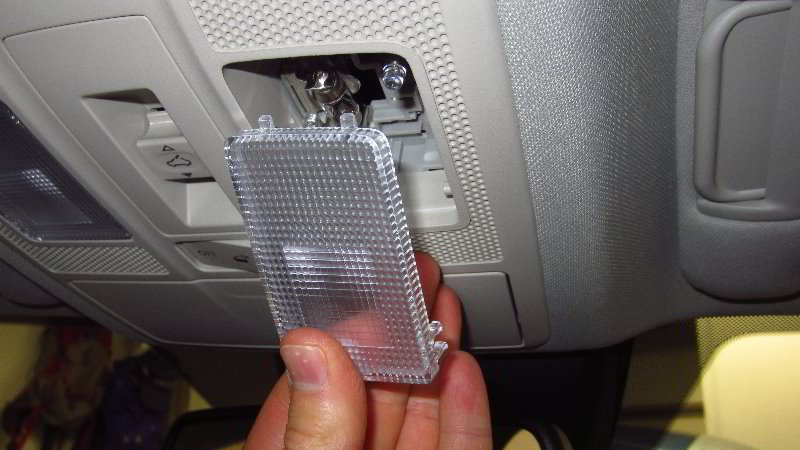
Once the two “C” shaped clips at the front edge are released, remove the two straight plastic tabs at the rear edge of the cover out of the overhead console.

Set the lens cover aside in a safe place.

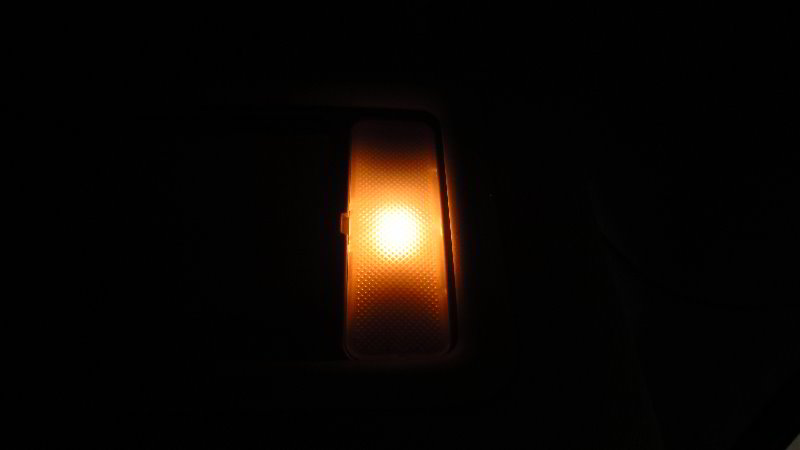
Once the lens cover is out of the way, you’ll be able to see the old light bulb in the socket.

If the old light bulb was recently turned on, be careful when you remove it. The bulb might still be hot enough to burn your fingers.

Gently pull back the flexible rear electrical contact to release the old light bulb from the socket.

The OEM light bulb was marked as part number KHA12V8W 49A14C which can be replaced with the common DE3175 festoon style bulb.

Install the new DE3175 light bulb into the holder in between the two electrical contacts.

If you’d like to have much brighter map lights, install some compatible replacement DE3175 LED units.

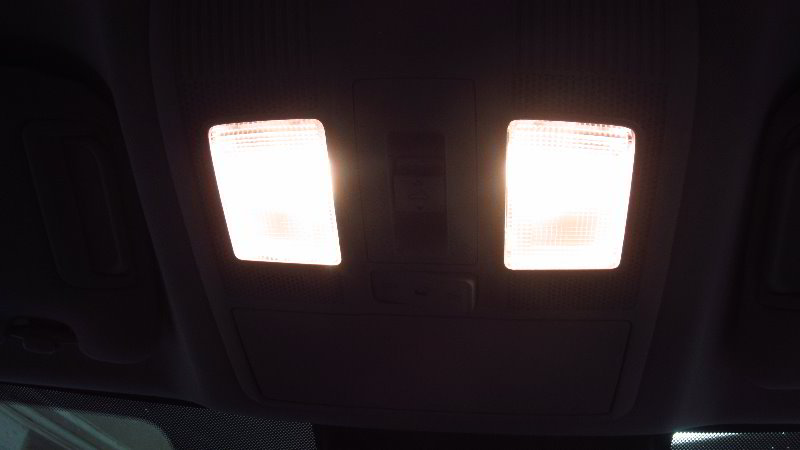
I recommend testing the new light bulb before you replace the lens cover.

Push the clear round plastic “On / Off” button to test the new light bulb.

Tip – If you installed an LED bulb and it doesn’t work, try removing it from the socket, rotate it 180 degrees and then push it back into the socket. Some LED bulbs are “polarized” and will only work when the “+” positive and “-” negative electrical contacts are in the correct orientation.

Line up the lens cover with the opening in the overhead console.

First, re-insert the two tabs on the rear edge of the lens cover.

Swing the front edge of the lens cover (closer to the windshield) up towards the overhead console.

Gently snap the two “C” shaped retaining clips on to their plastic mounting posts.

You should feel or hear the retaining clips “click” securely into place.

Double check that the new light bulbs are working by pushing on the rear edge of the lens cover to activate the “On / Off” switches.

Be sure to write down the procedure in your vehicle’s service records.

Please check out all of my 2017-2022 Mazda CX-5 DIY Repair & Maintenance Guides.
2017, 2018, 2019, 2020, 2021, 2022, 2023, 2024 & 2025 Mazda CX-5 Smart Key Fob Battery Replacement DIY Guide

This automotive maintenance tutorial was specifically written to assist owners of the second generation (2017, 2018, 2019, 2020, 2021 and 2022) Mazda CX-5 SUV in changing the battery in the “smart” or “intelligent” key fob remote control for the “Advanced Keyless Entry System”.

Owners of other Mazda vehicles such as the CX-3, CX-30, CX-7, CX-9, Mazda3, Mazda6, MX-30, MX-5 Miata, Mazda2, CX-4, CX-8 and BT-50 may also find these DIY instructions to be helpful.

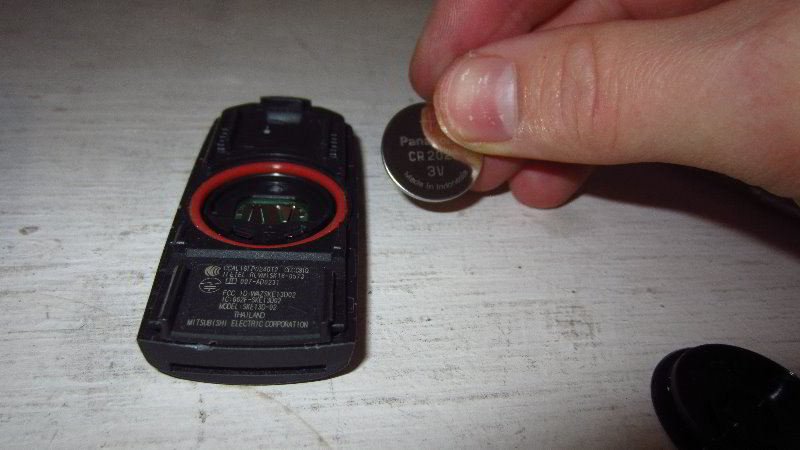
The compatible replacement coin cell (also known as a “button” or “watch”) battery is part number CR2025 which is available from various manufacturers such as Panasonic, Duracell, Energizer, Sony, Maxell and Toshiba.

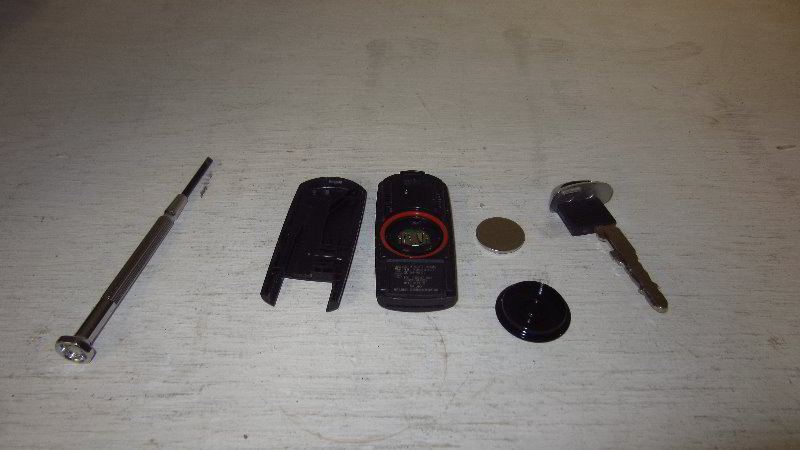
The only tool needed to complete this procedure is a small flat head screwdriver such as from a precision screwdriver set (also known as a jeweler’s screwdriver set).

You may also be able to use a small plastic pry bar tool.

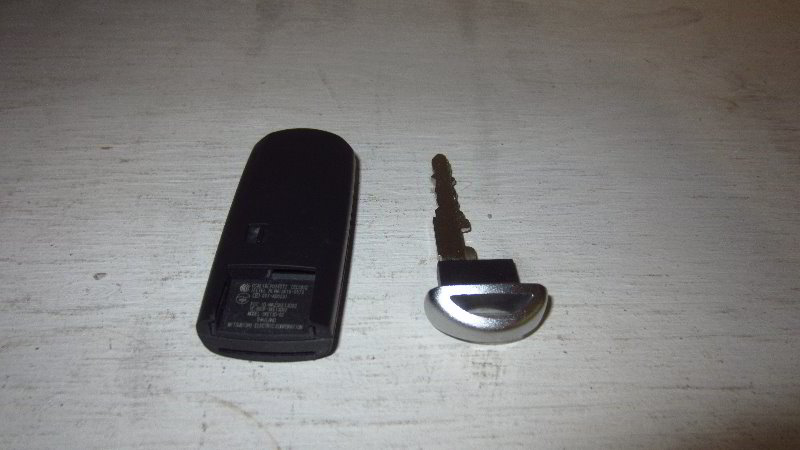
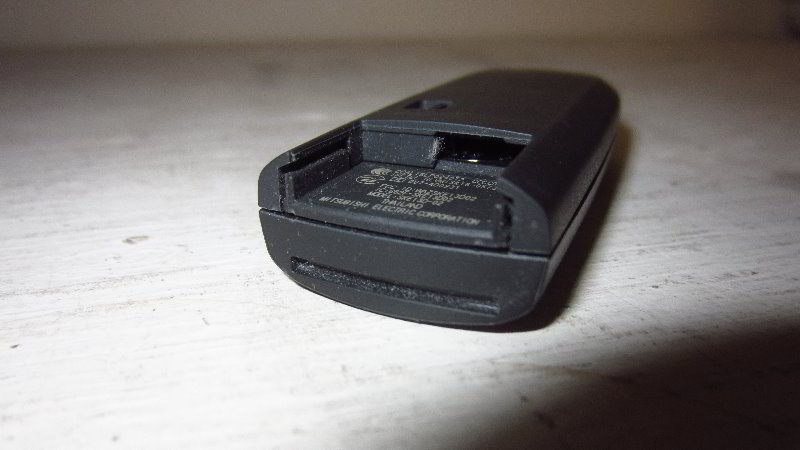
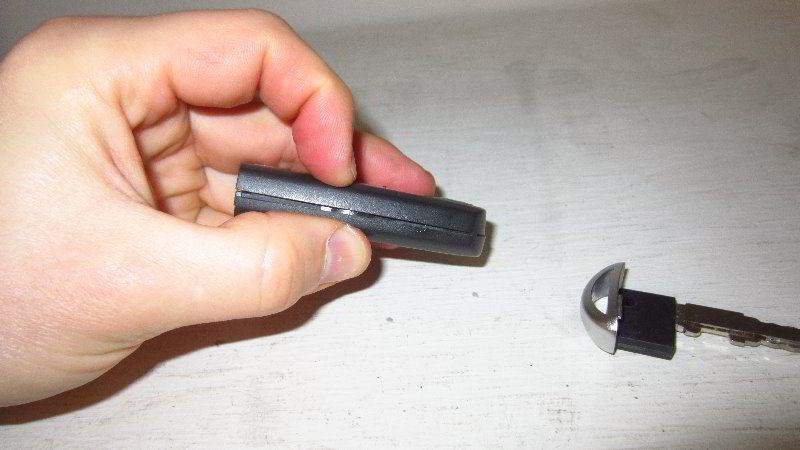
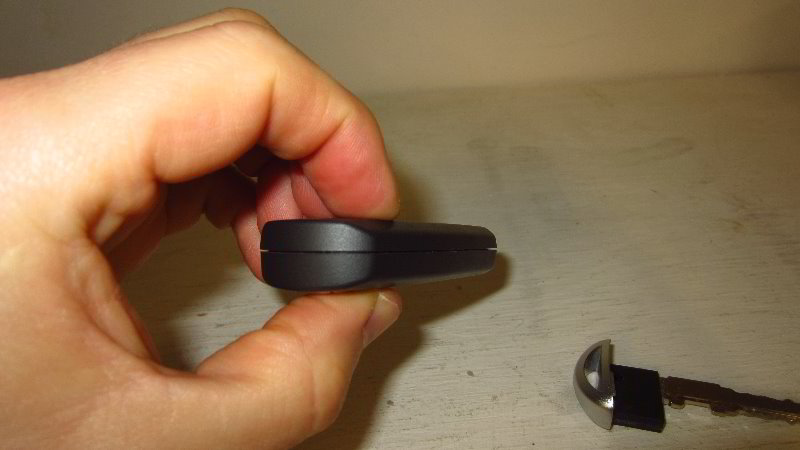
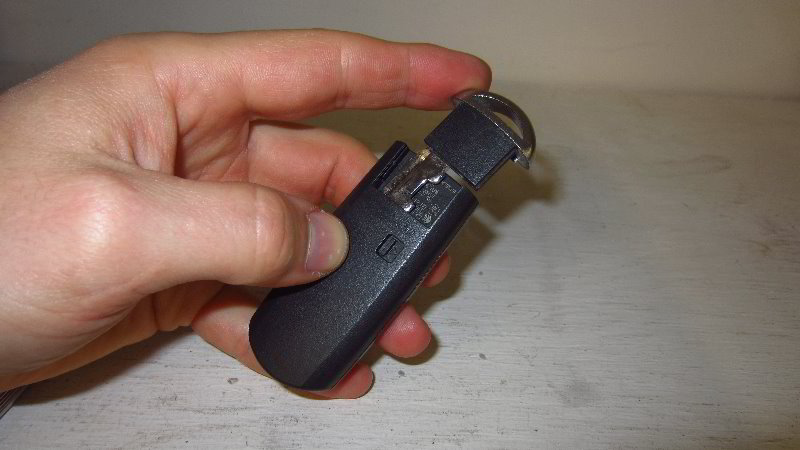
The first step is turn over the fob and locate the sliding switch to release the backup / emergency metal ignition key.

Gently slide the switch to unlock the backup / emergency metal ignition key.

Pull the ignition key straight out of its slot.

Set the key aside in a safe place.

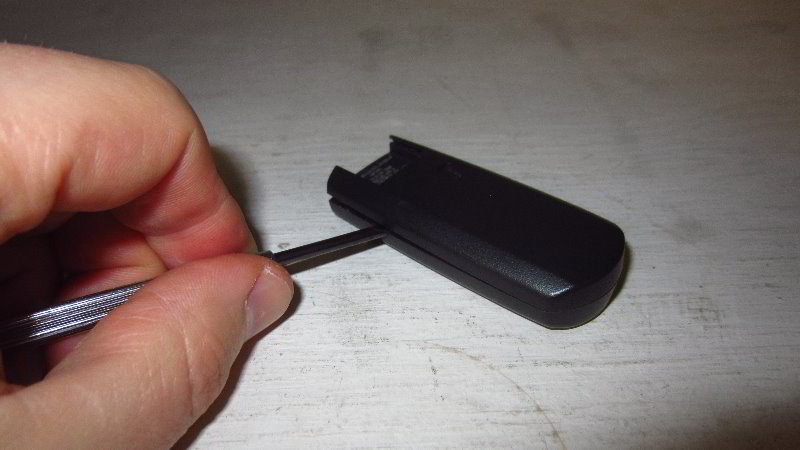
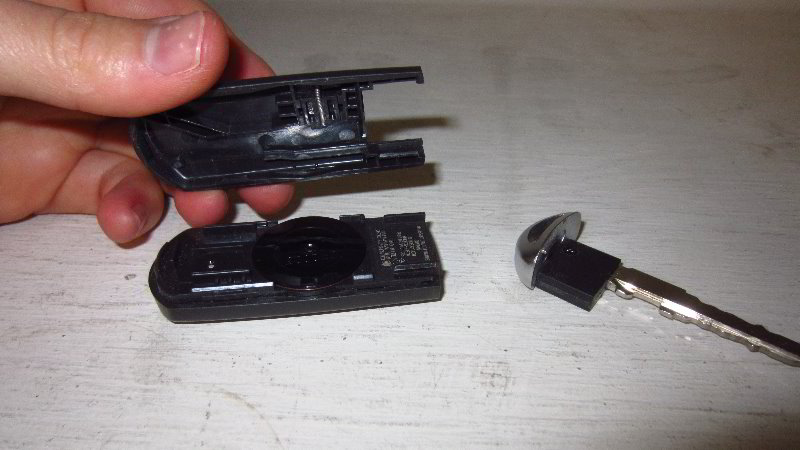
Locate the small gap between the front and rear halves of the fob assembly.

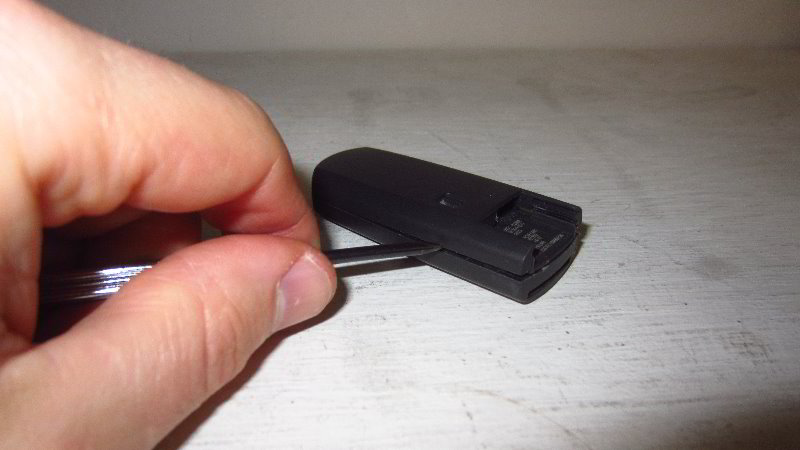
Insert the small flat head screwdriver in between the two halves of the fob.

Very gently and carefully pry apart the fob housing.

You will need to remove and re-insert the screwdriver into several locations all along the edges of the fob to fully separate the two halves.

Please take your time and avoid using excessive force to prevent from cracking or breaking the plastic pieces. The two halves of the fob should pop apart relatively easily.
Set the back cover of the fob aside in a safe place.

Locate the round black plastic battery cap.

Gently pry off the battery socket cap with the small flat head screwdriver.

Set aside the round cap aside in a safe place.

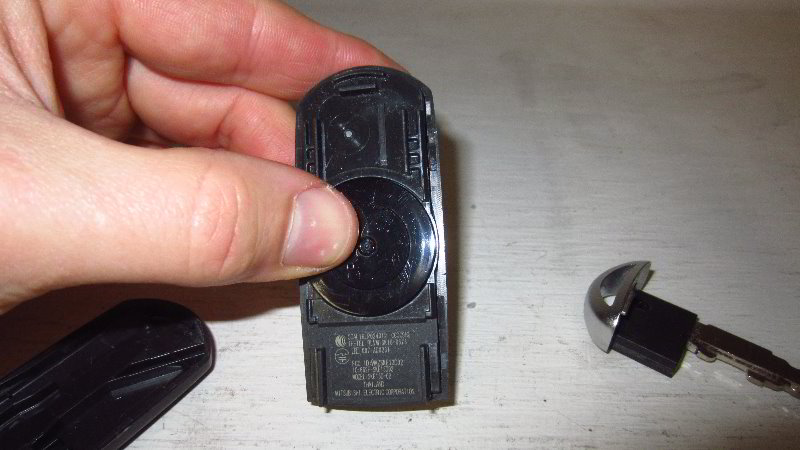
Use the flat head screwdriver to carefully lift the old battery out of the socket.

Try to avoid damaging the plastic retaining tabs, scratching the green circuit board or bending the metal electrical contacts.

The OEM (original equipment manufacturer) battery part number in this 2019 CX-5 was a Panasonic CR 2025 3 volt lithium coin cell.

Orientate the new CR2025 battery with the “+” positive side facing up towards you and the “-” negative side facing down into the socket.

Lower the new battery into the holder.

Gently pop the new battery down into place. Make sure it is flush in the socket.

Push the round plastic cap over the battery socket.

The cap should “click” securely into place. Make sure the cap is fully seated.

Line up the rear cover with the back side of the fob housing.

Gently snap together the two halves of the fob.

Check to see if the two halves of the fob are flush together at every edge.

Replace the metal ignition key by sliding it straight into its slot.

The ignition key should “click” securely into the slot.

To test the new battery, stand near your SUV and press the “Unlock” or “Lock” buttons.If the new battery is working properly, you should see the parking lights flash, the LED headlights may turn on and you’ll hear the door locks opening and closing.

Note – You should not have to reprogram the key fob. Just changing the battery should not clear the original programming from the factory.

Be sure to write down the procedure in your vehicle’s service records.

Please check out all of my 2017-2022 Mazda CX-5 DIY Repair & Maintenance Guides.