
Toyota
Corolla Map Light Bulbs Replacement Guide
Pictures illustrated instructions for how
to replace # 194 rear view mirror map light bulb in a 2003-2008 Toyota Corolla.

 |
 |
 |
| This
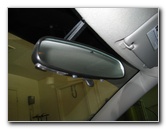
automotive how-to guide was specifically written to assist owners of
the ninth generation (2003, 2004, 2005, 2006, 2007, 2008) Toyota
Corolla in replacing a burnt out map light bulb located on the
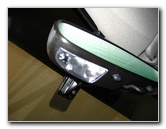
underside of the rear view mirror.. Owners of other Toyota vehicles such as the Camry, Prius, Matrix, Venza, Yaris, and Avalon with similar map light bulb replacement procedures may also find this guide to be useful. Replacement map light bulbs for the '03-'08 Toyota Corolla from Sylvania and other manufacturers are part # 194. You can also use a brighter 194 LED bulb. The tools necessary for this procedure are a small flathead screwdriver and a pair of tweezers. You might need some duct tape or electrical tape to add some grip to the ends of the tweezers. |
||
 |
 |
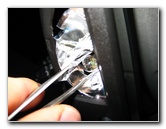 |
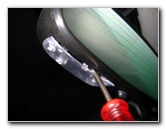
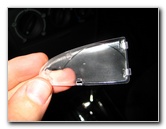
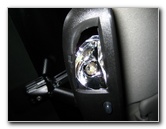
| To remove the clear
plastic cover from the map light, gently pry it off with a small flathead
screwdriver.
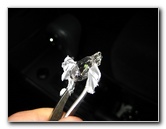
Then gently pull out the map light bulb using the tweezers or a pair of needle nose pliers. I had to wrap some rubbery duct tape over the tips of the tweezers in order to better grip the bulb. |
||
 |
 |
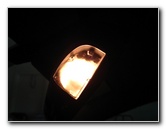 |
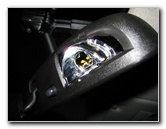
| Then push in a new
# 194 map light bulb and test it before replacing the clear plastic cover.
You can also choose to use a brighter compatible LED bulb. I had to remove and re-insert the bulb again to get it to work. |
||
|
If you have a newer model check out my 2009-2013 Toyota Corolla Repair & Maintenance Guides.
For more of my
automotive how-to guides and product reviews, click on the following links:
Toyota Corolla Engine Oil Change,
Toyota Corolla Front Brake Pads Replacement Guide,
Toyota Corolla Cabin Air Filter Replacement Guide,
Toyota Corolla Headlight Bulbs Replacement Guide,
Toyota Corolla Tail Light
Bulbs Replacement Guide,
Toyota Corolla Fog Light Bulbs Replacement Guide,
Toyota Corolla Dome Light Bulb Replacement Guide,
Meguiar's Headlight Buffing & Restoration
Kit Review,
K&N Air Filter Cleaning Guide,
WeatherTech FloorLiner Interior Mats Review,
Tail Light & Headlight Condensation Repair Guide,
Garmin Nuvi 260W GPS Review,
Buffing Old Faded Headlights, and
Interior Carpet Replacement Guide. |
||
If you found this guide to be helpful,
please consider making a small donation by clicking on the PayPal.com
"Donate" button located to the right of this paragraph. Thank you!
 (Note: I am not a registered charity. Donations are not tax deductible.) |