
Toyota
4Runner Turn Signal & Fog Light Bulb Replacement Guide
How to replace a burnt out front turn
signal and fog light bulb in the front bumper of a 2003 to 2009 Toyota 4Runner.

By Paul B. Michaels Author & Photographer Auto Mechanic Since 1989 |
||
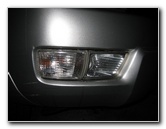 Turn Signal & Fog Light |
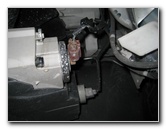 Fog (Red) - Turn Signal (Grey) |
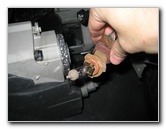 1/4 Turn Counter Clockwise |
| This
automotive "how-to" guide was specifically written to assist owners
of the 4th generation (2003, 2004, 2005, 2006, 2007, 2008 & 2009) Toyota 4Runner SUV in replacing a burnt out
front turn signal or fog light bulb in the lower part of the front
bumper. Owners of other related Toyota or Lexus vehicles such as the Hilux, Tacoma, Land Cruiser, T100, SW4, FJ Cruiser, Fortuner and Lexus GX may also find these DIY instructions to be helpful. Replacement bulbs from Sylvania and other manufacturers including their part numbers are as follows: Front Turn Signal (2003-2005) 7440A or 4157NA (with DRL) / 2006-2009 # 1156A and Fog Light bulb # 9006. (Please verify the part numbers of your old bulbs before purchasing new bulbs.) No tools are needed to replace the front turn signal or fog light bulbs. |
||
|
|
||
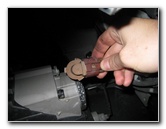 Release Power Connector |
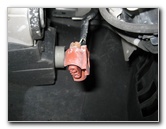 Fog Light Power Plug |
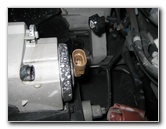 1/4 Turn Clockwise |
| To access either
the fog light bulb or front turn signal bulb, just slide under the middle of
the front bumper.
The fog light bulb has a red / orange socket that is closer to the center line of the vehicle. The front turn signal bulb has a light grey socket that is closer to the outer edge of the vehicle. To remove the fog light bulb, rotate the base of the bulb 1/4 turn counter clockwise and pull it straight out. Separate the power connector from the base of the bulb by pushing down on the release tab. Push the power connector on to the base of a new # 9006 fog light bulb. Avoid touching the glass part of the new halogen bulb with your fingers. If you get the bulb dirty, wipe it off with an alcohol moistened paper towel. Insert the new fog light bulb into the front bumper and rotate it 1/4 turn clockwise to secure it in place. |
||
|
|
||
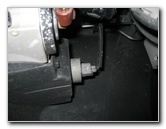 Turn Signal Bulb Socket |
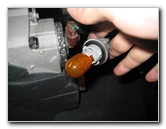 1/4 Turn Counter Clockwise |
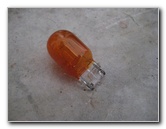 # 7440A 992 Amber Bulb |
| To remove the turn
signal light bulb, rotate the light grey base 1/4 turn counter clockwise and
pull it straight out of the bumper.
Pull the old # 7440A (or # 4157NA for 4Runner SUVs with DRL) amber colored bulb straight out of the socket and push in a new one. (The 2006 to 2009 model years use a 1156A turn signal light bulb.) |
||
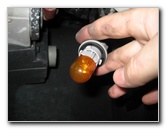 Push In New Bulb |
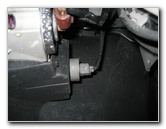 1/4 Turn Clockwise |
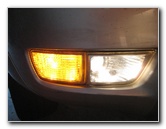 Testing Fog & Turn Signal |
| Insert the new turn
signal bulb into the front bumper and rotate the socket 1/4 turn clockwise
to lock it in place. Test the new fog light and/or turn signal bulb by turning on the headlights, the fog lights, and activating the hazard signals. For more, check out my
Toyota 4Runner Repair & Maintenance Guides page. |
||
If you found this guide to be helpful,
please consider making a small donation by clicking on the PayPal.com
"Donate" button located to the right of this paragraph. Thank you!
 (Note: I am not a registered charity. Donations are not tax deductible.) |