
Toshiba
Satellite A105 S4254 Notebook Computer Review
A consumer's review of the Toshiba
Satellite A105-S4254 15.4" 1.6Ghz Core Duo laptop with hardware specifications
and pictures.

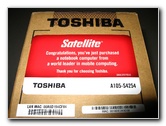 Toshiba A105-S4254 |
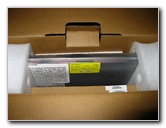
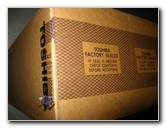 Factory Seal Intact |
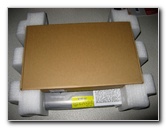
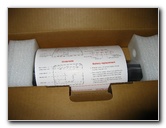 Secure Styrofoam Packing |
| I bought this
laptop for about a $1000.00 from CircuitCity.com back in October of
2006. It came with a $100 mail in rebate so the price dropped down to
$900. I went and picked it up at my local Circuit City to save money on
the shipping. The notebook computer is a Toshiba model # A105-S4254 with a 15.4" inch 1280x800 WXGA screen, 1.6Ghz Intel Centrino Core Duo T2050 processor, 1GB of system ram, an 80GB 5400RPM hard drive, and a CD/DVD combo burner disc drive. Previously I had been using a desktop
replacement generic body notebook from M-Tech Computers. It had a 2.8Ghz
desktop processor, 1 gig of ram and a dedicated 128mb
Nvidia video card.
It was fast but not very mobile since the battery had long since given
up holding a charge, it weighed 12 pounds
|
||
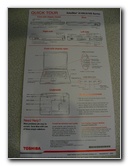 Quick Setup Instructions |
 |
 Toshiba Accessories Guide |
| Some of the other features of the Toshiba Satellite A105-S4254 include the SRS XT TruSurround stereo speakers, 10/100 internal Ethernet Network Interface card (NIC), a 56kbs dial up modem, a 533mhz bus speed, 2mb of L2 processor cache, a Secure Digital memory card reader, Intel Pro Wireless 3945 A/B/G WiFi wireless network card, a 6 cell Lithium Ion 4000mAh 3.5 hour battery, 4 high speed USB 2.0 ports and a Firewire IEEE 1394 plug for my Mini-DV video camera. | ||
 |
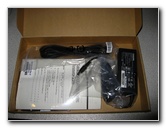 Owner's Manual & Power Adapter |
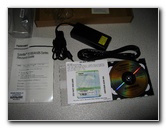 System Restore & Driver CDs |
| I used to be a
gamer during my college years but I have since lost interest in PC gaming so
I didn't choose a laptop with a dedicated video card.
I played around a bit with the games that Toshiba included on the machine and it seems to sustain a decent frame rate or FPS (frames per second). But I bet that a hardcore player would want a dedicated graphics board with at least 128 or 256mb of video ram. The Intel GMA 950 graphics processor only gets 3-8mb of dynamic video memory and a maximum of 128mb ram allocation. |
||
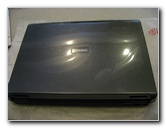 Protective Plastic Sheet |
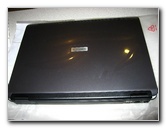 TruBite Screen |
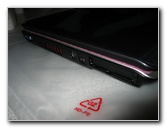 Monitor, Serial & PCMCIA, S-Video |
| My old Mtech laptop
that I sold on eBay didn't come with an operating system so I had purchased
Windows XP Professional separately.
Toshiba had loaded Windows XP Home on the laptop with all sorts of trial software and other junk that I didn't need, so I formatted the hard drive and popped in my XP Pro CD. The number of active processes on the computer dropped from over 30 to about 20 once I was done installing windows and all the programs I normally use. I highly recommend you either clean up your Toshiba or do a fresh install of your preferred OS. Not only will it free up gigs of hard drive space but the system will gain some speed. |
||
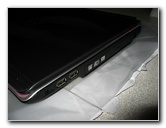 CD/DVD-RW & 2 USB Ports |
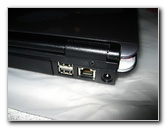 Power, Two USB 2.0 & Ethernet |
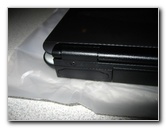 Printer Plug Cover |
| For my work flow
this laptop is an excellent mobile solution.
Some of the programs I have installed include Adobe Premiere (video editing), Photoshop (picture touch up), ThumbsPlus (image organization & batch processing), Microsoft Frontpage (web design), Cute FTP (website file transfer to host), Express Thumbnail Creator (web page image gallery creation), Trillian (instant messenger), Nero Burning Rom (back up files to CD/DVD-R), Zone Alarm (firewall security), and AVG (anti-virus). |
||
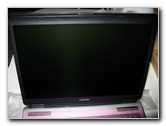 15.4 Inch WXGA Monitor |
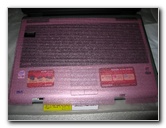 Pink Keyboard & Screen Guard |
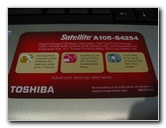 Advanced Desktop Alternative |
| In the past, all my
computers had plain old solo processors so that if you were burning a CD-R
or DVD-R you could not do anything else or you would risk depleting the
write buffer and creating a useless coaster.
With the Intel Centrino Core Duo (and also the newer Core 2 Duo) processors, I can now have Nero writing to a DVD-R at 8x speed in the background while I surf the web with multiple browsers and upload via FTP to my web server. |
||
|
|
||
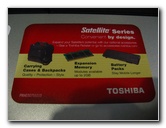 Optional Accessories Sticker |
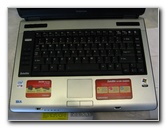 Full Size Qwerty Keyboard |
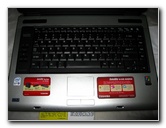 Touchpad Input Device |
| I decided to buy a
Toshiba from reading Consumer Reports and also a variety of web sites and
internet forums where Toshiba, Lenovo (IBM), and Apple were consistently
recommended as the top three notebook computer manufacturers.
The first computer my brother and I were given was an Apple IIC but we switched to PCs right after that so I wasn't going to choose an Apple since I'm too set in my ways. The Lenovo (formerly IBM) laptops looked promising but the models that appealed to me didn't include a Firewire IEEE 1394 port which I need for capturing video from my Mini-DV Sony Camcorder. |
||
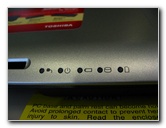 Power, Battery, HDD Status Lights |
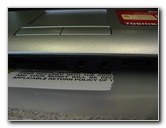 Touchpad & Mouse Buttons |
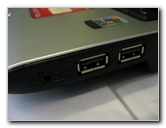 Side Two USB 2.0 Ports |
| The build quality
of this laptop is excellent, especially compared to the generic body on my
Mtech (a.ka. Prostar) computer, with no creaks or flexing.
The only thing I worry about is breaking the plastic hooks that latch the screen to the body. My previous Mtech only had one plastic hook while the Toshiba has two. I broke the latch on the Mtech by pulling it out of the laptop bag incorrectly. It was my first laptop so I've since learned to be more careful when pulling it out of the case. I also bought a zippered neoprene sleeve with handles for more protection and to make it easier to pull the laptop out of my leather laptop bag. |
||
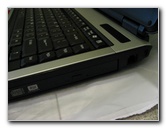 DVD SuperMulti Optical Drive |
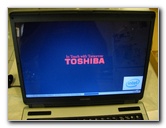 Toshbia Start Up Screen |
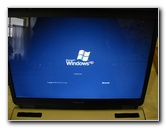 Windows XP Home |
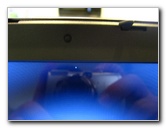 One Hot / Stuck / Dead Pixel |
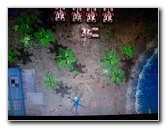 Testing Integrated Intel GMA 950 |
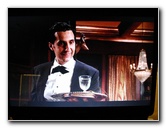 Testing DVD Player Drive |
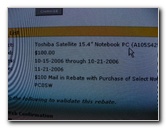 $100 Toshiba Mail In Rebate |
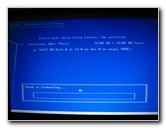 Installing Win XP Professional |
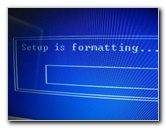 Formatting 80 Gig HDD |
| I was able to track
the progress of my rebate online which made me feel more confident that I
would actually receive it.
After a few weeks I did get the check in the mail. I decided to use part of the rebate money for an Antec Notebook Cooler to prolong the laptop's life and also a S-Video to RCA plug adaptor. |
||
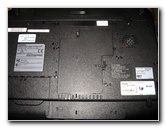 Hard Drive & Ram Access Panels |
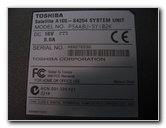 Made In China, Model # |
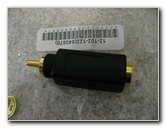 S-Video to RCA Adapter |
| For more of my
computer related updates check out the
Toshiba M115 14.1" Inch Laptop Review,
RAM Upgrade Guide, and
CMOS Battery Replacement Instructions. |
||
 and the intense heat coming from the desktop processor made it
impossible to use it on your lap.
and the intense heat coming from the desktop processor made it
impossible to use it on your lap.If you found this guide to be helpful,
please consider making a small donation by clicking on the PayPal.com
"Donate" button located to the right of this paragraph. Thank you!
 (Note: I am not a registered charity. Donations are not tax deductible.) |