
Sony Reader
Pocket Edition PRS-300 Review
A consumer's review of the Sony e-book
Reader Pocket Edition PRS-300 including pictures, a video clip, and usage
tips.

 |
 |
 |
| This Sony
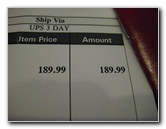
Reader Pocket Edition PRS-300 was purchased back in December of 2009 for
$189.99. It can currently be had for about $160-$170 depending on the
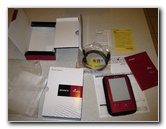
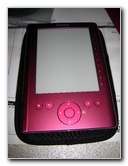
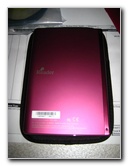
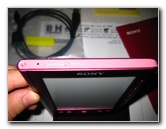
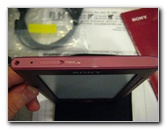
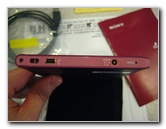
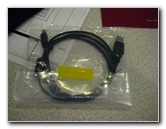
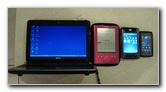
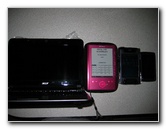
color (Rose, Silver, or Dark Blue). Upon first holding the Sony PRS-300RC, I was impressed by the solid construction and sturdy metal case. Also inside the box was a short USB data/charging wire, a soft pouch carrying case, and the user manual. The Sony Reader Pocket Edition features 512 MB of onboard memory, a 5" 800x600 E Ink Vizplez screen, three font sizes, eight levels of grayscale, a 7500 page turn built in Lithium Ion battery, and the ability to read a variety of e-book formats. Some of the formats it accepts include ePub, HTML, text, PDF, MS Word, BBeB books, and both Non-DRM or Adobe DRM. |
||
|
|
||
 |
 |
 |
| I had read online
that the Sony eBook Library software included with the PRS-300 wasn't as
user friendly as other third party options.
So I instead chose to install the Calibre E-Book management software on the end user's computer, which has worked great for the past few months. I recently had to install the Sony eBook Library software on her computer in order to download some books from a public library website. If you can, just use Calibre and skip the Sony eBook Library software. |
||
 |
 |
 |
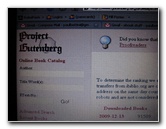
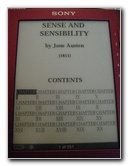
| I downloaded a few
public domain books in a variety of formats from the Project Gutenberg free
e-book site to test out the reader and the Calibre software.
It was surprisingly easy to transfer the ePub, Text, PDF, and HTML files to the PRS-300. |
||
 |
 |
 |
| After a week, I
quizzed the user about her experience with the
Sony Reader Pocket Edition
PRS300. She said that overall she enjoyed using the device and only had a
few small complaints. She mentioned that it took a while to get used to the
grey/white flash that the screen does during each page turn.
She also wished that the screen was slightly larger and that there were additional page turn buttons further towards the edge of the reader. But these were minor complaints when compared to the convenience of being able to tote around hundreds of books in such a compact device. She remarked that the screen does do a great job of replicating the appearance of an actual paper book. |
||
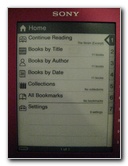 Home Screen |
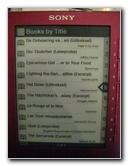 Books By Title |
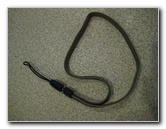 Old Camera Wrist Strap |
| To help prevent the
device from suffering a fall and being damaged, I attached an old unused
digital camera wrist strap to the wrist strap loop at the bottom of the
reader.
I'd recommend that other owners should buy a wrist strap on eBay and also get a hard case if you aren't particularly careful with your electronics. |
||
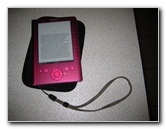 Reader & Wrist Strap |
 |
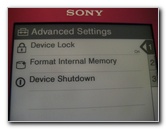 |
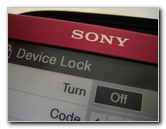
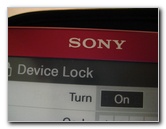 Device Lock Feature |
 |
 |
| While testing out
the Sony Reader Pocket Edition PRS300RC, I captured a short video clip to
show you how it "turns" the page and how quickly the buttons react.
To view the video, click on the blue link below. To download the video to your hard drive, right click on the link and choose "Save Target As" or "Save Link As". |
||
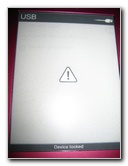
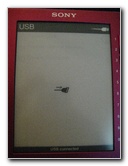 USB Data/Charge Mode |
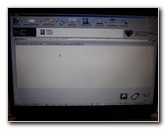 Calibre Software |
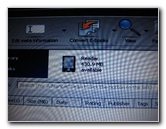 Transferring eBooks |
 Project Gutenberg Site |
 Sense & Sensibility |
 Screen Size Comparison |
 10.1" / 5" / 4" / 3" Screens |
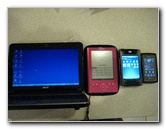 Netbook / Reader / PDA / Phone |
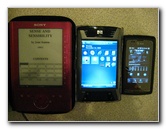 5" / 4" / 3" Screens |
| For more of my
photo galleries, click on the following links:
Acer Aspire AS1410 Netbook Review,
SanDisk Sansa Fuze MP3 Player Review,
LG Incite CT810 Smartphone Review,
Canon SX20 IS Review, and the
Garmin Nuvi 260W GPS Review. |
||
If you found this review to be helpful,
please consider making a small donation by clicking on the PayPal.com
"Donate" button located to the right of this paragraph. Thank you!
 (Note: I am not a registered charity. Donations are not tax deductible.) |