
SanDisk Sansa
Fuze 4GB MP3 Player Review
Pictures, usage tips, & a review of the
SanDisk Sansa Fuze entertainment device including a video conversion guide.

| To view videos on your Fuze, click this link: Sandisk Sansa Fuze Video Clip Conversion Step By Step Instructions. | ||
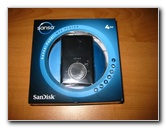 SanDisk Sansa Fuze 4GB |
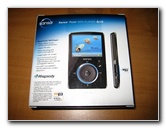 Rhapsody MP3 Player |
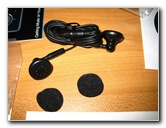 Earbud Headphones |
I received
this SanDisk Sansa Fuze 4GB black MP3 Player in the mail a few days
ago, for free.
 They cost about $80 brand new or $45 for a recertified (refurbished)
unit.
They cost about $80 brand new or $45 for a recertified (refurbished)
unit.So how did I get this for free? Every so often I visit some of the major sweepstakes websites and enter any new sweeps that catch my attention. I enter sweepstakes mostly for fun but I've also won a few small things such as a 19 piece barbeque tool set (still use it), a Logitech iPod speaker dock (sold it on eBay), and now this very cool SanDisk Sansa Fuze portable entertainment device. The Sansa Fuze features an audio player (MP3, WMA, audio books), a picture viewer (JPG/JPEG photos), a digital FM radio, voice recording (built-in microphone), a 1.9" screen, a microSD memory expansion slot, and a video player (MPEG-4). |
||
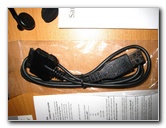 Proprietary USB Cable |
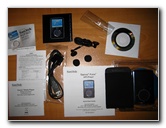 Manuals, CD & Accessories |
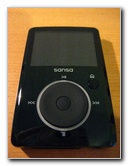 Scroll Wheel, 1.9" Screen |
|
I opened the box and saw that the Sansa Fuze comes with a set of earbud headphones, padded earbud covers, a Rhapsody music service software CD, a USB data/charging cable, a felt storage pouch, a user manual, warranty card, a hearing damage safety warning pamphlet, a quick start guide, and an advertisement for an audio book website. The actual Fuze device was sealed in a plastic tamper proof package that needs to be opened by cutting off the edges with scissors. |
||
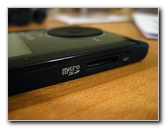 MicroSD Memory Slot |
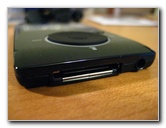 Proprietary USB Connection |
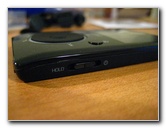 On / Off / Hold Button |
| On the left side of
the Sansa Fuze is the MicroSD card memory expansion slot. MicroSD cards are
available in 2GB, 4GB, 8GB, and 16GB sizes. On the bottom of the Fuze is the
non-standard proprietary USB connector.
I wish that it had a standard mini-USB port which are standard on many devices such as digital cameras, cell phones and PDAs. On the other side of the Fuze is the On, Off and "Hold" button. The "Hold" button locks the controls for when the device is in your pocket. |
||
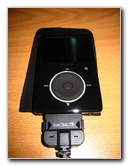 USB Connector Plugged In |
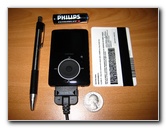 Fuze Size Comparison |
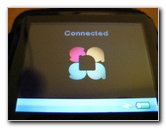 Connected & USB Charging |
| The front of the
Fuze has a rotating rubberized scroll wheel with four directional buttons
and one select/enter type button in the middle of the wheel.
The underside of the Fuze has a rubberized non-slip feel to it. It's smaller than a driver's license and about the thickness of five credit cards stacked together. The Fuze feels really solid, well built and has a nice balanced weight to it. I connected the Fuze to my Toshiba laptop running Windows XP SP2 and at first nothing happened. After some online research, I figured out that I needed to change the USB mode in the settings from Auto Detect to "MSC" to get the device to show up as a mass storage device. Then I was able to drag MP3s into the Music folder, and pictures into the Photo folder without any problems. If you want to transfer videos check out my SanDisk Sansa Fuze Video Conversion Guide. |
||
|
|
||
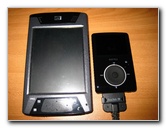 HP iPAQ HX4700 PDA |
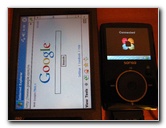 4" PDA Screen, 1.9" Fuze |
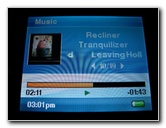 Playing MP3, Album Art |
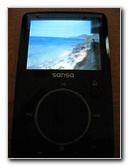
| The 1.9 inch screen
(320x240 resolution) on the Sansa Fuze may be small, but it is bright and
very clear.
It looks tiny in comparison to the 4" screen on my HP iPAQ HX4700 PDA, which is what I normally use to watch videos or play MP3s while traveling. The small size of the Fuze is one of the device's best features especially considering it's variety of capabilities. |
||
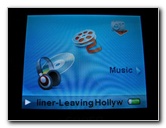 Main Menu Option Icons |
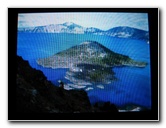 Included Image, Photo Viewer |
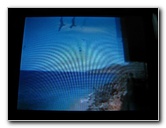 Premiere WMV Video |
|
Navigating through the Fuze's menus is very intuitive and it only takes a few minutes to become accustomed to them. One thing I really like is how you can multi task with the Fuze. For example, you can be listening to the radio or MP3s and then navigate to view your photos. The sound quality is excellent, even with the included earbud earphones. I couldn't tell a difference between the sound quality from the headphone jacks of my HP iPAQ PDA, Toshiba Laptop, and the Fuze. |
||
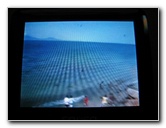 Converted With "SMC" |
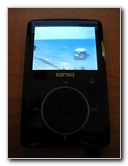 320x240 Video Playing |
 Bright Crisp Screen |
| The only criticism
I have for this very fun and entertaining device concerns the process of
getting video loaded on to it.
The Fuze can't play MP4 (used by most portable media devices), FLV (lower quality YouTube videos), AVI, MPG or most WMV files unless they've been converted. To get most kinds of video clips to work on the Fuze, I had to first convert them to WMV using the free VLC Media Player and then convert them again using the SanDisk Sansa Media Converter ("SMC") software. If you have Adobe Premiere (or perhaps Sony Vegas Video), you can encode your video timeline using a Windows Media Video (WMV) settings preset for any variety of mobile devices (such as the Creative ZEN or Microsoft Zune) that share the same 320x240 screen resolution as the Fuze. Then you would still have to use SMC (Sansa Media Converter) to convert and load the video on to your Fuze. For all of the step by step instructions, click on the following link: SanDisk Sansa Fuze Video Clip Conversion Guide. Once you get the hang of it, it becomes very easy to download your favorite MP4/FLV YouTube videos, convert it with VLC, and convert/transfer it with SMC. It's more work than I'm used to since my HP iPAQ PDA with TCPMP software will play just about any common video file type with no conversion necessary. Overall, I've been extremely impressed with the features, user friendly interface, build quality, sound quality, and the video playback abilities of the SanDisk Sansa Fuze. For more, please visit my home page at
Paul's Travel Pictures or
my
Miscellaneous Pictures page full of reviews and guides. |
||
If you found this guide to be helpful,
please consider making a small donation by clicking on the PayPal.com
"Donate" button located to the right of this paragraph. Thank you!
 (Note: I am not a registered charity. Donations are not tax deductible.) |