
Nissan Altima Head Light Bulb Replacment
Picture Illustrated Guide To Replacing A Headlight Bulb On A 2002-2006
3rd Generation Nissan Altima Sedan
Page 2 of 2
|
Main Menu Home Digital Cameras Misc. Pictures Articles My Blog |
 First |
 Previous |
 Home |
 |
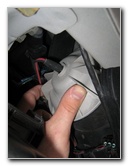 Low Beam Housing |
 |
|
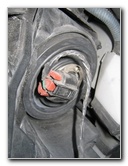
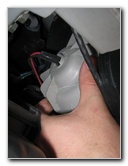
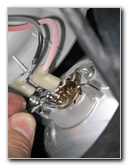
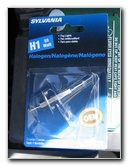
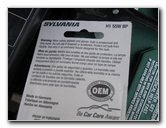
The first picture on this page is of the high beam head light bulb. The next two are of the more commonly in need of replacement, low beam Nissan Altima headlight bulb housing. A replacement high beam halogen bulb is part number 9005. A new low beam bulb is part number H1. |
||
|
|
||
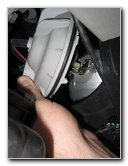 |
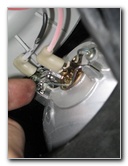 Metal Spring Clip |
 |
|
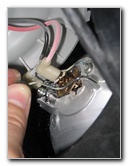
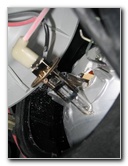
Twist the white plastic headlight bulb housing about a quarter of a turn to pop it off and access the bulb. Depress (push down) the bottom of the metal spring clip and move it to the side to be able to push the clip up and out of the way. |
||
 |
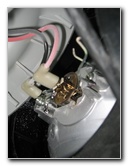 Red Wire Bulb Connection |
 |
 |
 |
 |
|
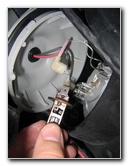
Get your new replacement bulb and use a paper towel or medical gloves to handle the bulb. You don't want to get oil from your finger on the bulb because it will shorten it's life. The bulb in attached to the red wire by a metal spade that you must pull out. |
||
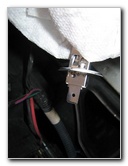 Metal Spade Bulb End |
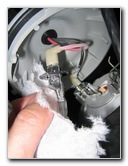 Putting In New Bulb |
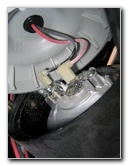 |
|
Using the paper tower or something else to keep the new bulb clean, pop it in the red wire female connector. Insert the new H1 bulb back into the headlight lamp housing and put the spring clip back down and under the black wire (negative current) connection. |
||
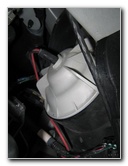 |
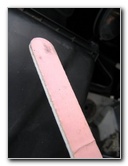 Nail File or Sandpaper |
 |
| Once you have the new bulb in, test it by
turning on the light.
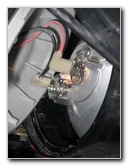
If the bulb doesn't work you might need to clean up the negative (black wire) connection by filing off the corrosion or rust on the spring clip where it touches the metal base of the new bulb. My new bulb didn't work until I cleaned up the "V" bent part of the spring clip that makes contact with the base of the bulb and provides the negative current return. I used an Emory board to clean the clip. If you need to replace the high beam bulb, it is part number 9005. I hope this "how to" for replacing the driver's side low
beam headlight bulb on your 2002+ 3rd generation Nissan Altima was helpful.
If you need to
replace
the passenger's side head light bulb, click here. |
||
If you found this guide to be helpful,
please consider making a small donation by clicking on the PayPal.com
"Donate" button located to the right of this paragraph. Thank you!
 (Note: I am not a registered charity. Donations are not tax deductible.) |
Main Menu
Home
My Digital Cameras
Misc. Pictures
Articles
My Blog
|
First |
Previous |
Home |
Copyright 2024 © PaulsTravelPictures.com
All Rights Reserved ®
| Paul's Travel Pictures is a participant in the Amazon Services LLC Associates Program, an affiliate advertising program designed to provide a means for sites to earn advertising fees by advertising and linking to Amazon.com. |