
MS Natural
Ergo Keyboard 4000 Sticky Spacebar Fix
A pictures illustrated instruction guide
to loosening the stiff space bar key on the Microsoft Natural Ergo Keyboard
4000.

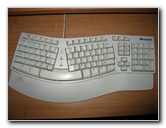 MS Natural Keyboard Elite |
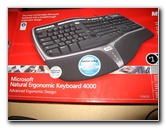 MS Natural Ergo Retail Box |
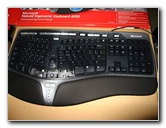 Space Bar Key Popped Out |
| For almost a
decade now, I've been typing away on my reliable and comfortable
Microsoft Natural Keyboard Elite. After I tried out the newer MS Natural Ergo Keyboard 4000 at a store, I decided to buy one mostly for the faux leather padded wrist rest and the quieter keys. Once I got my new keyboard home and hooked it up to my computer, I was disappointed by the stiff feel of the space bar. The space bar seemed to work normally when I hit it dead center but required way too much effort when tapped on the sides or even slightly off center. Occasionally the space bar would feel sticky and remain in the down position. To get it back up, I'd have to give the key a good flick with my fingers. |
||
|
|
||
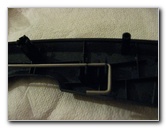
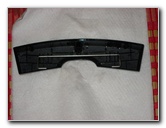 Metal Sway Bar Under Key |
 |
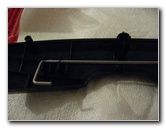 Hook On End Of Sway Bar |
| I really wanted to
keep this attractive new keyboard, so I searched the web for any possible
solutions or remedies to the infamous sticky spacebar problem with the
MS
Natural Ergo Keyboard 4000.
First, I popped off the space bar key using a small flat head screwdriver by lifting up slightly in the middle and sides until it came off. The first suggestion I found was to lubricate the plastic posts under the space bar to allow the key to move more smoothly. I used a tiny dab of vegetable cooking oil to lube up the plastic surfaces that make contact with each other on the key and body of the keyboard. It would probably be best to instead use some silicone spray lubricant or perhaps some dry graphite powder. Then I snapped the key back in place. It didn't
make a difference at all. The key still felt stiff.
The next possible solution I came across suggested that the metal sway bar attached to the underside of the key needed to be "tweaked" or adjusted. I popped the key back out, set it down upside down on my desk, and twisted the ends of the sway bar in opposite directions. Once the ends were just about a fraction of an inch out of line with each other, I re-attached the space bar key and tested it out. The key sat slightly lopsided but the effort needed to press it was significantly reduced but only on one side. Tweaking the sway bar ends back in the opposite direction switched the "easy" and "stiff" sides. If you only use one thumb to hit the space bar, this could be a viable solution for your keyboard. I use both thumbs so the search continued for a better solution. |
||
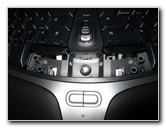 Keyboard Under Space Bar |
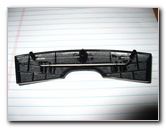 Twist Ends Of Sway Bar |
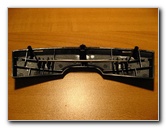 Or Remove Sway Bar |
|
The last possible solution I found suggested that the metal sway bar should just be removed completely. I carefully popped the metal sway bar out of the plastic retaining clips on the underside of the spacebar key and put the key back on the keyboard. The
space bar felt more "normal" like I was used to with my well worn white MS
Natural Keyboard Elite but it just wasn't the same. So I returned the Microsoft Natural Ergo Keyboard 4000 to the store and re-attached the MS Natural Keyboard Elite again. Sure this old keyboard has a hard plastic wrist rest, loud clacking keys, and a not so fashionable white finish but it works properly. *Sigh* I guess I'll just have to wait for the next generation of
MS Natural Keyboards or switch to another brand if this one ever breaks. |
||


If you found this guide to be helpful,
please consider making a small donation by clicking on the PayPal.com
"Donate" button located to the right of this paragraph. Thank you!
 (Note: I am not a registered charity. Donations are not tax deductible.) |