
ProStar & Sager
Laptop CMOS Battery Replacement
How To Replace Your CMOS Battery & Hard Drive In A
Sager, ProStar or MTech Laptop - A Picture Illustrated Repair Guide.
 First |
 Previous |
 Home |
Page 3 of 3
|
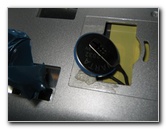
Here's the CMOS battery on my MTech / Sager / ProStar laptop. I wish they had provided more slack on the wire and had not soldered the metal spades to the battery. |
 |
|
When I popped off the metal contacts that were soldered on to the battery, I broke the red (+ positive) connection and had to totally take my laptop apart to attach a new piece of wire. The next picture is the old CMOS battery with all the blue plastic heat shrink wrapping removed. |
|
|
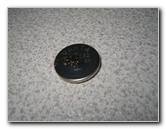
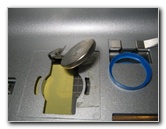
This is the old CR2032 CMOS battery, notice the marks and dents on the body of the old battery from the soldered on metal spade contacts. |
 |
|
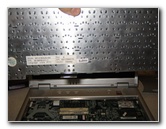
The bottom of the metal plate that resides below the keyboard. |
 |
|
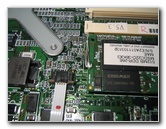
To get the laptop body to spread apart into two halves, I had to pop the little brown fasteners that held in the super thin connectors that were on the motherboard. |
 |
|
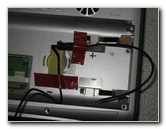
I propped open my laptop case and attached new wires to the short CMOS battery wires by twisting them together and using a heat shrink tubing to hold the connection together. |
 |
|
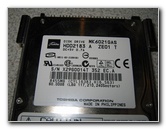
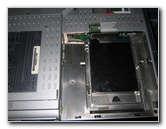
Just a close up picture of my old hard drive so I would know what to buy as a replacement. |
 |
|
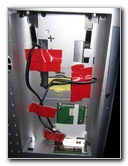
I used 3M Decal double sided tape that I had left over from a car stereo install project to secure the positive ( + red) and negative ( - black) wires to the new CR2032 3V CMOS battery. Then I secured everything down to the bottom of the laptop with the more of the 3M tape. (My laptop battery died a year ago so all this extra stuff in the laptop battery cavity doesn't matter to me. Besides, who takes a 12 pound laptop
with a power hungry P4 2.8ghz desktop chip from place to place expecting to
use work on battery power for more than a few minutes???
|
 |
|
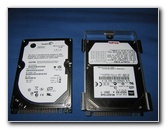
To the left is my new Seagate 60GB 2.5" 5400RPM laptop hard drive next to the old Toshiba 2.5" 60GB 4200RPM drive that failed on me after 4 years of intensive use. |
 |
|
The final picture is my new hard drive installed. Next, I was ready to fire up the old Mtech 5600D and get her working again. Had I not been so tired doing this whole procedure and messed up one of the CMOS battery wires, it would have taken a LOT less time. Now with a new CMOS battery and a faster 5400RPM hard
drive, my Mtech laptop runs faster and keeps the system date. That's a job
well done in my book. |
 |
 )
)If you found this guide to be helpful,
please consider making a small donation by clicking on the PayPal.com
"Donate" button located to the right of this paragraph. Thank you!
 (Note: I am not a registered charity. Donations are not tax deductible.) |
Main Menu Home My Digital Cameras Misc. Pictures Articles My Blog