
Acer Aspire AS1410-2285 11.6" Laptop Computer Review
A consumer's opinion
of the Acer Aspire AS1410-2285 11.6 inch laptop (netbook) including benchmark
results & pictures.

 Acer Aspire Outer Box |
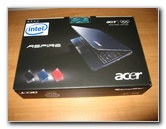 Acer AS1410 Retail Box |
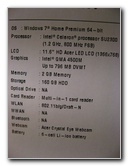 AS1410-2285 Specifications |
|
Ever since I saw the first generation of "netbooks", I've been wanting
one to use as a travel computer. Unfortunately, they all seemed to
have screens that were slightly too small and underpowered processors. Then I discovered the Acer Aspire AS1410 & AS1810 series of "laptops" with 11.6" netbook sized LCD screens that had slightly better CPUs than the Intel Atom found in most netbooks. While those earlier models were proficient, I was holding out and hoping for a dual core netbook to be released before we had to depart for a trip in late December 2009. Luckily, the Acer Aspire AS1410-2285 become readily available with a dual core 1.2 GHZ Intel Celeron SU2300 processor, 800 MHz FSB, 2 GB RAM, a 160 GB 5400 RPM hard drive, and Windows 7 all for about $400. |
||
|
|
||
 Opening New AS1410 |
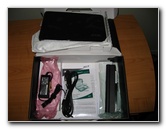 Battery & Power Adapter |
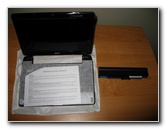 AS1410-2285 & Battery |
| I purchased the
Acer Aspire AS1410-2285 from NewEgg.com for $399 with free shipping and also
got a few % off by using the Bing Cashback program.
It arrived a few days later via UPS in a large brown box with plenty of packing material inside. |
||
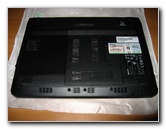 Bottom of AS1410 |
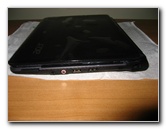 Right Hand Side of Laptop |
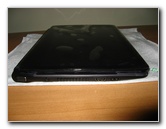 HDMI, VGA Out, Power |
| The AS1410-2285
came with a 6 cell battery, a power adapter, a three prong grounded power
cable, a quick start guide, and some other miscellaneous papers.
To protect the laptop, I also purchased the Case Logic LNEO-10 neoprene sleeve for 10" netbooks. This is the same sleeve that my friend uses for their Acer Aspire One 10.1" Netbook. It fits the AS1410 snugly while leaving a tiny bit more room around the slightly smaller 10.1" Acer. |
||
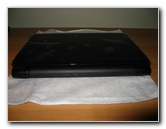 Rear of Laptop, No Plugs |
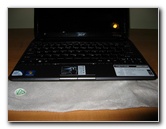 Front of AS1410 Laptop |
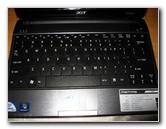 Full Sized Keyboard |
| My first impression
of the Acer Aspire AS1410-2285 is that it seemed very sturdy and well
constructed.
The glossy black case looked slick, but attracts fingerprints quickly. A few wipes with a damp cotton LCD screen cleaning cloth restores the laptop lid to it's former pristine condition. |
||
 Intel Celeron & Windows 7 |
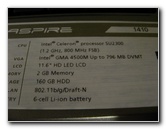 AS1410 Specs Sticker |
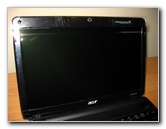 11.6 Inch HD LCD 1366x768 |
| I had tried out the
keyboard on the Acer Aspire One AO751h-1545 11.6" netbook in a store, so I
knew what to expect with the identical keyboard on the AS1410-2285.
The keyboard is easy to type quickly on and I find it far easier to use compared to the smaller 89% keyboard on the 10.1" Acer netbooks. I'd much prefer to type on my huge Microsoft Natural Keyboard but the AS1410 keyboard is excellent considering the size of the computer. Some people may dislike that the keys have no beveling, which can make it more difficult to determine where one keys begins and another ends. Experienced touch typists should quickly adapt and be able to detect the subtle ridges in between the keys. If you plan on using this computer
extensively at your home or office, I'd recommend hooking it up to a large
monitor (via VGA or HDMI), a mouse (no Bluetooth
Then you'd hardly be able to tell that you're working on such an ultra portable yet highly capable machine. |
||
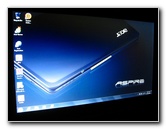 Windows 7 Desktop |
 McAfee Activation |
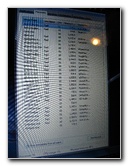 Task Manager - 70 Processes! |
| This
Acer Aspire
AS1410-2285 is one of the first new computers to be equipped with Windows 7.
I only played around with Win 7 for a few hours before deciding that I'd rather have Windows XP SP3 on it for our upcoming trip. The "Home Premium" version of Windows 7 doesn't come with "XP Compatibility" mode. Since I use a collection of older programs in my workflow, I didn't want to waste time getting them to work with this version of Windows 7. Windows 7 did seem to run fairly quick and have some flashy features, but I'll stick with the nearly a decade old Windows XP at least for another year or so. |
||
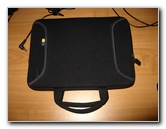 Case Logic LNEO-10 $18 |
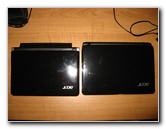 10.1" Acer Aspire One |
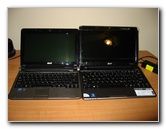 10.1 Inch Vs. 11.6" LCD |
| All of the usual
bloatware and trial software that one can expect on a new computer was on
the Acer AS1410.
The Windows 7 task manager showed that anywhere from 69-71
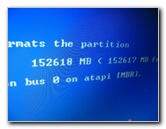
processes ( To test the AS1410 with Windows 7, I ran the Passmark Performance Test (64 bit Win7 version) computer benchmarking program. It scored 429 on the first run and then 438.4 on the second run after a restart. The Acer Aspire 10.1" netbook with a 1.6 GHz Intel Atom processor scored just 248.3 on the test. (Note: I installed XP via a 1GB thumb drive and the hard drive settings in the BIOS had to be changed from AHCI to IDE in order for the installation to work.) |
||
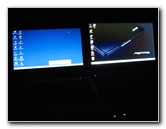 Windows XP SP3 - Win7 |
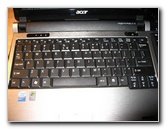 Acer 10.1" Netbook Keyboard |
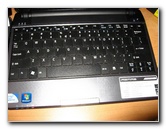 Acer AS1410 Keyboard |
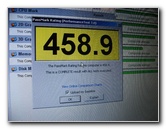
| I ran the Passmark
PerformanceTest (32 bit XP version) software again after a clean
installation of Windows XP Service Pack 3 on the Acer AS1410-2285 and it
scored 459.9 on the first test and 458.9 after a restart.
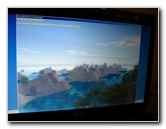
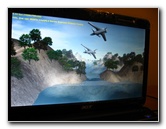
Once I installed all of my usual programs, I ran the test again and it scored 456. The XP task manager showed that the computer was only running 27-30 processes after starting up with a clean Windows XP installation. I adjusted the performance and display settings of XP for "best performance". Now my AS1410 desktop and OS look very plain, but it runs quicker than I had expected. In the future, I may upgrade the RAM from 2 GB to 4 GB (or even more with Windows 7) and install a faster 7200 RPM hard drive with more storage space. A similar upgrade of my old Toshiba A105 yielded excellent results. The Passmark score of the A105 went from 440 stock, to 467.7 with the 1GB to 4GB RAM upgrade, to 526.1 with just the 320GB 7200 RPM hard drive upgrade and finally to 561.8 with both the upgrades installed at the same time. |
||
 Running Passmark Test |
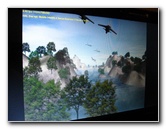 Graphics FPS Benchmark |
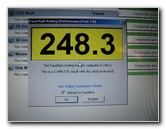 Acer Aspire One 10.1" Results |
| Getting all of the
AS1410-2285 drivers for Windows XP was quick and easy at the Acer USA
support website.
Another advantage of performing a clean installation of Windows is that you can delete the Acer recovery DVD partition and regain a few gigabytes of space on the 160 GB drive. |
||
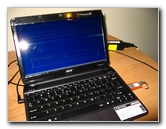 Windows 7, 429 / 438 Score |
 152 GB, Installing XP SP3 |
 Running Passmark Again |
| What I like about
the Acer AS1410-2285 includes it's compact size, beautiful 11.6" high
definition LCD screen, fast dual core processor, full size keyboard, HDMI
audio/video out port, and the relatively large trackpad with easy to click
individual left/right buttons.
What I dislike (but not much) about the AS1410-2285 is that is has a Bluetooth button but no Bluetooth, and that all of the ports/plugs/sockets are on the sides rather than on the rear of the case. I'm used to the clean look of my Toshiba A105 when everything is plugged in to the back and there are no wires protruding from the sides. These are very minor issues, and overall I'm extremely pleased with my purchase of the AS1410-2285. The AS1410 is also available in blue and red. I'd recommend avoiding the versions of the AS1410 that come with a larger 250 GB hard drive but only a single "solo core" 1.3 GHz or 1.4 GHz processor. The dual core 1.2 GHz is surprisingly responsive even when performing tasks like encoding video in Adobe Premiere in the background. |
||
 Graphics Test of Win XP |
 Clean XP Install = 458.9 |
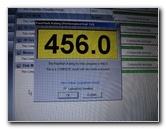 All Programs Installed = 456 |
| For more of my
related updates, click on the following links:
Toshiba A105 Review,
Toshiba M115 Review,
MS Natural Keyboard Sticky Spacebar Repair Guide,
Acer Aspire One 10.1" Netbook Review,
LG Incite WM Smartphone Review,
Pacsafe TravelSafe 12L Review,
Toshiba Satellite Laptop Dust Removal Guide,
SanDisk Sansa Fuze MP3 Player Review.
TiVo Hard Drive Upgrade Guide,
Laptop CMOS Battery Replacement Guide,
Desktop Computer RAM Upgrade Guide,
HP iPAQ HX4700 & Garmin GPS 10 Navigation Solution, and the
HP iPAQ PDA Button Backup Battery Replacement Guide. |
||
 ),
external amplified speakers, and an ergonomic keyboard.
),
external amplified speakers, and an ergonomic keyboard.
 )
were running after the computer finishing starting up.
)
were running after the computer finishing starting up. If you found this guide to be helpful,
please consider making a small donation by clicking on the PayPal.com
"Donate" button located to the right of this paragraph. Thank you!
 (Note: I am not a registered charity. Donations are not tax deductible.) |